
TOP 5
TEACHER PREP TOOLS
Sort · Trim · Label · Carry · Store
Sort

Trim
Label
Carry

Store
Product photos: Smead · Fiskars · Brother · Seville Classics
Affiliate disclosure: As an Amazon Associate I earn from qualifying purchases. Purchases through our links may earn a commission at no additional cost to you.
A teacher prep station works best when each item has a clear next step. Incoming pages need sorting, a printed resource may need trimming, labels need a consistent home, and finished materials need to leave the work surface. Buying several organizers without assigning those jobs can leave the same pile in a different container.
This guide connects five example products to a paper-handling workflow. Each product has already been researched for our category comparisons using manufacturer information and verified U.S. Amazon listings. We have not tested the combined setup, measured time savings or assumed that every teacher needs all five. Start with the step that currently causes a problem and use existing supplies where they do the job.
Teacher prep station checklist
| Job | Example product | Check before buying | A reason to wait |
|---|---|---|---|
| Sort incoming pages | Smead Cascading Wall Organizer 92060 | Hanging location, folder format and visibility | Your existing tray already has a clear review routine |
| Trim a printed sample | Fiskars SureCut Deluxe 152490 | 12-inch cutting length, work area and compatible replacement blades | Your projects rarely require cutting |
| Label the storage home | Brother PT-D220 | TZe tape compatibility, supported width and power supplies | Existing printed labels are readable and consistent |
| Carry one active project | Smead Poly Project Organizer 89207 | Exact 12-pocket model, page sizes and how papers are held | The work stays in one place |
| Store finished sets | Seville Classics 10-Drawer Cart SHE16218KB | Internal drawer clearance, floor space and operating instructions | You already have suitable storage near the work area |
The examples are complementary roles, rather than five competing versions of the same tool. Their value depends on the room, the actual materials and who uses the station. The shopping links identify the selected models; confirm the current variation and package contents before ordering.
1. Smead Cascading Wall Organizer 92060: give incoming papers a destination
Check Smead Cascading Wall Organizer on Amazon.com →
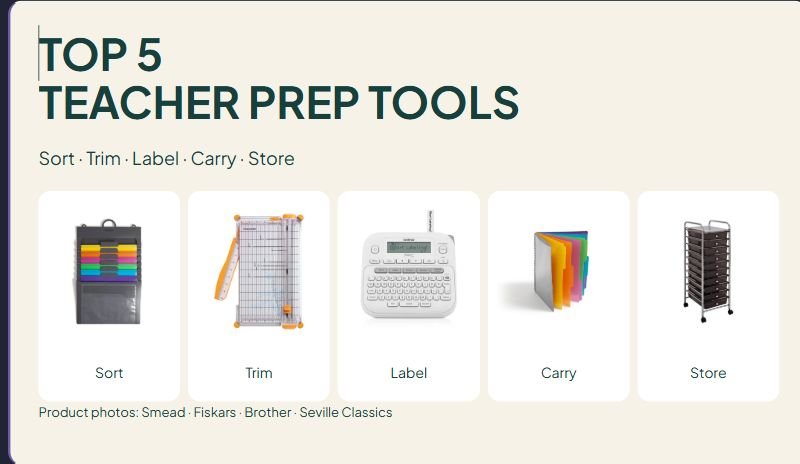
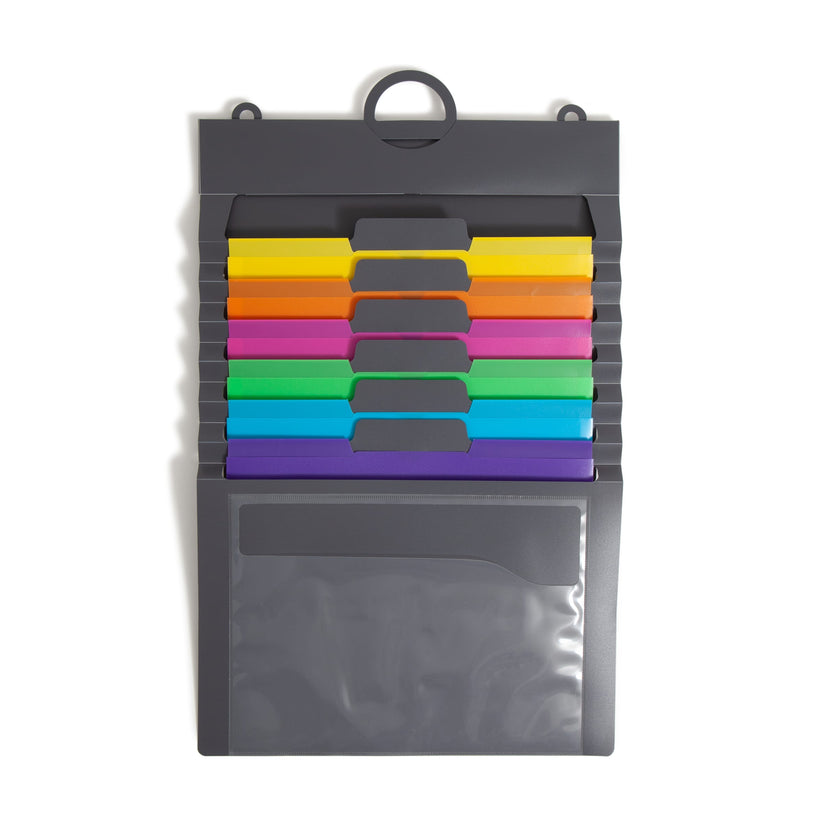
The Smead 92060 has six colored folder pockets, a clear front pocket, a hanging loop and an elastic closure. Its manufacturer describes a cascading format that can be opened for hanging or closed for carrying. Check the selected assorted-color version rather than assuming every product photograph shows the same variation.
Its role in the station: Assign categories that describe a next action, such as REVIEW, COPY and RETURN. Use only the number of categories you can maintain. A visible place for incoming work is useful when someone knows when each category will be reviewed.
Limitation: Open, visible pockets are unsuitable for leaving private student information exposed. The organizer also needs a suitable hanging location. Check your room and school procedures before deciding what belongs in a visible paper system.
A setup decision: Write one sentence for each pocket explaining what enters it and what makes a page leave. If two categories have the same rule, combine them before printing labels.
2. Fiskars SureCut Deluxe 152490: check one cut before repeating it
Check Fiskars SureCut Deluxe 152490 on Amazon.com →
The Fiskars SureCut Deluxe uses a sliding blade carriage and a wire cut-line. Its swing-out measuring arm extends the measuring area beyond 15 inches, while the cutting length remains 12 inches. The extended ruler does not turn it into a longer cutter.
Its role in the station: Use the tool to prepare one complete sample of a printed resource before cutting the rest. Check the finished piece in its actual sleeve, folder or storage place. A sample can reveal a layout problem before that problem is repeated across a whole class set.
Limitation: Confirm that the exact material and thickness are supported. A rating for ordinary paper should not be applied automatically to cardstock or laminated resources. Fiskars identifies compatible TripleTrack style I replacement blades for this model; record the exact model when looking for refills.
A setup decision: Leave enough stable work space for the sheet and measuring arm. Follow the tool's instructions and the school's adult-use, access and storage procedures. Clear the cutting area before moving another project into it.
3. Brother PT-D220: label the place an item returns to
Check Brother PT-D220 on Amazon.com →
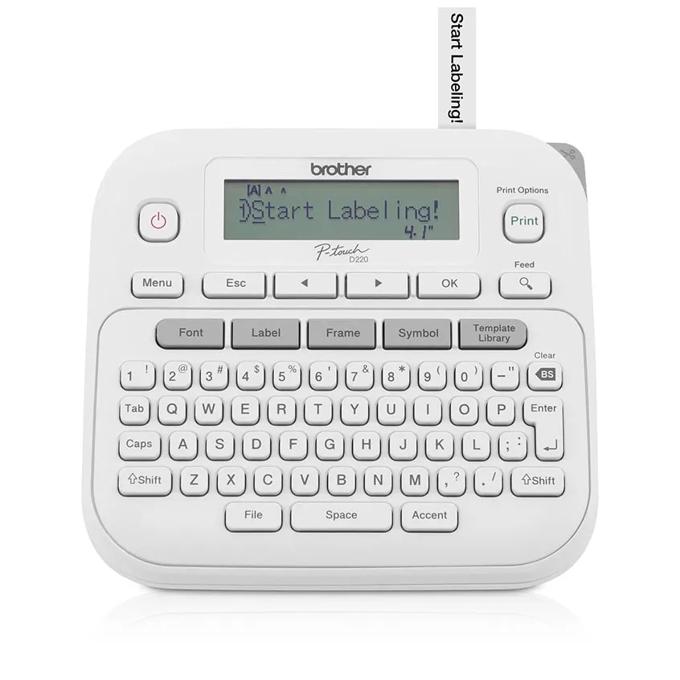
The PT-D220 has a built-in QWERTY keyboard and display. It prints on Brother TZe tapes up to 12 mm wide. Brother lists power from six AAA batteries or an optional AC adapter; neither is included in the standard package described in our product research.
Its role in the station: Label storage after deciding the categories. Use the same name on the organizer, the project checklist and the finished-materials home. That consistency can be more useful than adding decorative detail to a label whose meaning changes from place to place.
Limitation: Tape width is not the same as printable text height. Check the available label space and reading distance. TZe cartridges are also a specific system; another brand's 12 mm cartridge does not become compatible simply because the width matches.
A setup decision: Print one sample, check it on the intended surface according to the tape instructions, then make the rest. Keep the refill family and supported width with the equipment so another staff member can order the right supplies.
4. Smead Poly Project Organizer 89207: keep one active job together
Check Smead Poly Project Organizer 12 pockets on Amazon.com →
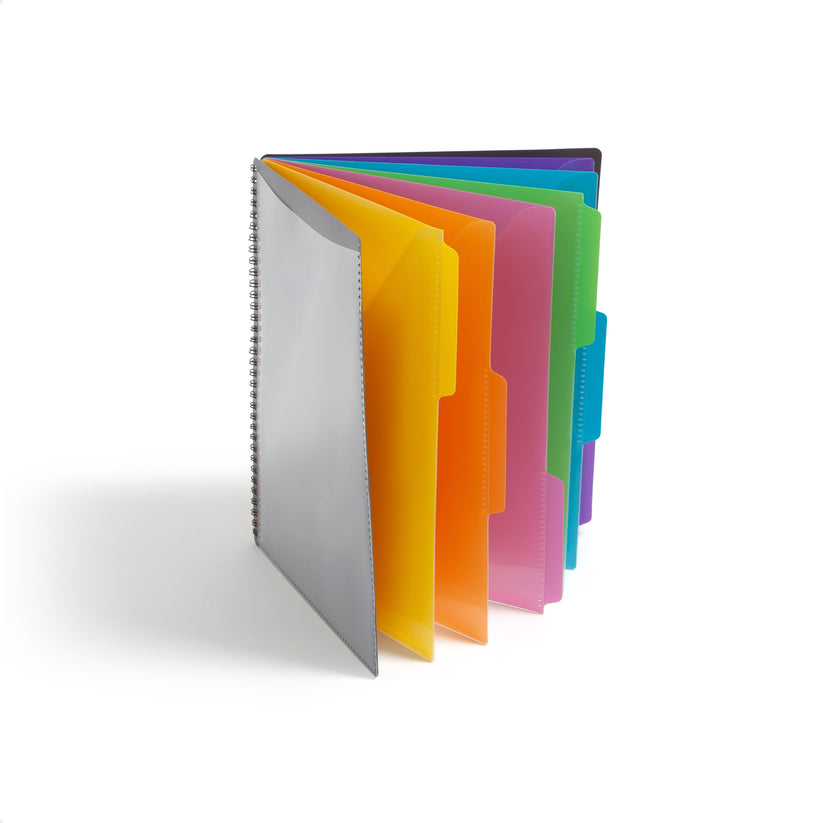
The Smead 89207 is a 12-pocket project organizer with slash pockets, spiral binding, a clear front pocket and a rear zippered accessory pocket. It is a different format from the cascading wall organizer. Check model 89207 rather than confusing it with the related 24-pocket model 89206.
Its role in the station: Keep the pages for one active project together when the work moves between a desk, a shared prep room and home. Categories might describe stages or parts of that project. Keep the scheme small enough that another person can understand where a page belongs.
Limitation: Slash pockets are not sealed document envelopes, and the accessory pocket does not make every paper compartment zip shut. Check how the pages will be carried and whether this format meets the privacy and security needs of the documents involved.
A setup decision: Put a short project checklist in the front location and record the next unfinished step. When the project is complete, transfer its materials to the agreed storage home instead of allowing the portable organizer to become permanent overflow.
5. Seville Classics 10-Drawer Cart SHE16218KB: finish the storage step
Check Seville 10-Drawer on Amazon.com →
The selected Seville Classics organizer is the 10-drawer cart, model SHE16218KB. Drawer-based storage offers separate locations for supplies or finished materials while keeping the work surface available for the next project.
Its role in the station: Assign a drawer only after checking the actual contents. Use labels that match the rest of the workflow, and decide whether a drawer holds tools, consumables or completed sets. A category that becomes too broad may need a different storage format rather than another small label.
Limitation: Drawer count does not establish usable interior size. The manufacturer and Amazon information captured for our cart comparison differed on internal clearance, so check the current measurements against the actual folder or resource box. Do not assume an item fits because it is called letter-size or because another cart in the same range looks similar.
A setup decision: Check the assembled footprint, access to drawers and the manufacturer's operating and loading instructions. Decide where the cart belongs during use and storage. Keep the route and work area clear rather than treating extra wheels as a reason to move a loaded setup unnecessarily.
A small-space teacher prep station routine
Start with one real project
Choose a task you already need to finish, such as preparing a short card set. Write down the steps from the first printed page to its final storage home. Identify the point where pages, supplies or decisions usually stall. Solve that point first, using a tool you already own if it works.
Keep an incoming area and a finished home
Give unfinished work a visible next action. Give completed work a destination that someone else can find. If the final storage location is unclear, another organizer may only postpone the decision. Establish the return rule before adding more containers.
Check one sample at every irreversible step
Before cutting a batch or applying a set of adhesive labels, check one complete example. Confirm the dimensions, wording and intended surface. Use the specific equipment instructions for the material. If the sample fails, revise the layout or storage plan before repeating it.
Record the consumables
Keep the correct tape family, blade model and other refill information with the station. Include power supplies and necessary refills when considering a purchase. We have not calculated a cost per project or promised that a particular tool will save a certain number of minutes.
Questions before buying
Should I buy the full list?
Use the list to identify missing roles in your workflow. A teacher whose existing trays, scissors and printed labels already work may need only a better return routine. Start with the actual bottleneck and compare alternatives in the linked category guides.
Can students use this station independently?
This guide describes adult teacher preparation. Equipment instructions and school procedures govern access and supervision, especially for cutting tools. The station's organization does not establish that a particular tool is appropriate for independent student use.
Will a label maker solve a paper backlog?
Labels can identify categories, but someone still needs to review, process and remove the pages. Assigning a next action and a review routine is part of the system. Choose the equipment after defining those decisions.
Manufacturer sources and category comparisons
- Smead 92060 manufacturer information
- Fiskars 152490 manufacturer information
- Brother PT-D220 manufacturer information
- Smead 89207 manufacturer information
- Seville Classics SHE16218KB manufacturer information
For alternatives within each role, read our category comparisons: Paper organizers compared, Paper trimmers compared, Label makers compared, Rolling carts compared.





Leave a Comment