
TOP 3
PAPER ORGANIZERS FOR TEACHERS
Wall display · Portable project · Desktop file
Smead 92060
Cascading wall organizer
Smead 89207
12-pocket project organizer
Smead 70211
12-pocket stadium file
Affiliate disclosure: As an Amazon Associate I earn from qualifying purchases. Purchases through our links may earn a commission at no additional cost to you.
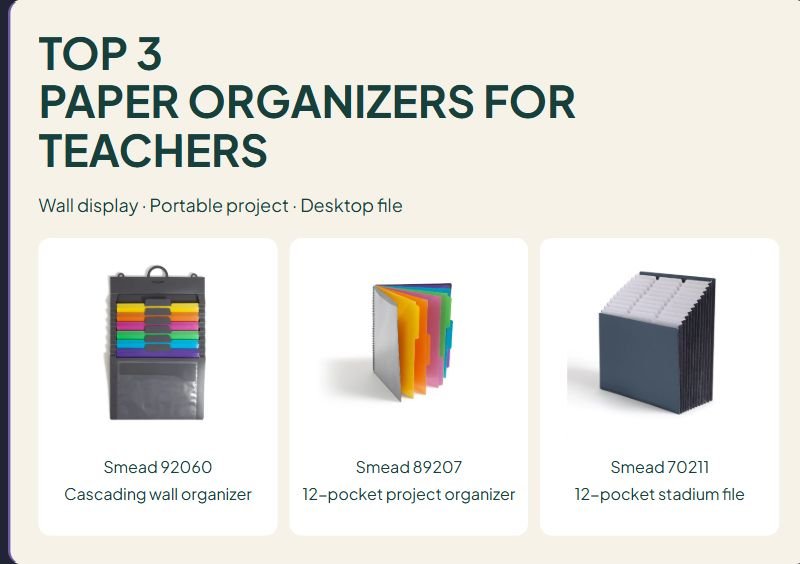
Paper organizers for teachers should match the way documents move through the day. A wall organizer keeps a few active categories visible, a notebook-style organizer travels between workspaces, and a tiered desktop file keeps several sections within reach. Choose the workflow before choosing the color.
This comparison uses manufacturer specifications rather than hands-on testing. We have not measured loaded capacity, seam strength, long-term wear, or resistance to spills. These three Smead designs serve different routines and are not a measured ranking.
Three paper organizer formats
| Format | Potential fit | Main trade-off |
|---|---|---|
| Six-pocket cascading wall organizer | Active categories away from the desk surface | Requires a suitable hanging location |
| Twelve-pocket spiral project organizer | Carrying a limited project set between workspaces | Open slash pockets are not sealed envelopes |
| Twelve-pocket stadium file | Visible desktop filing | Needs space for its expanded footprint |
Smead Cascading Wall Organizer 92060: active papers on the wall
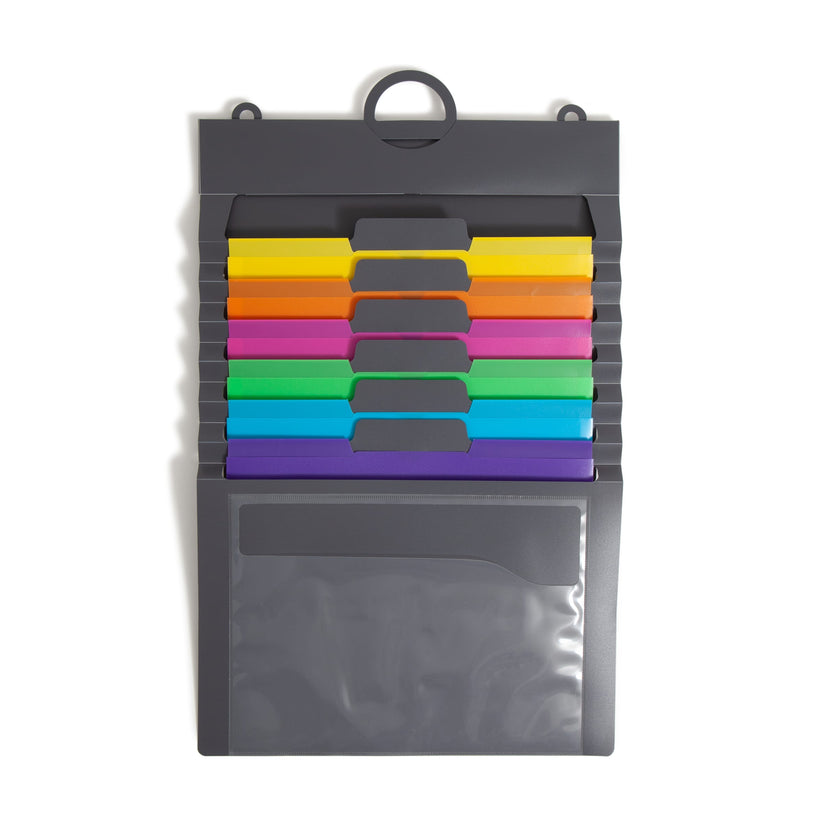
The assorted-color 92060 has six colored folder pockets and a clear front pocket. Smead lists a capacity of fifty letter-size sheets per pocket, a hanging loop, and an elastic closure for transport. The manufacturer gives closed dimensions of 14¼ inches wide by 10⅝ inches. The Amazon listing notes original and Gen 2 versions with different open heights, so confirm the version and open dimensions before selecting a wall space. The photo illustrates a manufacturer version; supplied details may vary. The capacity is a manufacturer specification, not a result we tested.
Classroom fit and limitation: Choose it for visible lesson-prep categories when a suitable hanging point is available. Check the open display space and reach before ordering. A clear front pocket is useful for a general timetable, but an exposed display is a poor place for private student information.
Smead manufacturer specifications and photo source
Check Smead 92060 on Amazon.com →
Smead Poly Project Organizer 89207: notebook-style sorting
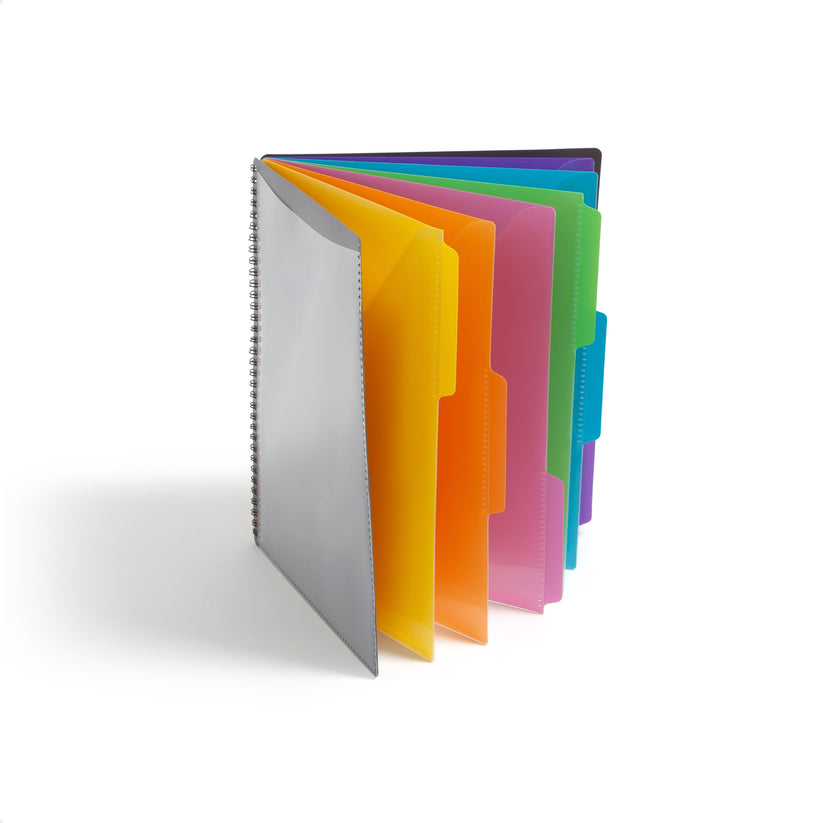
The gray 89207 is a letter-size, twelve-pocket organizer for letter-size documents. The manufacturer gives ten by twelve inches, while the current Amazon listing gives 10¼ by 11¾ inches; verify the supplied version if bag fit is tight. It has spiral binding, slash pockets, staggered tabs, a clear front pocket, and an accessory pocket with a zipper inside the back cover.
Classroom fit and limitation: Its notebook layout suits a project that you want to page through or carry. Keep the contents limited enough to use comfortably. This is the twelve-pocket 89207, not the similarly named twenty-four-pocket 89206; match the model and pocket count on the listing.
Smead manufacturer specifications and photo source
Check Smead 89207 on Amazon.com →
Smead Expanding Stadium File 70211: a tiered desktop layout
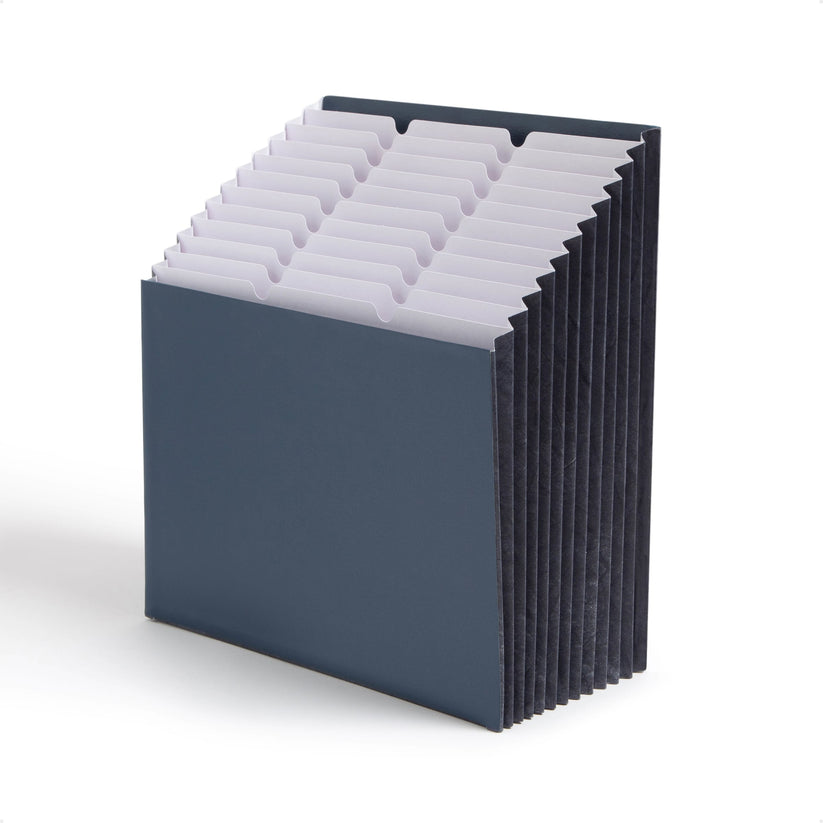
The navy 70211 has twelve fixed, tiered pockets for letter-size documents. Each pocket expands to seven-eighths of an inch. Manufacturer and retailer dimensions differ: the manufacturer gives 12¼ inches wide by 13⅝ inches high, while the Amazon title gives 12¾ by 13¾ inches with expansion up to 11¾ inches. Verify the current version and leave room for expansion. File folders are not included.
Classroom fit and limitation: The stepped design keeps several categories visible, but needs desk space. Follow Smead’s instructions to expand the bottom and pockets before use. This is a desktop file, not a closed carrying case; plan a different transport arrangement if papers must travel.
Smead manufacturer specifications and photo source
Check Smead 70211 on Amazon.com →
Build a paper workflow before filling the pockets
Sort by the next action
For active preparation, labels such as “COPY,” “PREPARE,” “USE THIS WEEK,” and “FILE” can be more useful than broad subject names. Choose categories that tell you what to do next. If one pocket collects unrelated papers indefinitely, revise the label or schedule a regular clear-out.
Keep working copies separate from originals
Use the organizer for the documents you need during the current task. Keep master copies in a defined home so a busy preparation session does not scatter them among unfinished jobs. A simple reference list can help colleagues identify which version is ready to use.
Measure the finished document
Letter-size paper and a letter-size folder do not have identical exterior dimensions. Laminating, tabs, or protective sleeves can add width or height. Check a representative finished item before buying several organizers for the same routine.
Plan where the organizer lives
For wall storage, check the hanging arrangement, opening space, and reach. For desk storage, account for the expanded depth and the room needed to pull out a document. For a portable organizer, check the bag or shelf where it will be stored when not in use.
Use color as a second cue
Add clear text labels rather than relying only on color. Use the same category name on related digital folders or preparation lists where practical. Keep the system simple enough that another staff member can understand it without memorizing a private color code.
A weekly classroom paper reset
- Clear completed actions. Remove papers that have already been copied, used, or filed.
- Check dates. Replace outdated schedules and prompts.
- Reduce duplicates. Keep only the working quantity needed for the next task.
- Review overloaded sections. Split a category only if the new division makes the next action clearer.
- Return originals. Put master documents back in their defined storage place.
For example, a “COPY” section can hold one marked master and a note about the number of copies. After copying, move the lesson set to its next location and return the master. The organizer supports that routine; adding more pockets alone does not create it.
Compare the complete setup
Check the number of organizers in the package, included labels, paper size, and whether separate folders or mounting supplies are needed. Product pictures may show a suggested use rather than everything in the box. Compare the cost of the complete setup you need, without assuming the same package contents across similar model names.
For durable storage identifiers, see our label makers for teachers. If paper sets need to move with other materials, compare the teacher rolling cart designs.
What to check in customer feedback
Look for the exact model, pocket count, paper type, and amount carried. A review about a lightly filled project organizer may not describe use with bulky folders. Comments about plastic surfaces do not establish that stored paper is protected from water. We have not reproduced review excerpts or assigned ratings.
Paper organizer questions
Is water-resistant material the same as waterproof document storage?
No. The material and the open edges are separate considerations. Do not assume that an organizer protects paper from spills or rain unless the manufacturer explicitly specifies that use.
Should I choose the most pockets?
Choose enough distinct sections for the current workflow. Too many categories can make filing harder if their purposes overlap. Test your labels on a small working set first.
Can these store private student records?
Use the school’s approved storage and handling arrangements for private documents. Open wall displays, visible tabs, and portable preparation folders do not provide controlled access on their own.
Which format should I shortlist?
Choose wall storage for visible active categories, a notebook-style organizer for a portable project, or a tiered file for desk access. Measure the intended location and a finished document before purchasing.







Leave a Comment