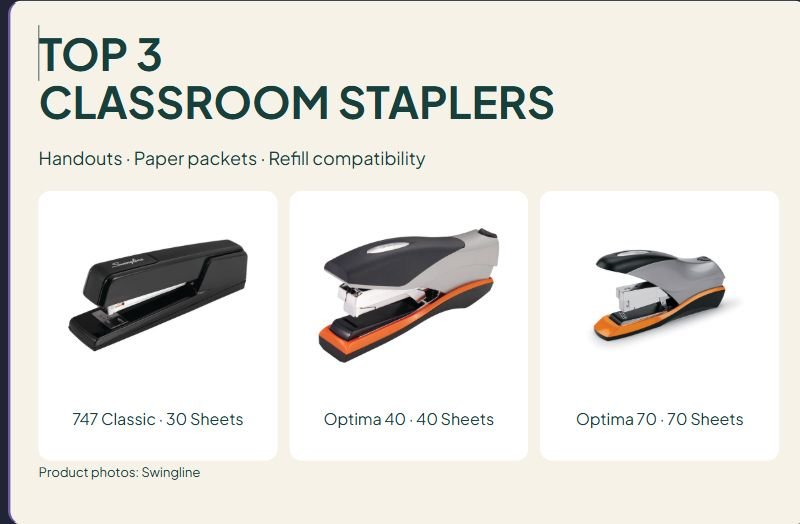

TOP 3
CLASSROOM STAPLERS
Handouts · Paper packets · Refill compatibility
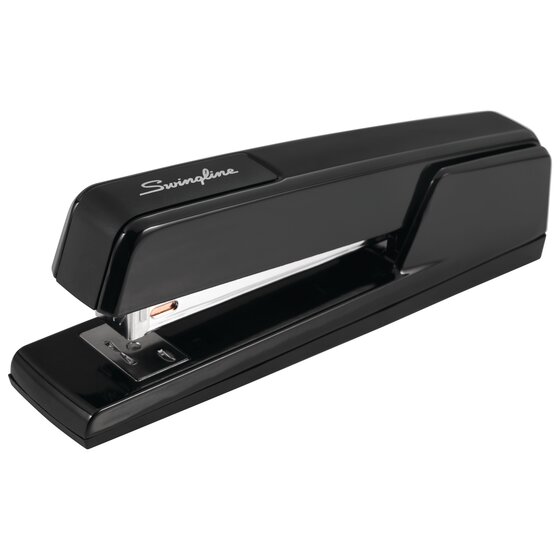
747 Classic · 30 Sheets
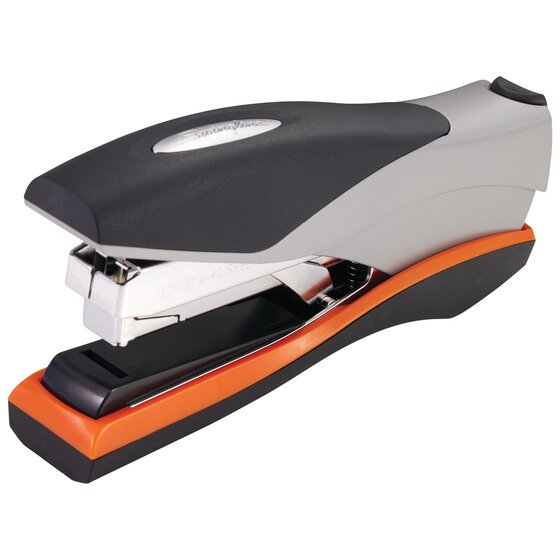
Optima 40 · 40 Sheets
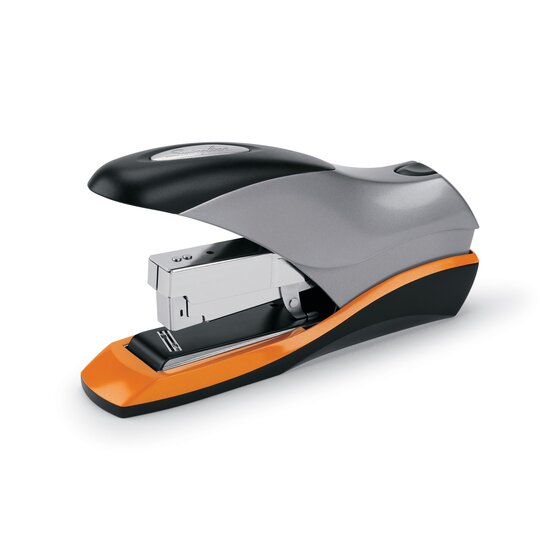
Optima 70 · 70 Sheets
Product photos: Swingline
Affiliate disclosure: As an Amazon Associate I earn from qualifying purchases. Purchases through our links may earn a commission at no additional cost to you.
Classroom staplers can serve very different jobs: joining a short handout, fastening a thick packet or attaching a display to a suitable bulletin board. Start with the job that happens most often. A higher sheet number is useful only if the stapler also accepts the correct refills and supports the way you work.
This comparison considers three manual Swingline models for teacher paperwork: the black 747 Classic 74701, Optima 40 Desk 87845 and Optima 70 Desk 87875. These are researched options, not products we have classroom-tested. The numbers below come from the manufacturer's pages; check the exact model and package when ordering. None of these three is an electric stapler.
Quick comparison of classroom staplers
| Decision | 747 Classic 74701 | Optima 40 Desk 87845 | Optima 70 Desk 87875 |
|---|---|---|---|
| Advertised sheet limit | Up to 30 with S.F. 4 Premium staples | Up to 40 | Up to 70 |
| Refill distinction | Manufacturer specifies S.F. 4 Premium | Optima; specification lists 1/4-inch legs | Optima High Capacity; specification lists 3/8-inch legs |
| Main reason to consider | Conventional desktop use plus tacking | Mid-size packets and flat-clinch stacking | Thicker packets with a dedicated refill supply |
| Bulletin-board tacking | Manufacturer describes opening for tacking | Specification says no | Specification says no |
| Refill mechanism described | Check loading instructions for this model | Front-ejecting QuickLoad magazine | Front-ejecting QuickLoad magazine |
The Optima specification tables identify their sheet capacities using 20-lb paper. The 747 page ties its capacity claim to the named premium staples. A sheet limit is not a promise that the same number of laminated, folded or heavier sheets will work. Count the physical sheets in the packet, then confirm both the paper and refill requirements.
1. Swingline 747 Classic: conventional stapling plus tacking
The black 74701 is the traditional choice in this comparison. Swingline describes a die-cast metal base, up to 30 sheets with S.F. 4 Premium staples, a rotating anvil for temporary pinning and an opening mechanism for tacking. Those functions make it worth considering when the same adult-operated tool handles papers and occasional display preparation.
Practical advantage: If your usual job is joining a few worksheets, its tacking function may matter more than a much higher sheet limit. Keep the tool at the preparation area and check whether the surface you plan to tack is suitable before opening the stapler.
Limitation: Do not transfer the Optima models' flat-clinch or reduced-effort features to this Classic model. Similar-looking 747 Business, half-strip and colored versions have their own listings and model numbers. Check 74701 rather than relying on the word 747 alone.
Choose it when: Conventional handouts and occasional bulletin-board preparation are the priorities. Choose a different format if you mainly need packets exceeding its listed capacity.
2. Swingline Optima 40 Desk: a middle option for paper packets
The 87845 Optima 40 Desk is listed for up to 40 sheets, with a metal mechanism, soft handle, flat-clinch operation and a front-ejecting QuickLoad magazine. The specification table lists Optima staples with 1/4-inch legs. It also says the model does not tack.
Practical advantage: Flat-clinch stapling forms the staple ends flatter against the back of the papers. That can be relevant when you prepare several packets that will be stacked. Evaluate it for your actual worksheet bundles rather than assuming you need the largest model available.
Limitation: The manufacturer describes a reduced-effort design, but this remains a manual tool. We have not measured the force required, assessed accessibility for any individual or tested how it handles repeated classroom use. It is also a desk model, not the separately listed Optima 40 Compact.
Choose it when: You want the middle sheet limit and flat-clinch format, and you do not need this stapler to open for bulletin-board tacking.
3. Swingline Optima 70 Desk: thicker packets and different staples
The 87875 Optima 70 Desk is listed for two through 70 sheets using Optima High Capacity staples without switching staples within that stated range. Its specifications identify 3/8-inch legs. Swingline describes a metal mechanism, soft handle, flat-clinch operation and QuickLoad magazine; tacking is listed as unavailable.
Practical advantage: This is the option to investigate when the actual paper packet exceeds the other two models' limits. Its refill requirement is part of the purchase decision: put the exact compatible staple name beside the tool in your supply list.
Limitation: Do not assume the 1/4-inch refills bought for an Optima 40 are the intended refill for the Optima 70. The word Optima by itself is insufficient. A higher capacity also does not replace collating, checking the page order or following the stapler's loading and use instructions.
Choose it when: Thick teacher-prepared packets are a recurring job and you can maintain the matching high-capacity refill supply.
A buying checklist for teacher paperwork
Count sheets, then inspect the paper
Take one representative packet and count its physical sheets before shopping. A double-sided printed page is still one sheet, while a folded sheet may present more layers at the fastening point. Note cover stock, dividers or other materials separately. If your work varies widely, identify the largest routine packet rather than a rare hypothetical maximum.
Write the refill model into the order
Treat the stapler and compatible staples as a pair. Record the full refill family and leg length from the current instructions. Check whether the selected package contains any starter staples; a product photograph alone does not establish the box contents. Keeping an incompatible refill box beside the stapler is a preventable source of confusion.
Separate packet fastening from display work
A stapler that closes a thick packet may not open for tacking. The 747 Classic page describes that function; both Optima specification tables say no. If you regularly prepare displays, decide whether you need a separate adult-use tacking tool instead of expecting a high-capacity desk model to do both jobs.
Organize the preparation station
Keep unfinished sheets, checked packets and completed packets in separate places so a stapler does not become a substitute for a page-order check. Before fastening an entire class set, assemble one sample, review its sequence and decide where the staple belongs. Leave enough room around the tool to handle the packet without pulling on it during fastening.
Questions before ordering
Which is the best stapler for every teacher?
There is no single choice supported by these specifications. The 747 offers a tacking function, the Optima 40 is a middle-capacity flat-clinch option and the Optima 70 targets thicker stacks with different refills. Match the function to your routine paperwork rather than treating the model with the largest number as an automatic upgrade.
Does a jam-free label mean jams are impossible?
Do not interpret marketing language as a guarantee for every paper, staple or loading condition. The Optima pages include conditional jam-free claims in the feature text while their specification tables show a Jam Free field of No. We cannot resolve that inconsistency from the pages. Follow the current model instructions and confirm any guarantee terms with the manufacturer if they affect your decision.
Where are the customer ratings and testing results?
This guide does not assign ratings or claim hands-on testing. We have not captured an authorized, model-specific customer excerpt for these products, so none is presented as evidence. The comparison focuses on identifiable features, refill requirements and practical purchase questions that readers can verify.
For a full paper-handling workflow around the stapler, see our teacher paper-prep station guide. Plan sorting, trimming and storage separately from fastening.




Leave a Comment