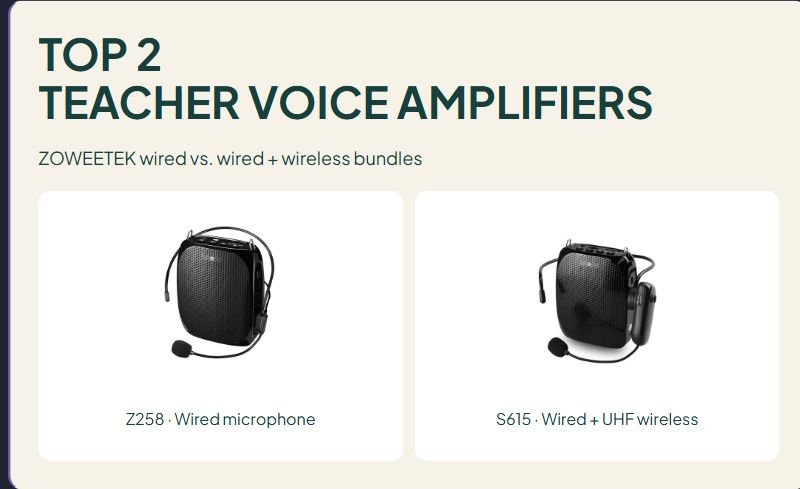

TOP 2
TEACHER VOICE AMPLIFIERS
ZOWEETEK wired vs. wired + wireless bundles
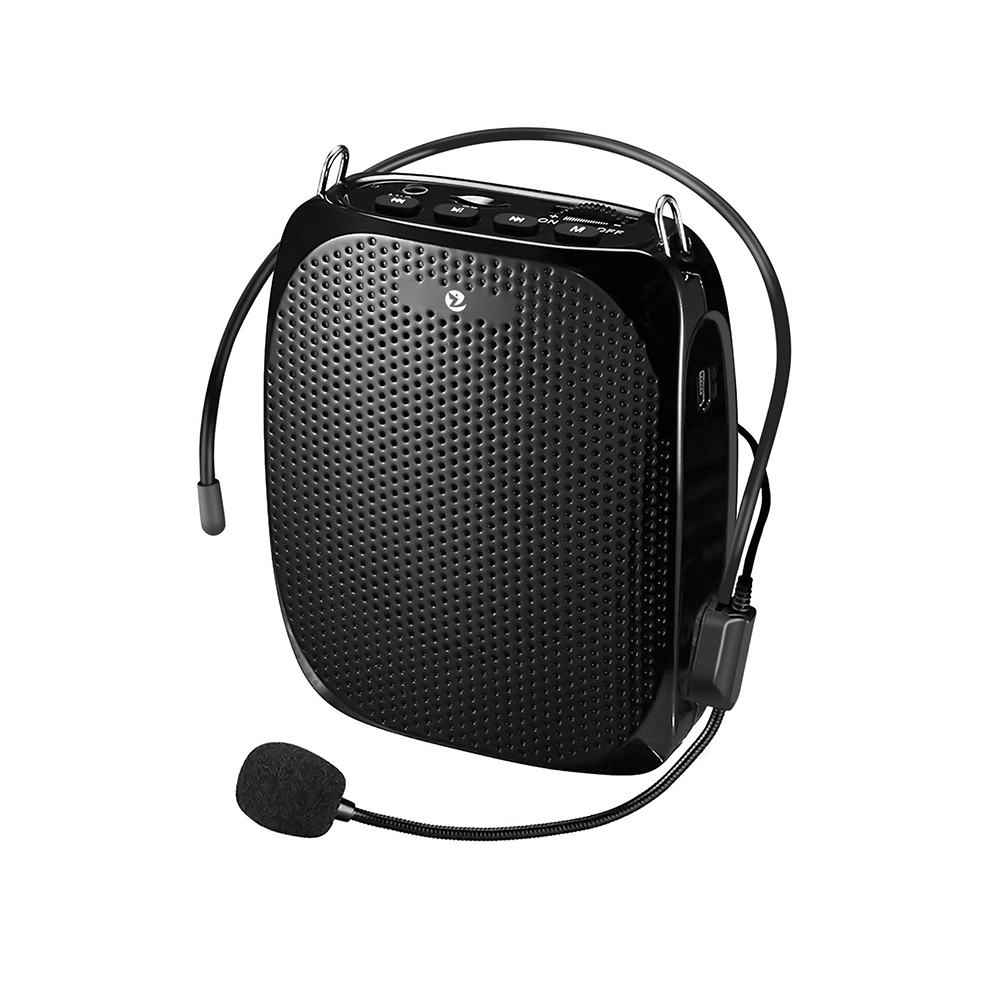
Z258 · Wired microphone
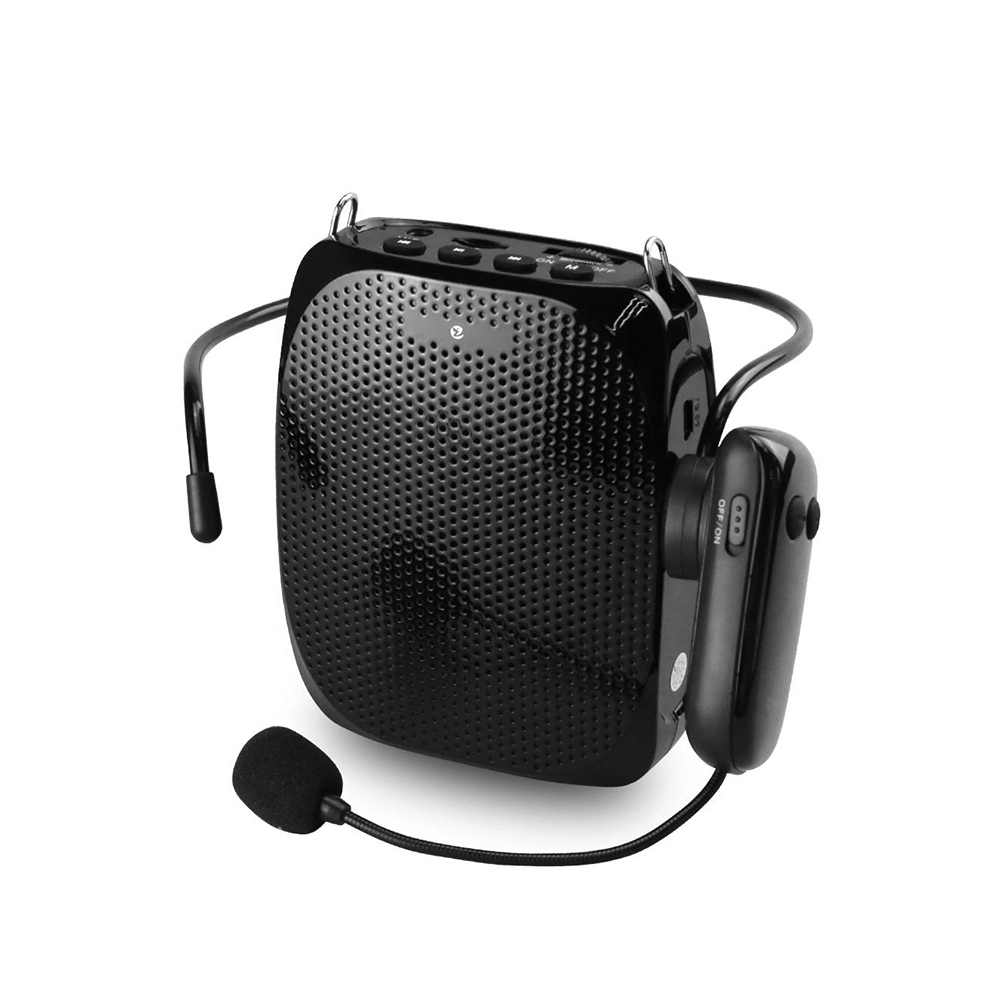
S615 · Wired + UHF wireless
Affiliate disclosure: As an Amazon Associate I earn from qualifying purchases. Purchases through our links may earn a commission at no additional cost to you.
Voice amplifiers for teachers combine a microphone with a small speaker. Choosing one starts with the connection between those two parts: a wired headset is a different setup from a wireless microphone, and Bluetooth music playback does not automatically mean a product has a wireless microphone.
This guide compares two ZOWEETEK microphone packages: the wired Z258 and the S615 bundle with wired and UHF wireless microphones. We have not tested sound quality, feedback resistance, output, battery endurance, or comfort. Their order does not represent a measured quality ranking.
Two voice amplifiers for teachers at a glance
| Model | Microphones | Manufacturer output | Main trade-off |
|---|---|---|---|
| Z258 | Wired headset | 10 W | Cable management, with no separate wireless microphone battery |
| S615 bundle | Wired and UHF wireless microphones | 10 W | Wireless movement adds pairing and separate charging |
These output figures do not establish classroom coverage, speech clarity, or a number of listeners. Choose the connection and wearing arrangement before comparing marketing claims.
1. ZOWEETEK Z258: a wired microphone setup
The verified US listing identifies model ZW-Z258 and includes a wired microphone, waistband, AC adapter, and Mini USB cable. The manufacturer describes an 1800 mAh battery and rates the speaker at 10 watts. Its stated microphone-mode runtime is eight to twelve hours at fifty percent volume; this is a conditional claim, not an all-day guarantee.
Advantage: A wired headset avoids a wireless pairing step and a separately powered microphone. This can simplify a routine in which you wear the microphone and speaker together.
Limitation: A cable connects the headset to the speaker. Check its path when bending, turning, moving books, and using a belt clip. Confirm comfort with your normal glasses or other equipment.
Manufacturer product details and photo source
Check ZOWEETEK Z258 wired bundle on Amazon.com →
2. ZOWEETEK S615: wired and wireless microphones in one bundle
The verified US bundle identifies model AUS-ZW-S615. It includes a UHF wireless microphone and a wired microphone. The speaker is rated at 10 watts with an 1800 mAh battery. The Amazon listing states about three to five hours for the wireless microphone, separately from the speaker runtime. Plan around the component with the shorter charge.
Advantage: You can use the wireless microphone when its cable-free connection suits movement, with the included wired microphone offering another setup option. Confirm the instructions for switching between them.
Limitation: Both speaker and wireless microphone need a charging routine. Do not assume their runtimes match, or that two included microphones means simultaneous two-person amplification. Similar S615 listings from another brand may describe a different package.
Manufacturer product details and photo source
Check ZOWEETEK S615 wired + wireless bundle on Amazon.com →
Decide what problem the amplifier needs to solve
Describe the teaching situation before comparing features. Do you remain near a small group, move between tables, or give instructions outdoors? Does the room have a fixed audio system already? A portable speaker may fit one routine and complicate another. Check the school’s equipment arrangements before purchasing a separate system.
Keep microphone and playback connections separate
A product can have Bluetooth for playing audio from a phone while using a different connection for its microphone. Read the description of each path. If you need a wireless headset, verify that the exact package supports that headset; a Bluetooth logo alone is not enough.
Check the controls you will use during a lesson
Look for a clear way to reduce volume or stop amplification quickly. Consider whether the controls are reachable when the speaker is clipped, worn, or placed on a surface. A control that is convenient in a product photograph may be awkward when the unit is carried differently.
Plan the charging routine
List every rechargeable component, its charging cable, and the matching power supply. Reserve a location for the equipment and follow the manufacturer’s charging instructions. Do not assume the microphone and speaker will have the same remaining charge or run for the same amount of time.
Check comfort and movement
Consider headset adjustment, use with glasses, cable routing, and the position of any belt clip or strap. Check return conditions before ordering because comfort cannot be established from dimensions alone. We have not worn these headsets or compared their fit.
Set up a new unit before class
- Read the exact model’s instructions. Identify the microphone connection, charging requirements, and controls.
- Start quietly. Begin with a low volume rather than the maximum setting.
- Position the microphone as directed. Keep its relationship to the speaker in mind when moving.
- Check the ordinary teaching position. Use the room arrangement you expect during the lesson.
- Get listening feedback. Ask a colleague whether speech is clear in the intended listening area.
- Plan a fallback. Know how to continue if a cable disconnects, a battery runs low, or the microphone loses its connection.
Use the product’s troubleshooting instructions if feedback, distortion, or dropouts occur. Turning the volume higher is not always a useful response. Stop and correct the setup rather than continuing a lesson with unclear amplified sound.
Understand the limits of a portable amplifier
Background noise, room layout, speaker position, and the listener’s needs can affect whether speech is accessible. A small portable device does not automatically replace a school’s installed audio system or an individual student’s access arrangement. Coordinate with the relevant school staff when equipment needs to work alongside an existing system.
For computer calls, a headset is a separate equipment choice: see our wired teacher headset comparison. To model printed materials while speaking, compare our document cameras for teachers.
Read customer feedback for the exact version
Look for descriptions of the room, microphone connection, time owned, and recurring setup issues. Comments about music volume may say little about spoken instructions. A review of a wired package may not describe a wireless edition. We have not reproduced customer excerpts or assigned ratings.
Teacher voice-amplifier questions
Does a higher wattage mean clearer speech?
Not by itself. Wattage does not describe the whole microphone, speaker, room, or listening experience. Compare the design and check how a sample works in the intended setting.
Is wireless always the easier option?
Wireless avoids a cable between the microphone and speaker, while adding connection and charging considerations. A wired design can be simpler for one routine and less convenient for another.
Will the battery last a full teaching day?
Do not assume so from a maximum runtime claim. Volume, mode, battery condition, and microphone power can affect use. Establish a charging and fallback routine rather than relying on an untested headline figure.
Which format should I shortlist?
Consider a wired model when a cable fits your teaching routine. Compare a wireless edition when movement makes that connection useful, after checking the exact package, charger, microphone, and regional model. Make the final choice from a verified listing and the intended classroom setup.










Leave a Comment