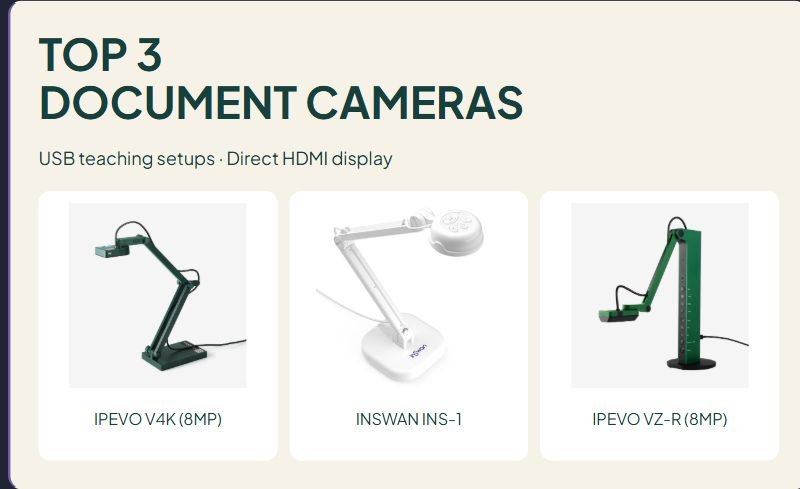

TOP 3
DOCUMENT CAMERAS
USB teaching setups · Direct HDMI display
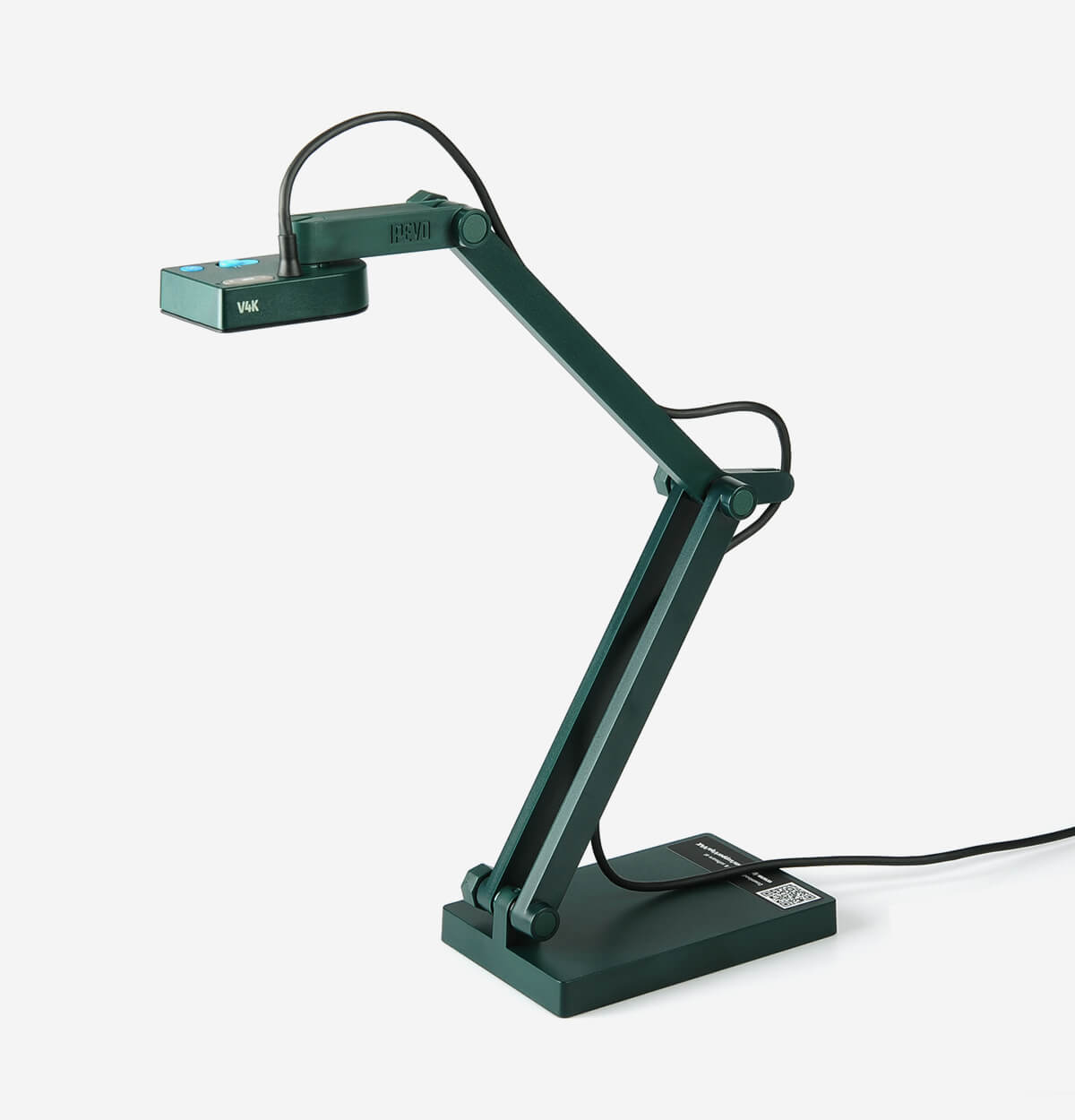
IPEVO V4K (8MP)
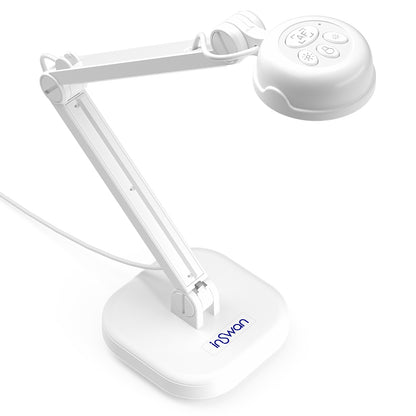
INSWAN INS-1

IPEVO VZ-R (8MP)
Affiliate disclosure: As an Amazon Associate I earn from qualifying purchases. We may receive a commission from purchases through our links, at no additional cost to you.
A document camera lets a class see a physical page, a worked example, or a small object on a larger screen. Choosing one starts with the connection: will the camera feed a computer, or must it connect directly to a classroom display? Buying a USB-only model for an HDMI-only setup is an avoidable mismatch.
This guide compares three 8MP document cameras for different teaching setups. It uses manufacturer specifications and verified U.S. Amazon model listings. We have not tested these products, measured image quality, or checked them on every school device. Our recommendations describe practical fit rather than a measured performance ranking.
Document cameras at a glance
| Model | Connection | Consider for | Useful feature | Main limitation |
|---|---|---|---|---|
| IPEVO V4K, original 8MP | USB | Computer-based live demonstrations | Autofocus and adjustable stand | No direct HDMI output |
| INSWAN INS-1 | USB-A | Computer-based demos with extra light | Built-in LED and microphone | May need an adapter for USB-C computers |
| IPEVO VZ-R, 8MP | HDMI or USB | Direct display connection or computer use | Two connection routes | HDMI use still requires power |
Three document cameras for classroom use
1. IPEVO V4K: for a computer-based teaching setup
The original V4K has an 8MP camera, autofocus, a USB video interface, and a multi-jointed stand. IPEVO lists a maximum image resolution of 3264 × 2448, up to 30 fps at Full HD, and a maximum shooting area of 13.46 × 10.04 inches. Its attached USB cable is approximately 4.9 feet long.
Why consider it: It fits a workflow where a computer already handles the classroom screen or meeting application. The adjustable stand lets you frame a page or angle the camera toward an object.
Trade-off: The camera’s USB output does not plug directly into a display’s HDMI input. The original 8MP V4K is also distinct from V4K ULTRA and V4K PRO models. Check the complete name and connection before ordering.
Classroom fit check: Measure the space between the computer and demonstration area. Test whether a full worksheet and your writing hand fit comfortably in the intended frame.
IPEVO V4K (8MP) manufacturer specifications
Check IPEVO V4K (8MP) on Amazon.com →
2. INSWAN INS-1: for a USB setup with supplemental lighting
The INS-1 combines an 8MP sensor with autofocus, a built-in LED, and a microphone. Its manufacturer specifies a 374 × 280 mm workspace, approximately 14.72 × 11 inches, and a USB-A connection. The package list includes an anti-glare sheet and microscope adapters; confirm the contents of the retailer’s exact bundle.
Why consider it: The built-in light is a useful feature to compare when the demonstration spot is dim or your hand casts a shadow.
Trade-off: A light can create reflections on glossy paper or plastic. A computer with USB-C ports only may need an appropriate adapter. Software recording limits can differ from the camera’s maximum live-image resolution.
Classroom fit check: Use a sample of your real materials, including laminated cards if relevant, to evaluate framing and glare. Confirm that your school permits the intended camera application or browser use.
INSWAN INS-1 manufacturer specifications
Check INSWAN INS-1 on Amazon.com →
3. IPEVO VZ-R: for direct HDMI display or USB use
The 8MP VZ-R provides HDMI and USB modes. IPEVO describes connecting it directly to a television, monitor, or projector through HDMI without a computer. It still needs power in that mode, supplied through an appropriate powered USB source or the specified adapter arrangement. In USB mode, it can feed a computer application.
Why consider it: Direct HDMI can simplify a lesson when you want to show an object without first opening a computer program.
Trade-off: “Without a computer” does not mean wireless or battery-powered. Plan the HDMI cable, power source, and display input. IPEVO says the built-in microphone functions in USB mode only. Match the offered connector generation and included cables.
Classroom fit check: Confirm an available HDMI input on the actual display, how it receives power, and whether the controls are within reach at your teaching position.
IPEVO VZ-R (8MP) manufacturer specifications
Check IPEVO VZ-R (8MP) on Amazon.com →
USB versus HDMI: choose the route before the camera
Choose USB when the computer is the hub
With a USB camera, an application receives the image on the computer. The computer can then send its screen to a display or share the image in a meeting. This route is convenient when you already switch between slides, websites, and physical materials on the same device. Check the application’s camera selector, permissions, and supported operating system.
Choose direct HDMI when the screen is the destination
An HDMI-capable document camera can feed a compatible display directly. That may reduce the steps needed to show a page, but it does not automatically provide computer recording, annotations, or meeting sharing. Those are separate workflow requirements. Ask the school’s technology team how the display inputs are managed.
What to check before buying a classroom document camera
Framing and readable text
Check the shooting area at the camera’s intended height and the shape of your materials. A full page fitting inside the image does not guarantee small handwriting will be readable from the back of the room. Display size, focus, lighting, compression, and seating distance all affect the result.
Resolution and motion are different questions
A large maximum image size can help with detail, while frame rate affects the appearance of moving hands or manipulatives. Do not assume the largest advertised resolution is available at every frame rate or inside every meeting application. Compare the supported output settings for the actual connection you plan to use.
Ports, cables, and software approval
Write down the ports on the computer and display. Include any adapter, powered hub, cable length, and approved application in the total setup. Camera compatibility with an operating system does not guarantee that a particular school-managed browser or app will allow access.
Stability, workspace, and storage
Leave room for a book, your hands, and the stand. Think about where cables run and how the camera will be stored between lessons. An adjustable arm is useful only if it can be positioned without crowding the material or blocking your view.
Read reviews for your specific setup
Useful customer comments name the operating system, application, material size, lighting, and length of ownership. Look for descriptions of focus changes, stand stability, connector issues, and readable text rather than relying on a star average. Check whether reviews combine variants. We have not reproduced Amazon reviews or assigned test scores.
A simple demonstration to try before the first lesson
- Place one real worksheet or object under the camera.
- Connect the camera through the route you intend to use in class.
- Select the correct input or camera in the display or application.
- Adjust the frame, focus, orientation, and lighting.
- Write a short example while watching the classroom screen.
- Check the image from a student seat before using it with the group.
Keep names, grades, and other private student information outside the frame. If recording or sharing student work, follow the school’s permission and privacy procedures. These checks help you evaluate the setup; they are not evidence that buying a camera improves learning outcomes.
For physical materials used in demonstrations, see our teacher laminator comparison. For routines and classroom organization, browse Teacher Life and Classroom guides.
Document camera questions
Can a USB document camera connect straight to a projector?
Do not assume it can. Many projector USB ports do not accept a live USB camera feed. Check the projector manual and supported inputs. A direct HDMI model is a different connection option.
Is an 8MP camera the same as a standard 4K video camera?
No. Megapixels describe image pixel count, while video modes also involve frame shape and frame rate. A 3264 × 2448 image is not the same format as 3840 × 2160 UHD video. Read the output-mode table instead of relying on the word “4K.”
Will these work with a Chromebook?
The manufacturers describe Chromebook compatibility, but check the current model, application, permissions, and available USB ports. Test the school’s actual managed device when possible.
Can I use a phone instead?
A securely mounted phone may meet a modest demonstration need if the school permits the software and connection. Compare the steps, stability, privacy requirements, and available equipment before buying a separate camera.
Choose the connection that fits your room
Compare the V4K and INS-1 when a computer is already part of the demonstration. Consider the VZ-R when direct HDMI is a real requirement. Then check the frame, lighting, cables, and software against one actual lesson before adding the tool to your routine.






Leave a Comment