

These time management tips for kids start from a simple idea: children cannot manage something they cannot see. Picture a school morning. You say “five more minutes,” your eight-year-old keeps building with blocks, and then the shoes, the backpack and the tears all arrive at once. To a young child, “five minutes” and “later” are just sounds.
The good news is that time can be made visible. This list gives parents ten practical ways to do that at home, ranked from the easiest to start to the ones that need a little more setup. You will see what each tip is, why it works, how to try it this week, and how one fictional family used it.
Examples are fictional. Adapt to your child’s age, needs and any supports agreed with school. This is guidance, not a diagnosis.
At a glance
- Kids cannot manage what they cannot see, so make time visible first.
- Start with one wall calendar and one visual timer before adding anything else.
- Give countdown warnings before transitions, not just at the moment of change.
- Let your child estimate, then check, how long everyday tasks really take.
- Review the week together on Sunday for five minutes.
How we ranked these tips
There is no reliable data on which time tip is “the best,” so we did not invent one. Instead, we ranked the ten tips by setup effort for a busy family: tips that need no materials come early, and tips that need a few days of practice come later. Each tip also lists the ages where it usually fits best.
Throughout the list, you will meet Maya, a fictional nine-year-old. Mornings are her hardest time. She loses track of time while dressing and often leaves for school without her reading folder. Her parents tried one tip at a time over a month.
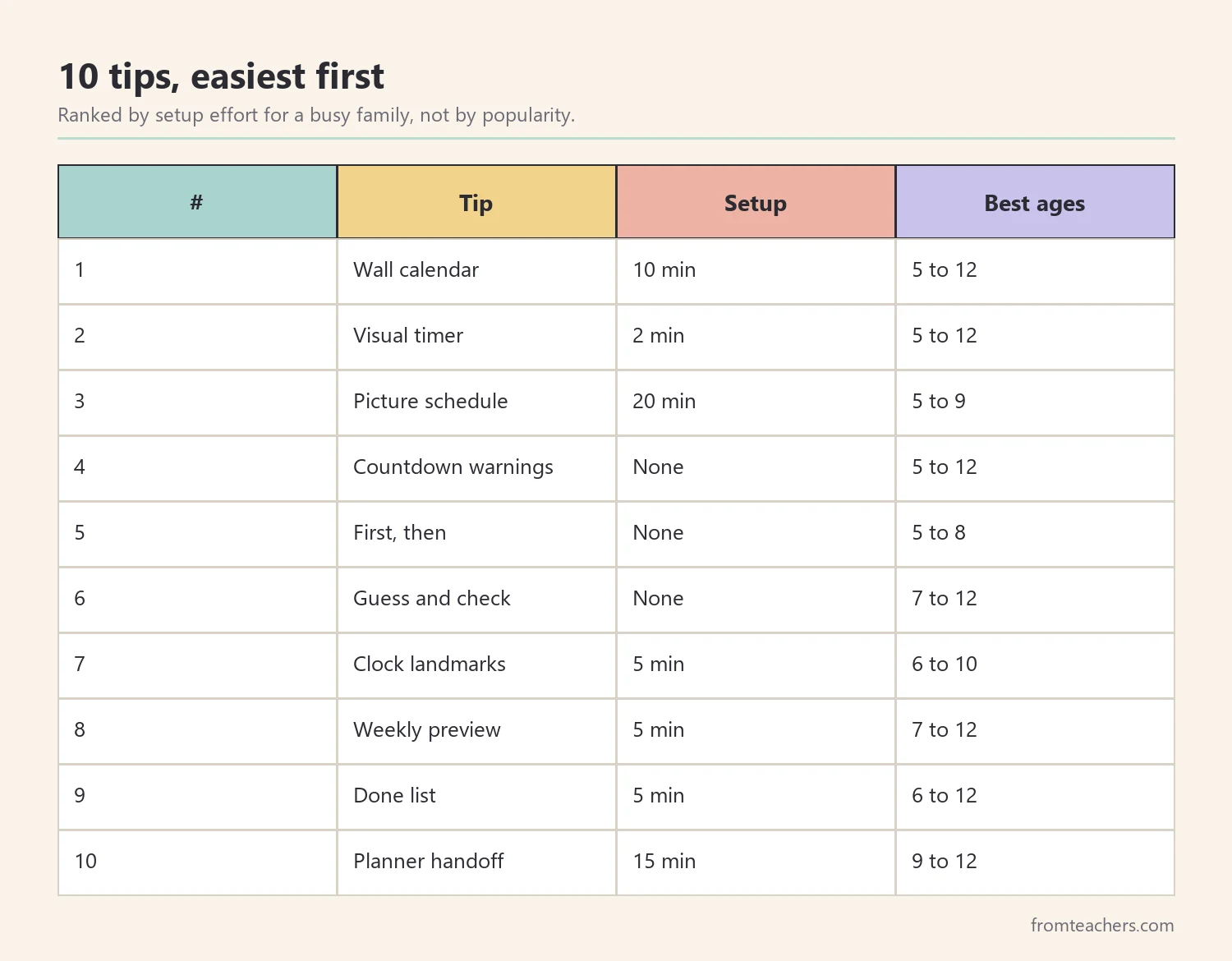
1. Hang one family wall calendar
What it is: a large monthly calendar at your child’s eye level, in a place everyone passes, such as the kitchen.
Why it works: a calendar turns days into squares a child can count. “Grandma comes on Saturday” becomes “three sleeps,” which is much easier to picture.
How to use it: use one color per family member, add simple pictures for non-readers, and let your child cross off each day at bedtime. Keep it simple: school days, activities and one or two special events.
Example: Maya’s family hung a calendar by the fridge. After a week, Maya started asking “Is today a swim day?” and then checked the calendar herself instead of asking again.
If you want a ready-made way to teach this, the visual calendars and time management toolkit for kids includes a full section on visual calendars, plus daily schedules, timers and transitions, explained in a picture-rich format children can follow.
2. Use a visual timer for short tasks
What it is: a timer that shows time disappearing, such as a sand timer, a kitchen timer with a colored disk, or a timer app with a shrinking circle.
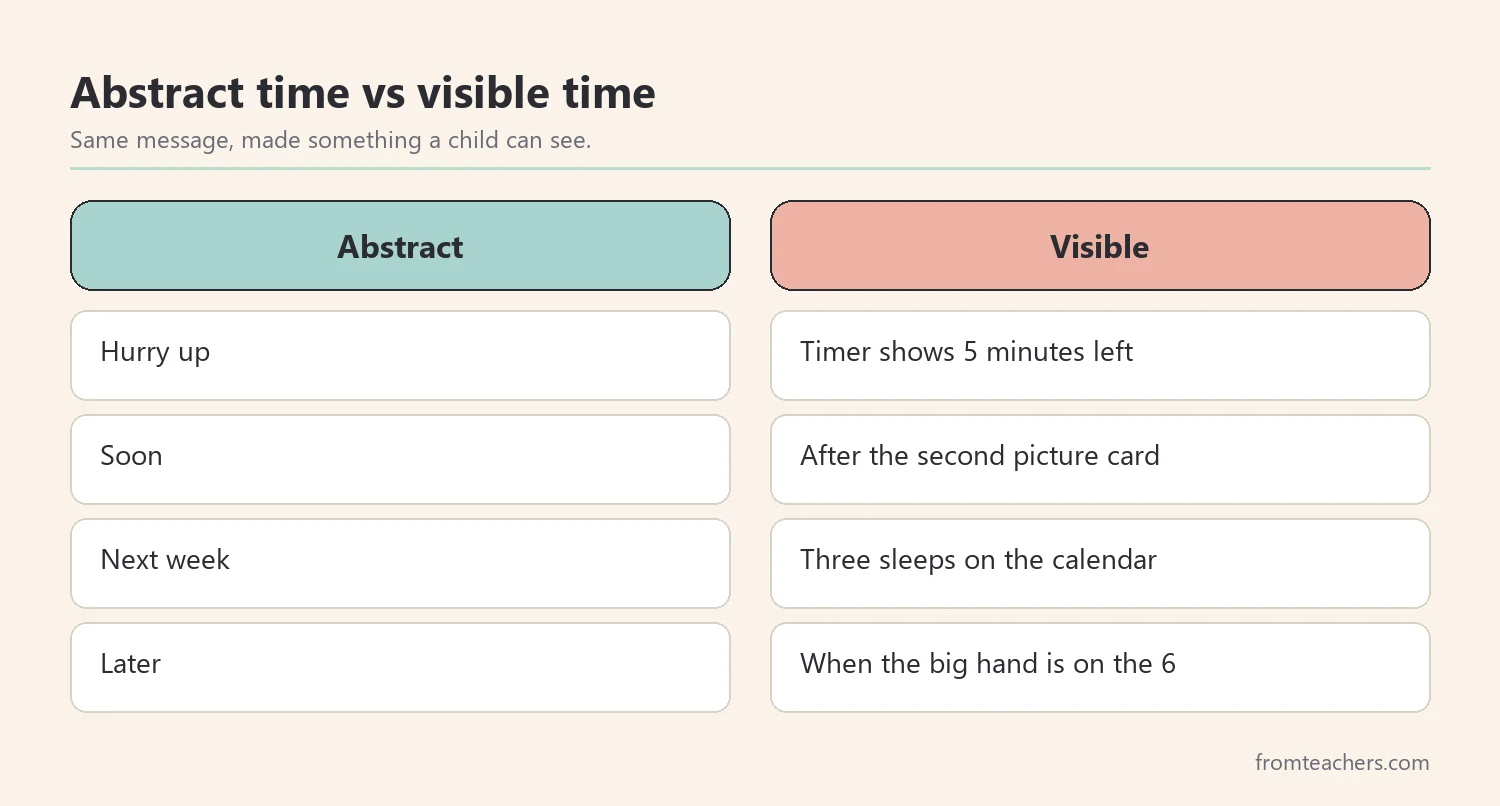
Why it works: children can see how much time is left at a glance. Therefore, “hurry up” is replaced by a picture that does the reminding for you.
How to use it: start with fun tasks first, such as “how many blocks can you stack before the timer ends?” Then use it for short routines like brushing teeth or tidying toys. Keep the timer in sight, not in your pocket.
Example: Maya used a ten-minute timer while getting dressed. On day one she checked it twice. By the end of the week she was racing it and finishing with time left.
3. Make a picture schedule for the hardest routine
What it is: a short row of picture cards showing the steps of one routine, in order.
Why it works: children often lose time because they forget what comes next. A picture schedule answers “what now?” without an adult repeating it.
How to use it: choose only one routine to start, usually mornings or bedtime. Use four to six cards, put them in order, and let your child move or flip each card when the step is done.
Example: Maya’s morning strip had five cards: dress, breakfast, teeth, backpack, shoes. Her parents stopped calling out each step and simply pointed to the strip.
4. Give countdown warnings before every transition
Among all time management tips for kids, this one needs no materials at all.
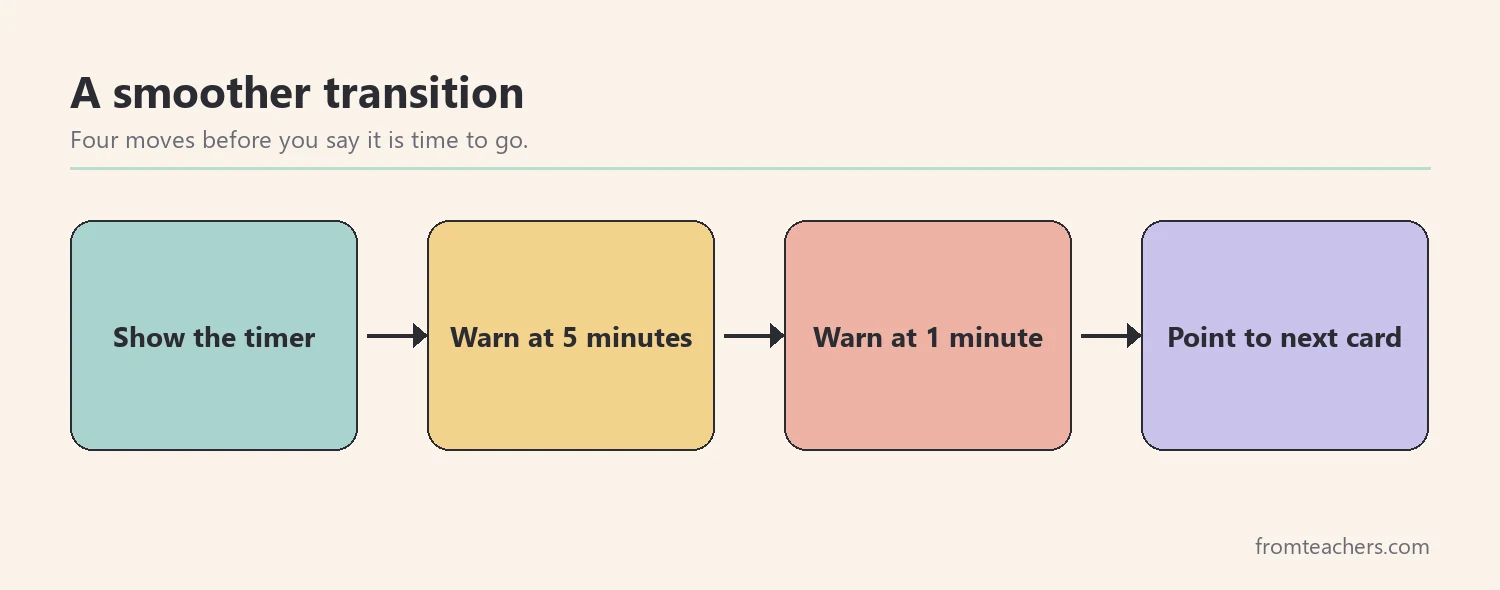
What it is: a short warning before an activity ends, for example at five minutes and again at one minute.
Why it works: stopping something enjoyable is hard. A warning gives the brain time to prepare, so the change does not feel sudden.
How to use it: say the warning and show it at the same time, such as holding up five fingers or starting the visual timer. Then name the next activity: “In five minutes, screen goes off and we put on shoes.”
Example: leaving the park used to end in tears for Maya’s little brother. With a five-minute and one-minute warning, plus “one more slide,” leaving became calmer most days.
5. Try “first, then” language
What it is: a two-step plan: “First homework, then tablet.”
Why it works: young children think in short sequences. “First, then” shows the order and the reward without a long speech.
How to use it: keep the first task short and clear. Draw or print two boxes on a card, and put a picture in each. Follow through every time, so the plan stays believable.
Example: Maya’s brother used a “first shoes, then car song” card. Because he got to choose the song, he put his shoes on faster.
6. Play “guess and check” with everyday tasks
What it is: your child guesses how long a task takes, then times it.
Why it works: many children, especially those with attention difficulties, underestimate some tasks and overestimate others. Comparing guesses with real times builds a more accurate inner sense of time.
How to use it: pick three to five daily tasks. Write the guess, time the task once or twice, and write the real number. Treat it like a science experiment, not a test.
Example: Maya guessed that packing her backpack took one minute. It actually took six. She also thought her reading log took 20 minutes, but it took 12. These surprises helped her plan her mornings better.

After one week, Maya’s parents moved backpack packing to the evening, because six minutes was too much for a rushed morning.
7. Teach clock landmarks, not the whole clock
What it is: instead of teaching every minute, start with a few key times your child cares about, such as “school bus at 7:40” or “dinner at 6:00.”
Why it works: landmarks connect the clock to real life. Children learn that numbers on a clock predict events.
How to use it: put a small sticker next to key times on an analog clock, or write them beside a digital clock. Ask “What happens when the big hand reaches the 6?” rather than “What time is it?”
Example: Maya put a star at 7:30, her “shoes on” time. She began checking the clock on her own around 7:20.
8. Preview the week every Sunday
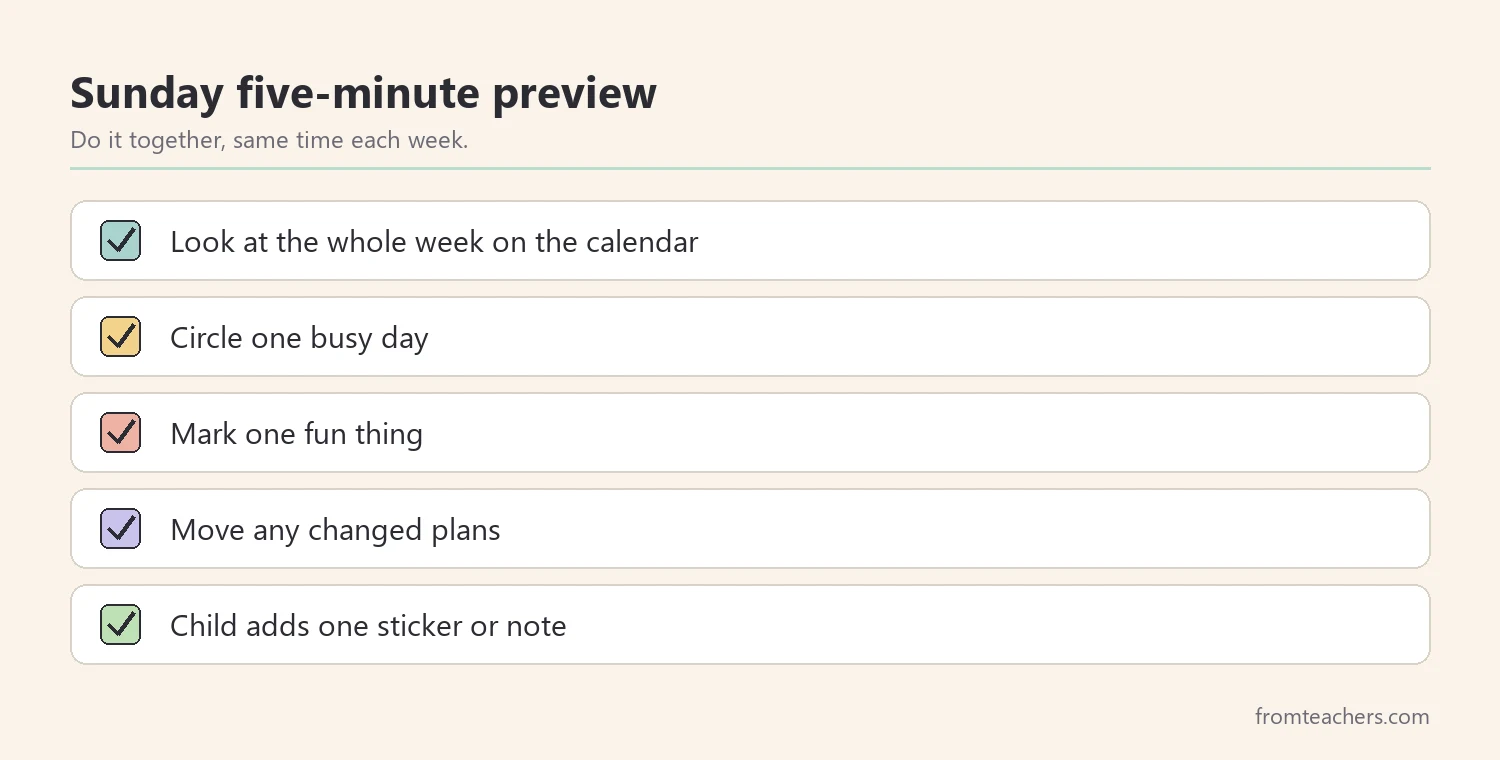
What it is: a five-minute family look at the coming week on the calendar.
Why it works: surprises take time away. When children know Tuesday is a busy day, they are less thrown by it.
How to use it: sit together at the calendar at the same time each week. Point out busy days, one fun event, and any change, such as a different pickup person.
Example: during one Sunday preview, Maya noticed she had swim practice and a library book due on the same day. She packed her library book on Monday night without being asked.
9. Keep a “done” list, not only a to-do list
What it is: a short list where your child records finished tasks, with checkmarks or stickers.
Why it works: seeing what is done makes time feel productive and shows progress across the day.
How to use it: keep it short, three to six items. At bedtime, read the done list together and name one thing that went well.
Example: Maya liked adding a sticker after “reading log.” On busy evenings, the done list reminded her she had already finished most of her jobs.
10. Hand over a simple planner, step by step
What it is: for older children, usually around ages 9 to 12, a simple daily or weekly planner they fill in themselves.
Why it works: the goal of all these time management tips for kids is independence. A planner is the bridge between the family calendar and managing their own time.
How to use it: start by filling it in together, then let your child write one section alone, and later the whole page. Check it briefly each evening at first, then less often.
Example: by the end of the month, Maya wrote her own after-school plan for two days a week. Her parents only checked it on Sundays.
Which tips fit which child
Every child is different. However, a few patterns help parents choose where to start.
| If your child… | Start with |
|---|---|
| Is 5 to 7 years old | Timer, first then, picture schedule |
| Melts down at transitions | Countdown warnings, timer |
| Forgets steps | Picture schedule, done list |
| Says “it only takes a minute” | Guess and check |
| Is 9 to 12 and wants control | Weekly preview, planner handoff |
Moreover, if your child has ADHD, autism or another learning difference, ask the teacher which visual supports already work at school. Using the same style at home, such as the same kind of picture schedule, helps your child transfer the skill.
Common mistakes and how to avoid them
- Starting everything at once: pick one or two tips for the first two weeks.
- Hiding the timer: keep it where your child can see it, or it cannot help.
- Using timers only as punishment: use them for games and fun tasks too.
- Too many schedule cards: four to six steps are usually enough.
- Not following through on “first, then”: if the “then” never comes, the plan stops working.
- Forgetting to fade support: as skills grow, let your child take over one piece at a time.
Questions parents ask about time management tips for kids
At what age can children start learning time management?
Even preschoolers can use simple tools like “first, then” and short visual timers. Clock reading and planners come later, usually during elementary school. Start where your child is, not where the calendar says they should be.
Are visual timers helpful for children with ADHD?
Many families and teachers find that visual timers help children with attention difficulties, because they show time passing. Organizations such as CHADD and Understood.org describe visual supports among practical strategies. Still, try it and watch how your own child responds.
Should I use a phone timer or a physical one?
Either can work. A physical timer avoids the pull of other apps and stays visible on a table. A phone timer is handy when you are out. Choose one style and use it consistently at first.
How long before I see a difference?
Many families notice small changes within one or two weeks when they use one tool every day. Bigger habits, like using a planner alone, often take months. Keep the routine steady and celebrate small wins.
What if my child ignores the calendar?
Make it part of a daily moment, such as crossing off the day at bedtime. Add pictures and let your child decorate it. Children use tools they helped create.
Related reading: ADHD in children: classroom and home support, building essential life skills for adulthood.
A companion resource for time management tips for kids:
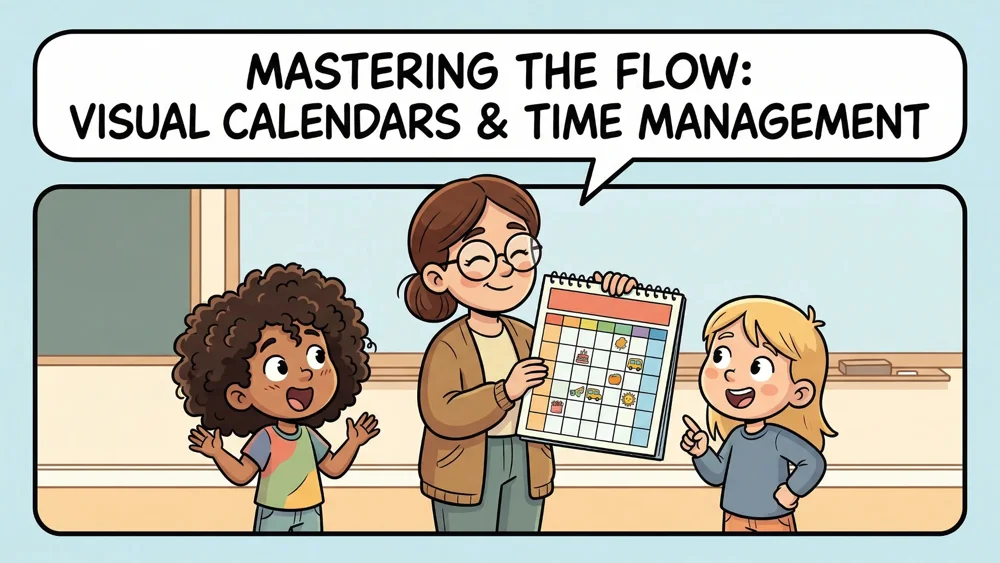
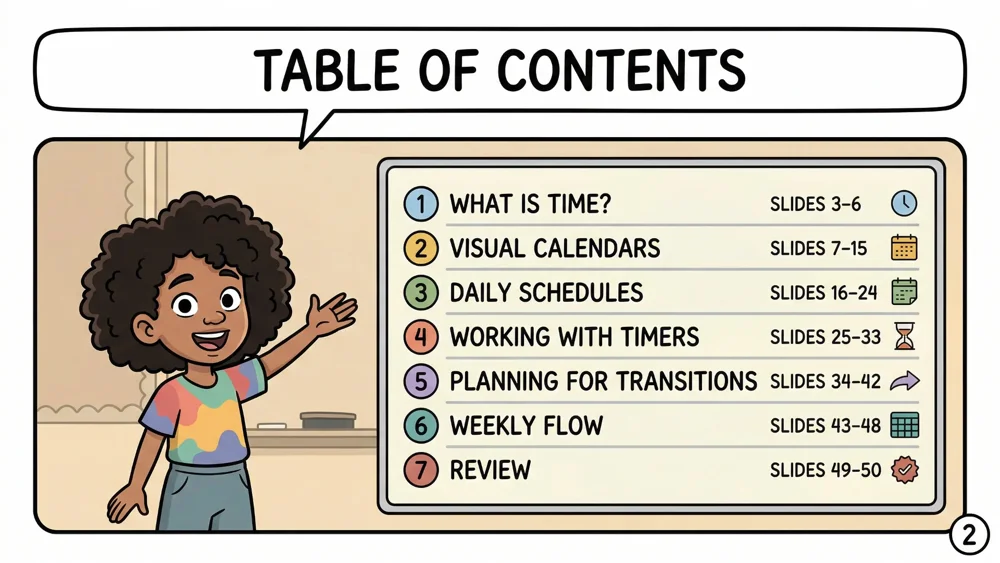
Visual Calendars and Time Management Toolkit for Kids: a 50-page visual guide covering what time is, visual calendars, daily schedules, working with timers, planning for transitions, weekly flow and a review section, for early elementary through middle school, as a digital PDF you can view or print.
You may also need: 24-Hour Visual Schedule: Home Routine Cards.
Sources and scope
- Understood.org: articles for families on executive function, ADHD and everyday routines.
- CHADD: Children and Adults with Attention-Deficit/Hyperactivity Disorder, with parent resources on structure and routines.
- CDC: ADHD: information for parents on ADHD and behavior supports at home.
- Center on the Developing Child at Harvard University: background on executive function skills in childhood.
This list covers everyday time supports parents can try at home with children ages 5 to 12. It is not a medical or diagnostic guide; talk with your child’s teacher or doctor if time and attention difficulties affect daily life a lot.
Key takeaways
- The best time management tips for kids make time visible.
- Start with a wall calendar and a visual timer, then add warnings and picture schedules.
- Guess and check helps children build a real sense of how long tasks take.
- A weekly preview and a done list reduce surprises and show progress.
- Hand over planning step by step as your child grows.








Leave a Comment