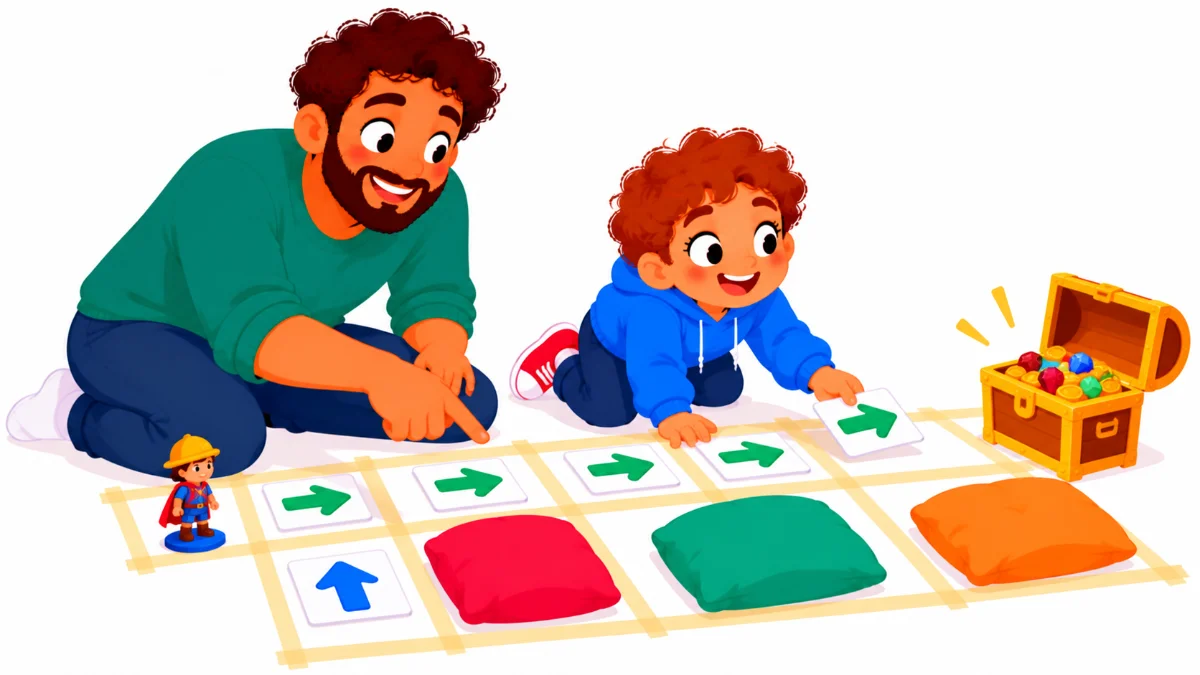

Unplugged coding activities at home let young children learn how computers “think” without a screen, a device, or any special kit. Picture a rainy Saturday. Your six-year-old is bored, the tablet is off-limits, and you have a vague feeling that coding matters but no idea where to start with a child who is only just learning to read.
This guide is for parents and caregivers of children aged about five to eight. By the end, you will have five screen-free games built from everyday routines, a simple way to talk about algorithms and bugs, and a gentle path toward visual coding tools when your child is ready.
Examples are fictional. Adapt every activity to your child’s age, interests, and attention span.
At a glance
- An algorithm is just a clear list of steps, like a recipe.
- Everyday routines are perfect first algorithms.
- Finding and fixing “bugs” is the most valuable part.
- Arrow cards and floor grids turn the living room into a coding lab.
- Screen-based tools like ScratchJr can come later, once the ideas click.
1. Start with the idea of an algorithm
First, give your child a simple definition. An algorithm is a set of clear steps that solves a problem or finishes a task. Computers follow algorithms exactly, one step at a time, and they cannot guess what you meant.
Next, connect it to something familiar. Brushing teeth is a great example. Ask your child to tell you every step: pick up the toothbrush, put on toothpaste, brush the top teeth, brush the bottom teeth, spit, rinse. Write the steps down or draw them as simple pictures.
Then, follow the steps exactly as written. If your child forgets “turn on the water,” pretend to brush with a dry brush. Children usually find this hilarious, and they quickly understand why computers need precise instructions.
Meet Omar (fictional, age 6). His father, Karim, started with the toothbrushing routine. Omar’s first list had four steps. After Karim followed them literally, putting toothpaste on the handle because the list did not say where, Omar added three more steps and laughed the whole time.
The free Computer Science for Kids: Coding Basics Guide uses this same kind of comparison, introducing algorithms through toothbrushing routines, morning schedules, and step-by-step map directions before moving to real coding tools. It is a colorful way to show your child the big idea before you start playing.
Finally, keep the first session short. Ten to fifteen minutes is plenty for most young children. End while they still want more, so the next session starts with excitement.
2. Turn daily routines into unplugged coding activities at home
Once your child understands algorithms, look around the house. Almost every routine can become a coding game. Unplugged coding activities at home work well because children already know these tasks, so they can focus on the thinking rather than the content.
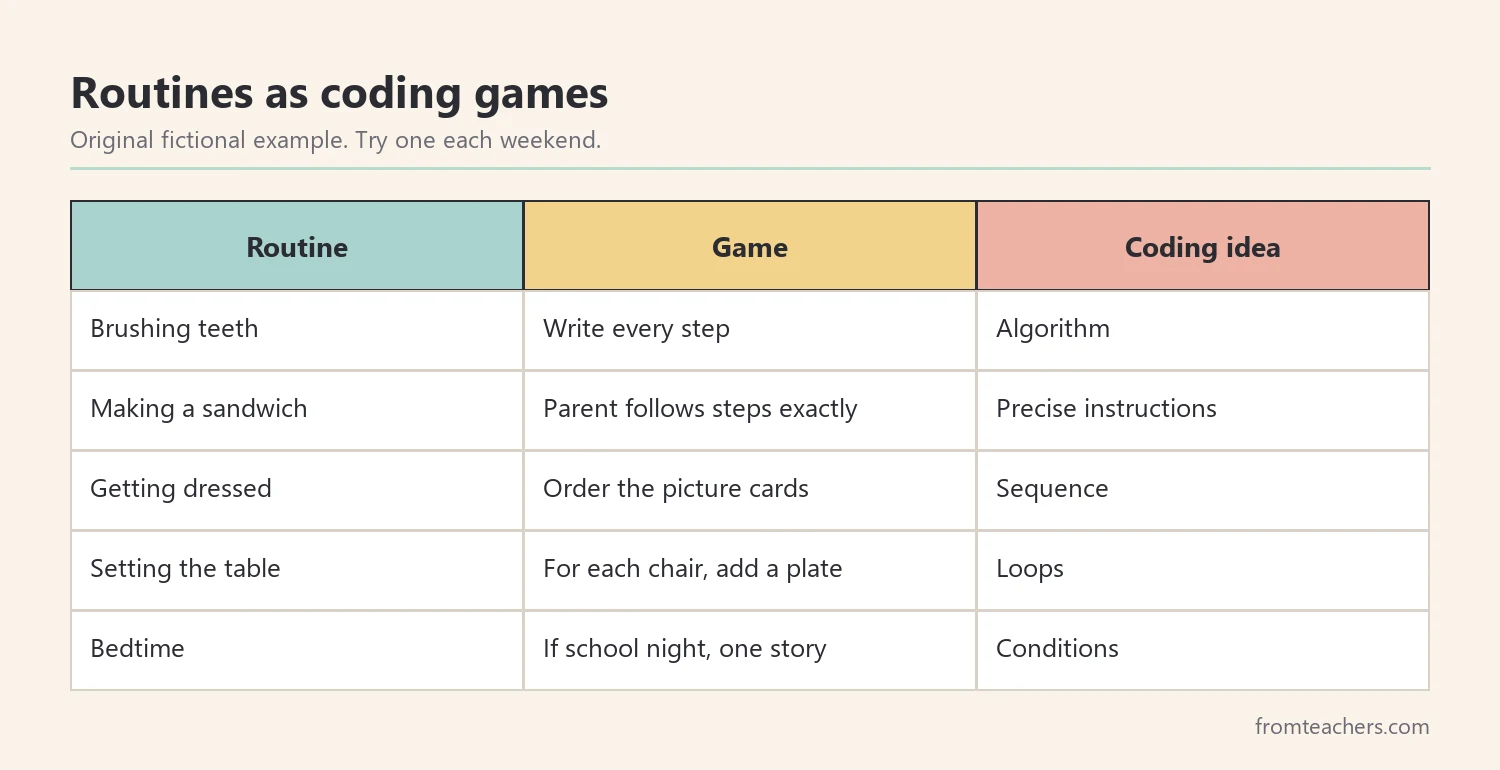
For example, making a sandwich is a classic. Your child gives instructions, and you follow them exactly. “Put the peanut butter on the bread” might lead you to place the whole jar on the bread. Your child then has to be more precise: “Open the jar. Use the knife to spread peanut butter on one slice.”
Getting dressed teaches order, or “sequence.” Can you put on shoes before socks? Ask your child to put picture cards of clothing in the right order, then talk about what happens if the order changes.
Setting the table can teach repetition, or “loops.” Instead of saying “put a plate down” four times, your child can say “for each chair, put down a plate.” This is exactly how programmers use loops to repeat steps.
In addition, bedtime routines can teach conditions, or “if-then” thinking. “If it is a school night, then read one story. If it is the weekend, then read two.” Children enjoy making up their own rules, and they are practicing a key coding idea.
Karim and Omar tried one new routine each weekend. By the third week, Omar was spotting algorithms on his own: “Daddy, the washing machine has an algorithm!”
3. Play arrow games on the floor
Movement games are some of the most popular unplugged coding activities at home. They need only paper, tape, and a small toy, and they teach direction, sequence, and problem solving.
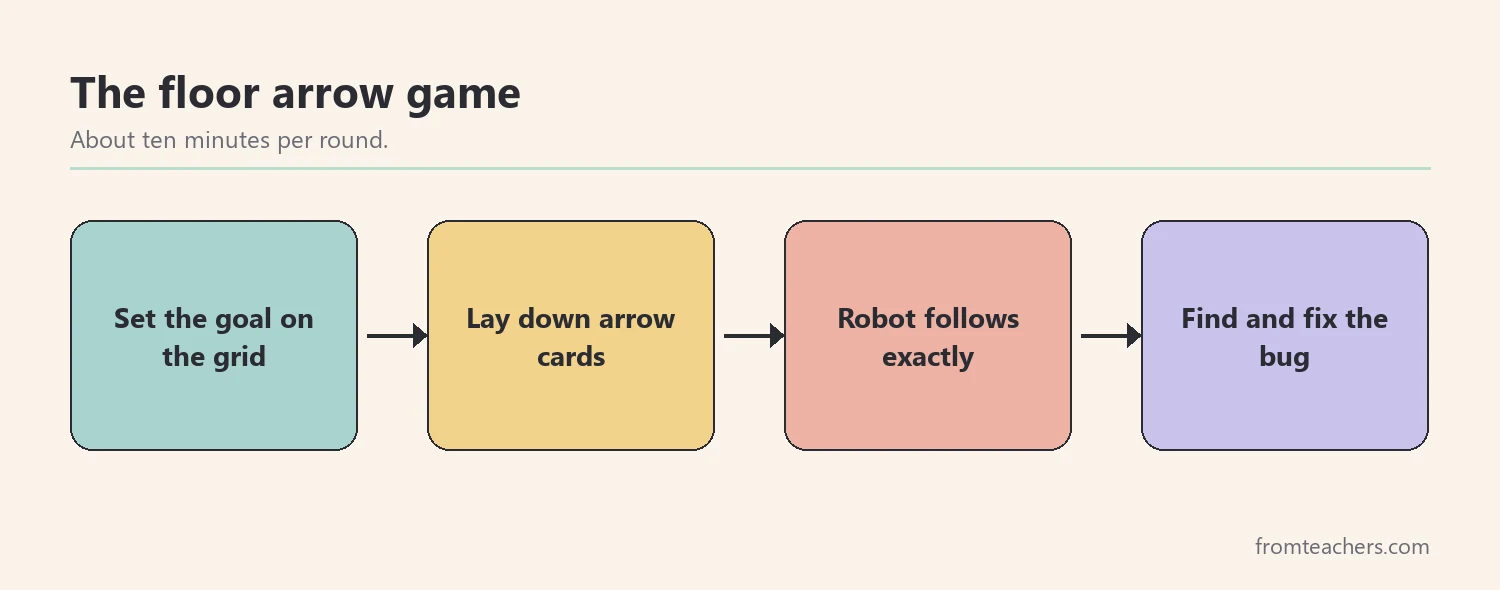
First, make a grid. Use masking tape to mark a grid of squares on the floor, about four by four. Alternatively, draw a grid on a large piece of paper and use a small toy as the “robot.”
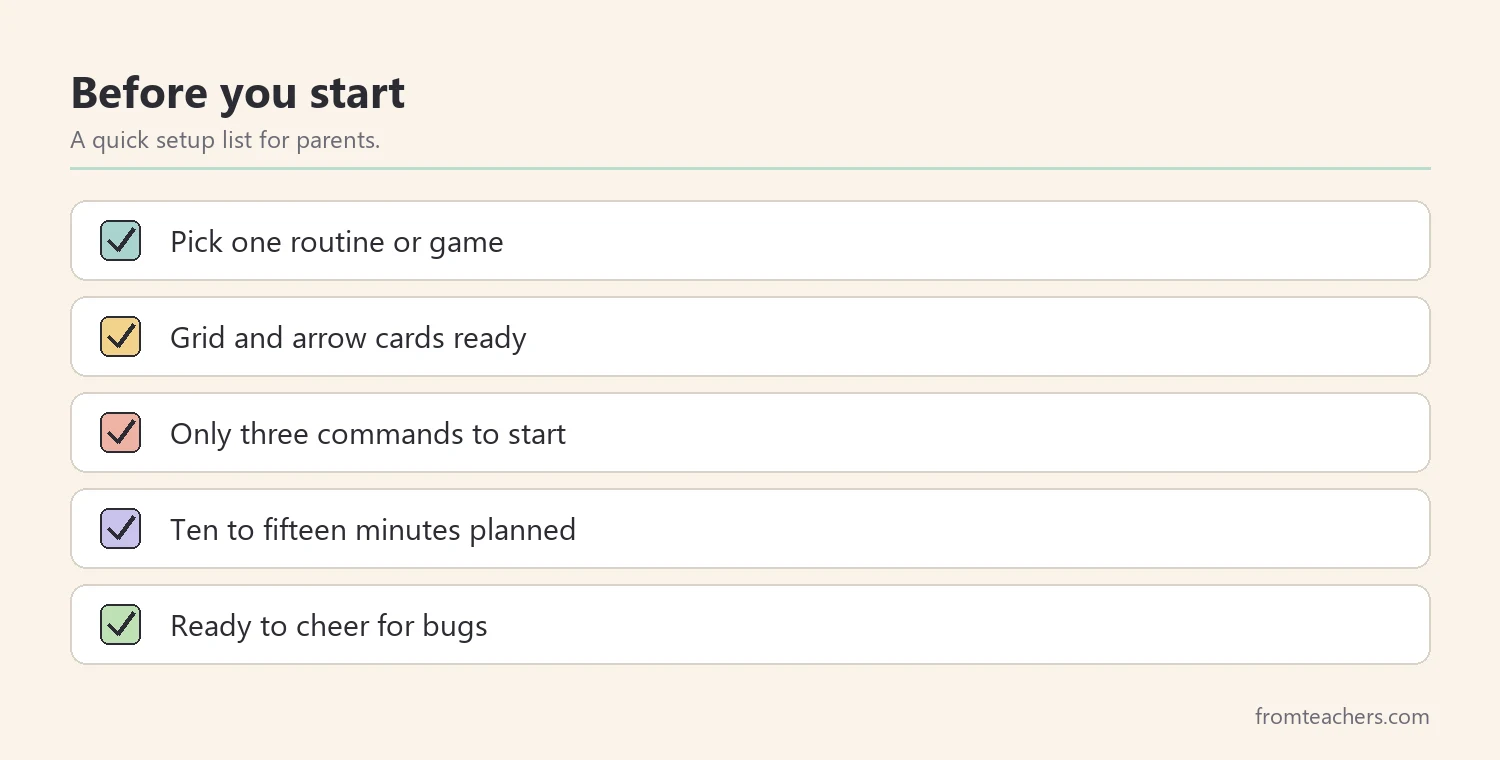
Next, make arrow cards. Cut out cards showing forward, turn left, and turn right. Keep it simple at first; you can add more commands later.
Then, set a goal. Place a toy at one end of the grid and a “treasure” at the other. Your child lays down arrow cards to program a path, and then you, or a sibling, act as the robot and follow the cards exactly.
In addition, add obstacles as your child gains confidence. A cushion or a book on the grid becomes a wall the robot must go around. Later, you can add a “repeat” card, so “repeat 3: forward” replaces three forward cards.
Also, swap roles. Let your child be the robot while you write the program. Make a mistake on purpose and see whether they notice. Children love catching adults in errors, and they are practicing careful checking.
4. Make debugging the best part
In real coding, programs rarely work the first time. Finding and fixing mistakes, called debugging, is a central skill. Therefore, treat mistakes as part of the fun rather than failures.
When the robot crashes into a cushion, say “We found a bug!” with enthusiasm. Then ask questions: “Where did it go wrong? Which card should change?” Encourage your child to test one change at a time.
Moreover, use clear language for the process. Many children enjoy a simple routine: run the program, spot the bug, fix it, and run it again. Over time, this becomes a habit of mind that helps in reading, math, and everyday problem solving.
Here is how a frustrated response and a debugging response compare:
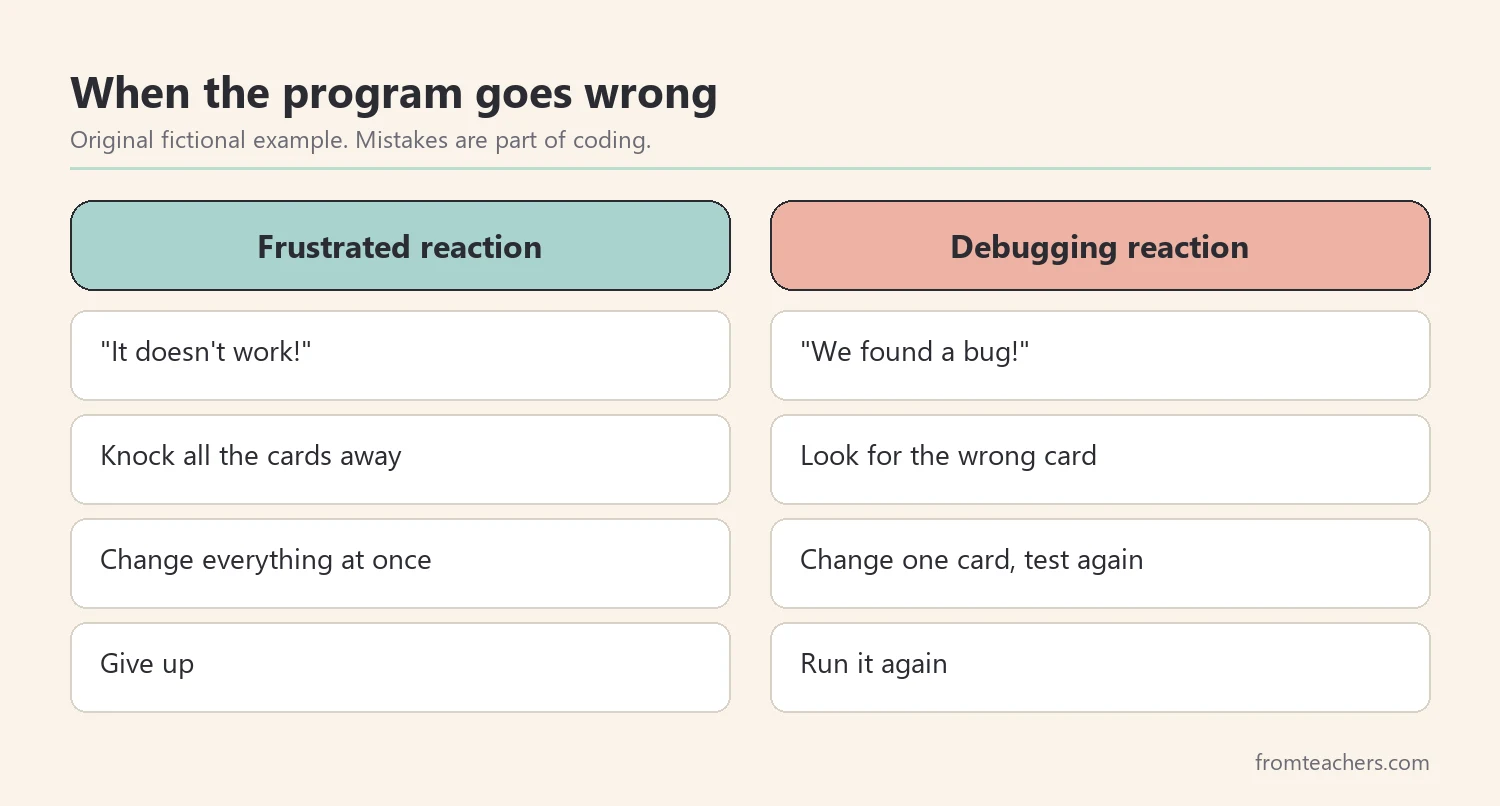
Karim noticed a change after a few weeks. At first, Omar would knock all the cards away when the robot went the wrong way. By week four, he would say “bug!” and start looking for the wrong card. That shift, from frustration to curiosity, was the real win.
Also, model debugging in your own life. When a recipe goes wrong or a toy does not work, think aloud: “Hmm, something went wrong. Let me check each step.” Children learn a lot from watching how adults handle mistakes.
5. Track the fun and move toward screens gradually
You do not need tests or grades for home coding. Still, a simple record can show how your child’s thinking grows and help you decide when to try something new.
Keep a small notebook. After each session, write the activity, how many steps your child’s longest program had, and how many bugs they fixed on their own. Over several weeks, these notes show progress you might otherwise miss.
Here is Omar’s record across six weekends:
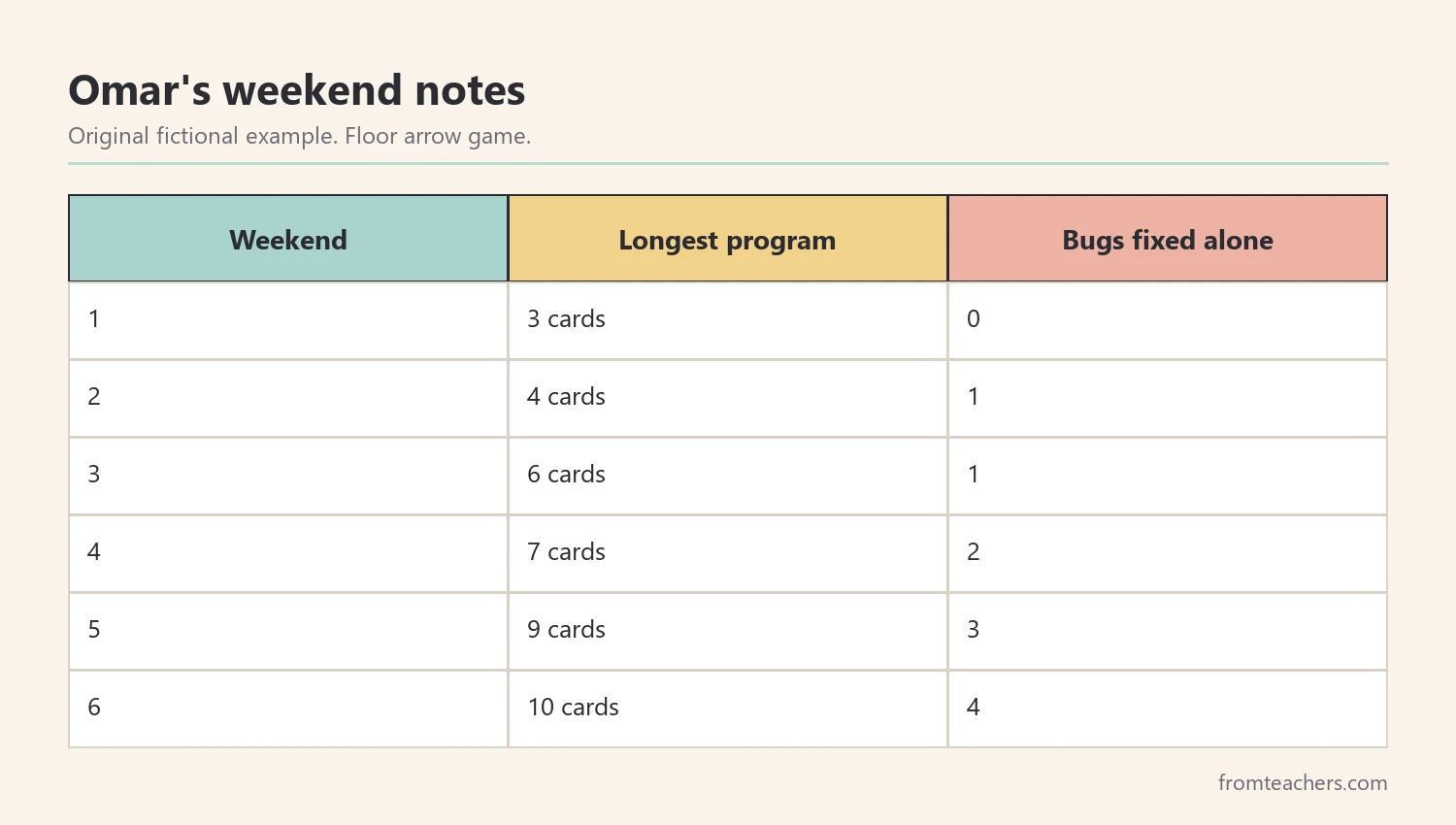
The pattern was encouraging. Omar’s programs grew longer, and he fixed more bugs without help. As a result, Karim decided it was time to try a visual coding tool.
When your child is ready, block-based tools are a natural next step. ScratchJr is designed for young children and uses picture blocks, so reading is not required. Scratch and Blockly suit slightly older children. Because your child already understands sequence, loops, and debugging, the screen becomes a new place to use familiar ideas.
However, keep unplugged play going. Screen-based tools are exciting, but floor games and routine algorithms remain valuable. Many families alternate: one screen session, then one unplugged game.
Finally, follow your child’s interest. Some children love robots, others love stories or art. Coding ideas fit all of these, and the best path is the one that keeps your child curious.
Common mistakes and how to avoid them
- Starting with screens too early. Apps can hide the thinking behind flashy effects. Fix: begin with unplugged coding activities at home, then add screens.
- Giving long explanations. Young children learn by doing. Fix: explain in one sentence, then play.
- Fixing bugs for your child. It removes the most valuable step. Fix: ask questions and let them find the fix.
- Making sessions too long. Attention fades quickly at this age. Fix: keep sessions to ten or fifteen minutes.
- Using too many commands. Too many cards confuse beginners. Fix: start with forward, left, and right only.
Questions parents ask about unplugged coding activities at home
What age is right to start?
Many children enjoy simple sequencing games from around age four or five. Start with very short routines and adjust to your child’s interest and attention.
Do I need to know how to code?
No. Unplugged activities rely on clear steps, not technical knowledge. Learning alongside your child is part of the fun, and it models curiosity.
Can my child learn coding before reading?
Yes. Arrow cards, picture steps, and tools like ScratchJr use images instead of words. Coding ideas like sequence and debugging do not depend on reading.
How often should we play?
Once or twice a week is plenty for most families. Regular short sessions build skills better than a single long session.
What comes after unplugged games?
Block-based tools like ScratchJr, Scratch, or Blockly are natural next steps. Older children may later explore text-based languages such as Python, HTML, and CSS.
Related reading: Learning Styles Student Success Guide, Homeschooling vs. Public Schooling: Which Educational Path Is Right for Your Child?, and 5 Practical Teaching Tips to Boost Classroom Focus and Learning.
You may also need: AI for Kids: Simply Explained From Robots to ChatGPT.
A companion resource for unplugged coding activities at home:
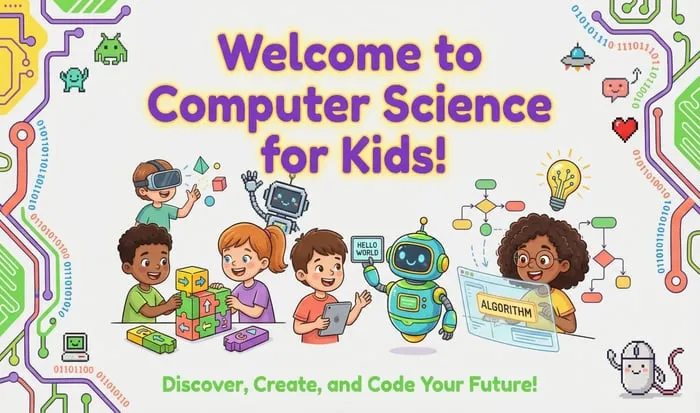
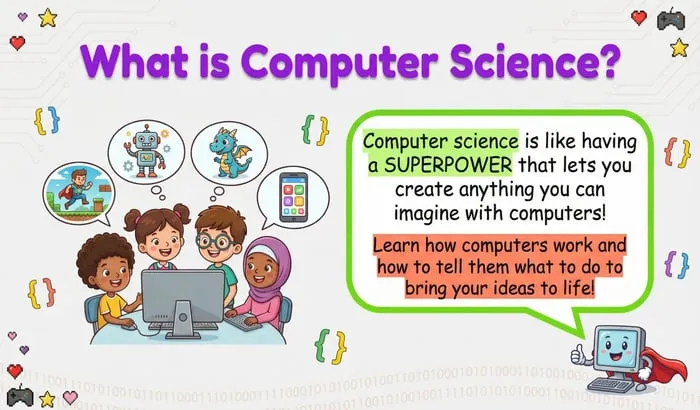
Computer Science for Kids: Coding Basics Guide: a free, colorful presentation on algorithms through everyday routines, flowcharts, what coding is, visual coding with Scratch, ScratchJr and Blockly, a first look at Python, HTML and CSS, and fun coding activities.
Sources and scope
- CS Unplugged: free activities that teach computer science ideas without computers.
- ScratchJr: an introductory block-based coding app designed for young children.
- Scratch: a free block-based programming environment from the MIT Media Lab.
- Code.org: free computer science courses and unplugged lessons for students and families.
This guide covers playful, screen-free introductions to coding ideas for young children at home. It does not cover formal computer science curricula or advanced programming.
Key takeaways
- Unplugged coding activities at home teach big ideas without screens.
- Everyday routines make perfect first algorithms.
- Floor arrow games build sequence, loops, and problem solving.
- Debugging turns mistakes into curiosity.
- Simple notes show when your child is ready for visual coding tools.



Leave a Comment