

Universal design for learning helps when a lesson works for half the room and leaves the rest behind. Picture a grade 4 science lesson: some students race ahead, one student cannot read the worksheet, and another knows the answer but freezes when asked to write it down.
After reading this guide, you will be able to plan one lesson with built-in options for how students access content, how they show what they know, and how they stay engaged. You will also have a simple way to check whether those options are working.
Examples are fictional. Adapt to the student’s goals and agreed supports. This is guidance, not a diagnosis.
At a glance
- Start every plan with a clear goal that is separate from the method.
- Find the barriers in the lesson before you add any options.
- Offer more than one way to access content, to engage, and to show learning.
- Keep options few, visible, and taught, so choice does not become chaos.
- Collect light evidence and adjust one piece at a time.
1. Define a clear goal for universal design for learning
Every plan built on universal design for learning begins with the goal. The key move is to separate what students must learn from how they will learn it or show it. When the goal and the method are tangled together, you lock out students who could meet the goal another way.
For example, “Write a paragraph about the water cycle” mixes two things: knowing the water cycle and writing a paragraph. If the real goal is understanding the cycle, then writing is only one possible method. However, if the goal is paragraph writing, then writing stays fixed and the topic can flex.
So, ask yourself three questions before planning:
- What exactly should students know or be able to do by the end?
- Which parts of the task are essential to that goal?
- Which parts are just habits of how we usually teach it?
Here is how this looks in a fictional class. Ms. Rivera teaches grade 4. Her original goal read: “Students will complete the water cycle worksheet.” After reflection, she rewrote it.
| Before | After |
|---|---|
| Complete the water cycle worksheet | Explain the four stages of the water cycle in order |
| Method and goal mixed | Goal stands alone |
| Writing is required | Writing is one option |
Now the goal is clear, and Ms. Rivera can plan several routes to it. In addition, students can see the goal on the board, which helps them judge their own progress. This one change is the foundation of universal design for learning in any subject.
2. Spot the barriers before you add options
Next, look at the lesson as it stands and find where students get stuck. A barrier is anything in the design of the lesson, not in the student, that makes the goal harder to reach. This shift in thinking is central to universal design for learning.
Common barriers include dense text, spoken directions given only once, a single long writing task, noise, and topics with no link to students’ lives. Often the same barrier blocks several students for different reasons.
To find barriers, walk through the lesson step by step and ask, “Who could get stuck here, and why?” Also, think about last year’s students and your current class. Then list the barriers in plain words.
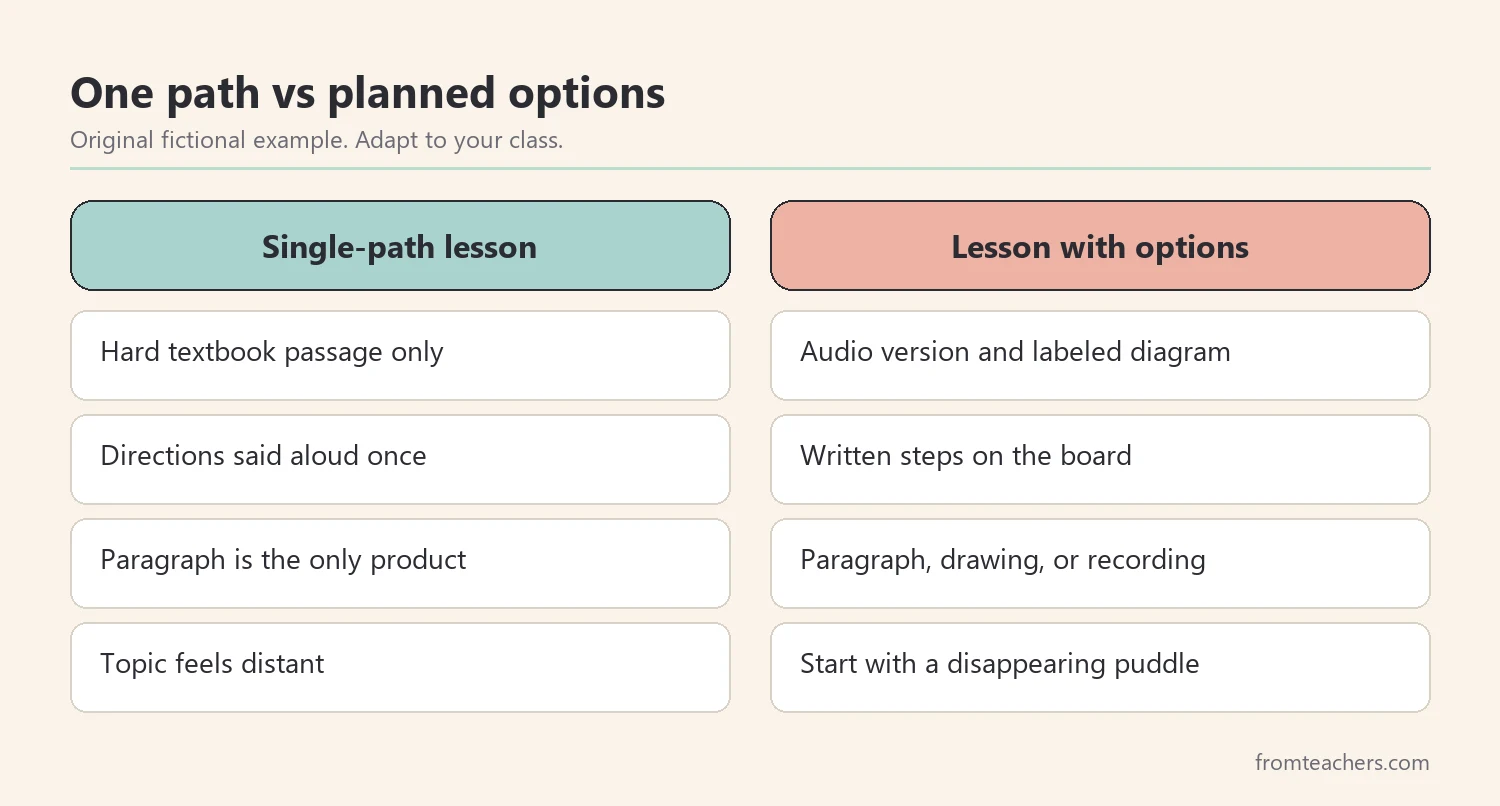
In the fictional example, Ms. Rivera listed four barriers in her water cycle lesson:
- The textbook passage is above the reading level of several students.
- Directions are given aloud once, with no written version.
- The only way to show learning is a written paragraph.
- The topic feels distant for students who have never thought about where rain comes from.
One student, Jonah, understands science well but finds writing slow and tiring. With barrier three in place, his worksheet would show very little of what he knows. Meanwhile, another student, Priya, reads well but loses focus during long silent work.
Notice that none of these barriers require a label or a diagnosis to fix. Instead, they are features of the lesson that you control. Because of that, fixing them helps many students at once, which is why universal design for learning is a whole-class approach rather than an add-on for a few.
3. Plan options with the three UDL principles
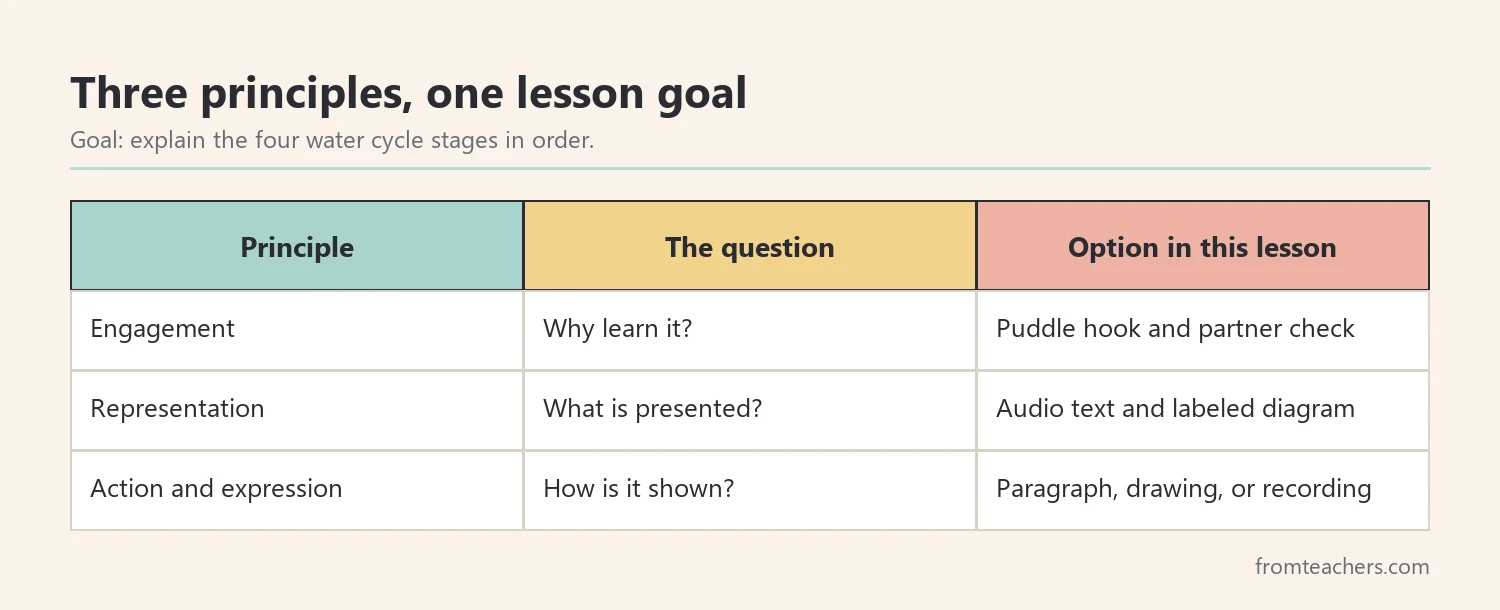
Once barriers are clear, plan options using the three principles of universal design for learning developed by CAST: multiple means of engagement, multiple means of representation, and multiple means of action and expression. In plain terms, these cover the why, the what, and the how of learning.
- Engagement (why): ways to spark interest, offer choice, and help students keep going.
- Representation (what): ways to present information so everyone can access it.
- Action and expression (how): ways for students to show what they know.
Match each barrier to an option. Keep it small: two or three options per principle is plenty for one lesson. More than that can overwhelm students and you.
| Barrier | Principle | Option |
|---|---|---|
| Hard passage | Representation | Audio version and labeled diagram |
| Directions given once | Representation | Written steps on the board |
| Only a paragraph | Action and expression | Paragraph, labeled drawing, or short recording |
| Distant topic | Engagement | Start with a puddle that disappears |
For Jonah, the new options mean he can draw and label the cycle, then explain it in a short recording. For Priya, a partner check halfway through breaks up the silent work. Both students are still working toward the same goal as everyone else.
If you want ready-made ideas for differentiating without lowering expectations, the Inclusive Classroom Strategies Guide walks through classroom environment, differentiation, and support for diverse learning profiles in one place.
4. Teach students how to use universal design for learning choices
Options in universal design for learning only help when students know how to use them. Therefore, teach the choices the way you would teach any routine: name them, model them, and practice them. Without this step, universal design for learning can look like a free-for-all.
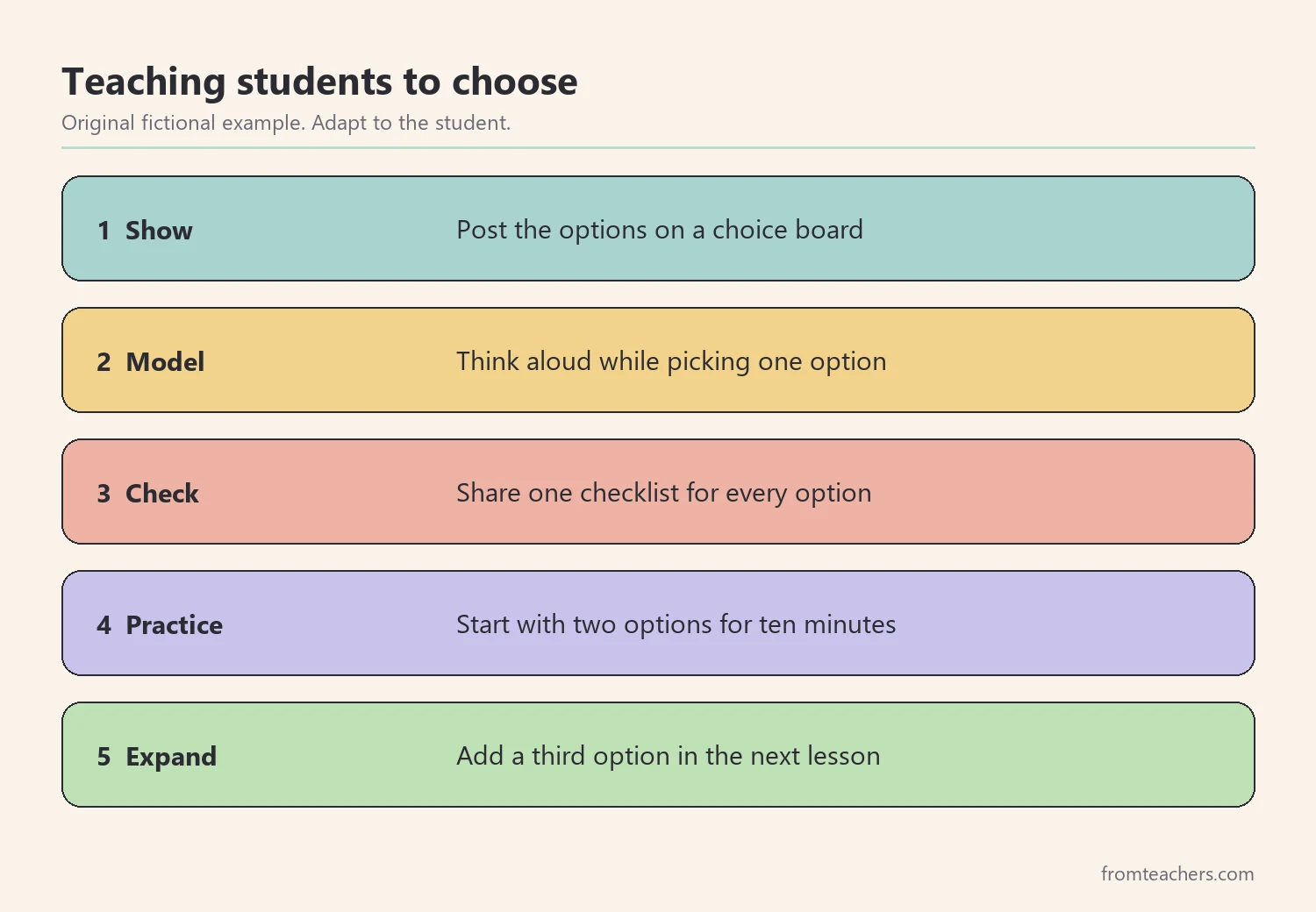
First, show the options in one visible place, such as a choice board on the wall or a small card on each desk. Then, model how to pick. Think aloud: “I understand the stages, but writing takes me a long time today, so I will draw and label, then record my explanation.”
After that, set a few simple rules:
- Every option must meet the same goal and checklist.
- You may switch options once if your first choice is not working.
- Ask for help when you are stuck for more than two minutes.
Also, share a short success checklist that applies to every option. In Ms. Rivera’s class, the checklist for the water cycle had four items: name all four stages, put them in order, explain each stage in your own words, and use one key vocabulary word per stage.
The first time, she limited the choice to two options and practiced for ten minutes. In the next lesson, she added the third option. As a result, students learned the routine before the choices grew.
Some students will always pick the same option. That is fine at first. Later, you can gently invite them to try another way, because flexibility is also a skill. Over time, choosing well becomes part of what students learn through universal design for learning.
5. Gather evidence and record what works
Next, check whether the options helped students reach the goal. Evidence does not need to be heavy. A short exit ticket, a quick tally, or your notes from a few conversations are enough to guide the next lesson.
Keep the focus on the goal, not on the format. If a student drew a perfect diagram but mixed up the order of stages, the goal was not met yet. On the other hand, a brief recording that explains all four stages in order meets the goal fully.
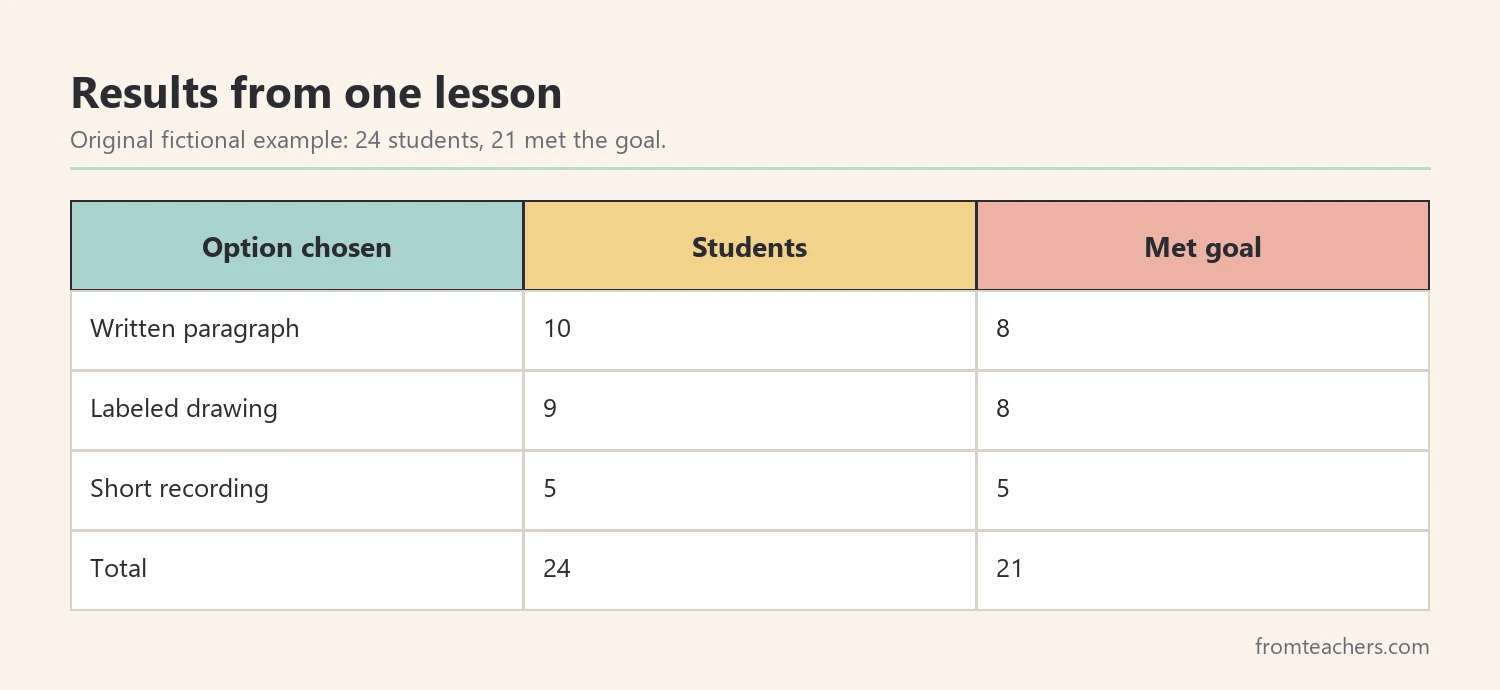
Ms. Rivera used a simple table at the end of the lesson. Her class has 24 students.
| Option chosen | Students | Met goal |
|---|---|---|
| Written paragraph | 10 | 8 |
| Labeled drawing | 9 | 8 |
| Short recording | 5 | 5 |
| Total | 24 | 21 |
So, 21 of 24 students met the goal. The three who did not came from two different options, which tells her the barrier is likely not the format. Instead, she plans a short small-group review of the stage order for those three students.
For Jonah, the recording showed full understanding for the first time this term. That alone is useful information for his teacher and family. Keep these notes simple, because you will use them in the review step.
6. Review and refine your universal design for learning plan
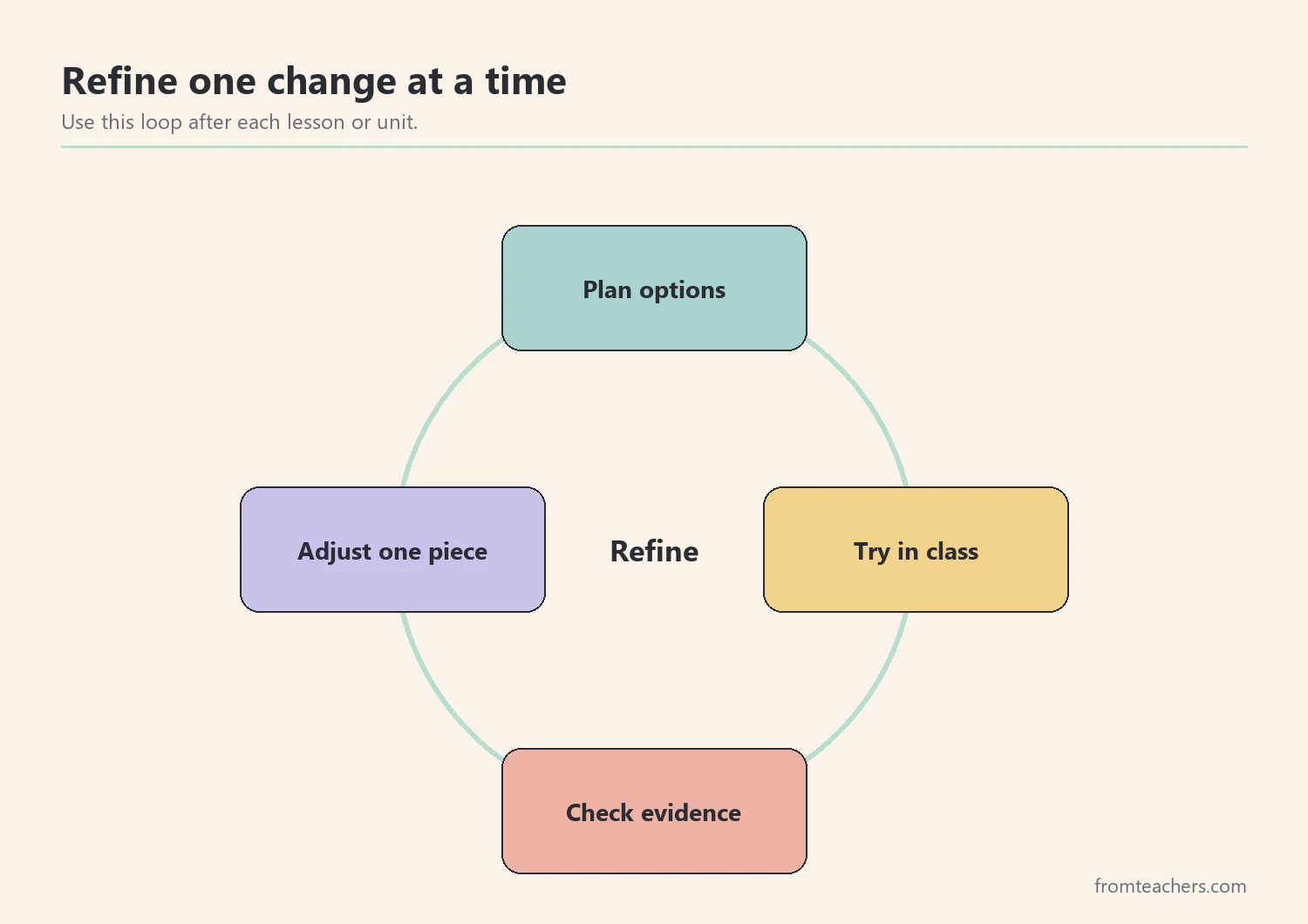
Finally, treat each lesson as a small test of your universal design for learning choices. Universal design for learning is not a one-time setup. Instead, it is a habit of planning, trying, checking, and adjusting.
After each unit, ask a few review questions. Which barriers are gone? Which options did students use most? Which option was rarely chosen, and why? What should stay, and what should change next time?
Change one thing at a time. If you change everything at once, you will not know which change made the difference. For example, Ms. Rivera kept the three options but added a sentence starter card for the written paragraph, since two students using that option did not meet the goal.
In addition, involve students. A quick question such as “Which option helped you learn best, and why?” gives you useful feedback. It also builds students’ awareness of how they learn.
Share what works with colleagues and families. A short note home, such as “Jonah explained the water cycle clearly in a recording this week,” gives families a positive picture and a strategy they can try at home. Over time, your planning will start with options built in, rather than fixes added later.
Common mistakes and how to avoid them
- Too many options at once. Fix: start with two options per lesson and add more after students learn the routine.
- Options that change the goal. Fix: check each option against the same goal and success checklist.
- Treating UDL as a plan for a few students. Fix: design for the whole class, then add individual supports from a student’s plan if needed.
- Offering choices without teaching them. Fix: model how to choose and practice the routine before relying on it.
- Judging the format instead of the learning. Fix: grade against the goal, not against how polished a drawing or paragraph looks.
Questions teachers and parents ask about universal design for learning
Is universal design for learning only for special education?
No. It is a framework for planning lessons for all learners. Students with disabilities often benefit, but so do English learners, advanced students, and anyone who has an off day. Individual supports in a student’s plan still apply on top of it.
Does universal design for learning mean every student gets a different lesson?
No. Everyone works toward the same goal in the same lesson. The difference is that there are a few planned routes to get there and to show learning.
How much extra planning time does it take?
At first, it can take a little longer. However, once you have a few go-to options, such as audio text, choice boards, and a shared checklist, you can reuse them across many lessons.
How can parents use universal design for learning at home?
Parents can offer simple choices for homework, such as talking through answers before writing or using a drawing to plan. Also, they can read text aloud or break a task into short parts. Keep the goal the same as the teacher’s.
What if students always choose the easiest option?
When every option meets the same goal and checklist, no option is truly easier. If a student always picks one route, invite them to try another now and then. Then, talk about what they learned from the change.
Related reading: Learning Styles Student Success Guide, Accommodations vs Modifications in Special Education: The Difference Explained, and Special Education Strategies: 10 Powerful Ways Teachers Can Succeed.
A companion resource for universal design for learning:
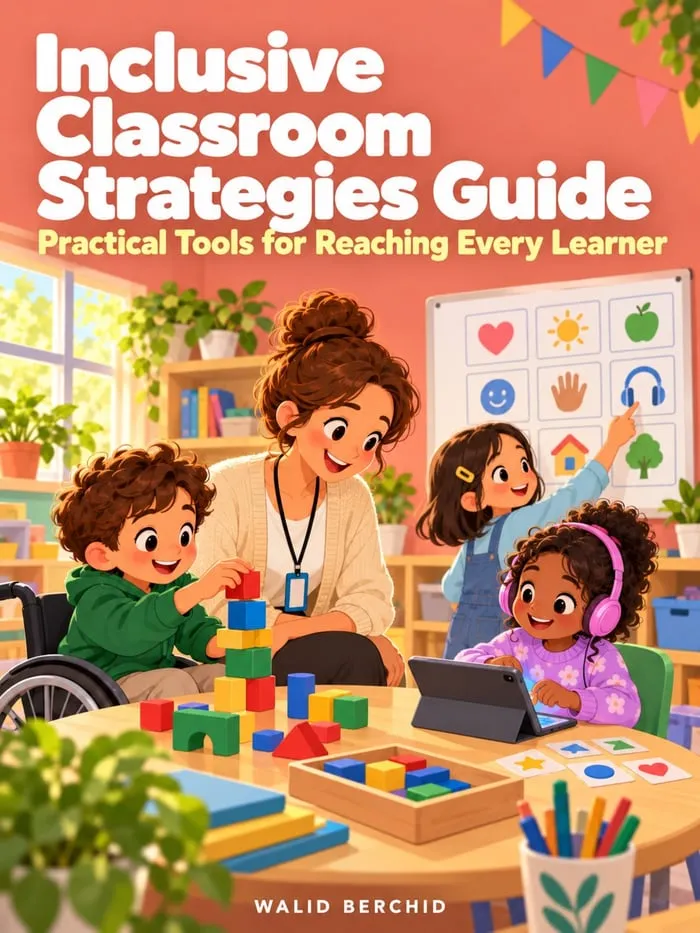
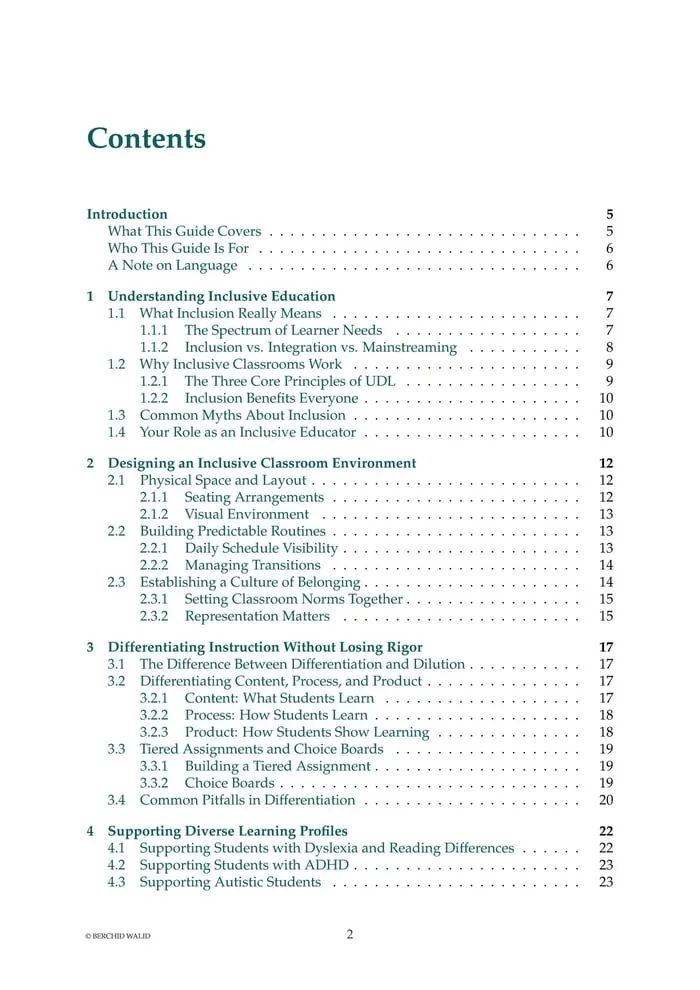
Inclusive Classroom Strategies Guide: a 77-page PDF for general and special education teachers, co-teachers, and paraprofessionals, covering inclusive classroom design, differentiation without losing rigor, diverse learning profiles, assessment and progress monitoring, and collaboration with families.
Sources and scope
- CAST: the nonprofit that developed the UDL framework and its guidelines.
- IRIS Center, Vanderbilt University: free modules on instruction, differentiation, and inclusive practice.
- What Works Clearinghouse: reviews of education research and practice guides from the U.S. Department of Education.
- Understood.org: practical articles for teachers and families on learning differences.
This guide covers everyday lesson planning with flexible options for a whole class. It does not cover formal evaluation, individual education programs, or legal requirements, which belong to the student’s team and school.
Key takeaways
- Universal design for learning starts with a clear goal separated from the method.
- Look for barriers in the lesson design, not in the student.
- Plan a few options for engagement, representation, and expression.
- Teach students how to choose, and use one checklist for every option.
- Check evidence against the goal and refine one change at a time.





Leave a Comment