

Tracking accommodation use is one of the most helpful jobs a paraprofessional can do, yet it is rarely explained during training. Picture Ms. Reyes, a fictional para in a sixth grade math class. She supports three students with IEPs and one student with a 504 plan. Every day she offers extended time, a calculator, a copy of notes and short breaks. At the annual review, the case manager asked, “How often does Jayden actually use his breaks?” Ms. Reyes knew the answer in her head, but she had nothing written down.
This list is for paraprofessionals and support staff who want a simple, fair way to record what happens with accommodations. The eight tips are ranked from the quickest to set up to the most detailed. Each tip explains what it is, why it helps, how to start and an example from Ms. Reyes’s classroom.
Examples are fictional. Adapt to the student’s goals and agreed supports. This is guidance, not a diagnosis.
At a glance
- Paras often see accommodations in action more than anyone else.
- Short, factual notes are more useful than long stories.
- Record whether a support was offered, used and helpful.
- Agree on one format with the teacher and case manager.
- Keep notes private and share them only with the team.
Why tracking accommodation use matters
An accommodation only helps if the student actually receives it and uses it. A plan can list extended time, preferential seating and breaks, but the team rarely knows how often each one happens. Paraprofessionals are often the people who offer these supports minute by minute, so their notes give the team real information instead of guesses.
Good notes also protect everyone. They show that the school provided the supports in the plan. They help the teacher see which supports make a difference. And they give the student a voice, because a para can record what the student says about each support. In short, tracking accommodation use turns daily experience into evidence the team can discuss.
How we ranked these tips
We ranked the eight tips by how much time and training they need, from quickest to most detailed. The first tips take a few seconds a day and work in any classroom. The later tips take more planning and usually need the case manager to agree on a format. Most paras start with the first two or three tips and add more later. Figure 1 shows the full ranking.
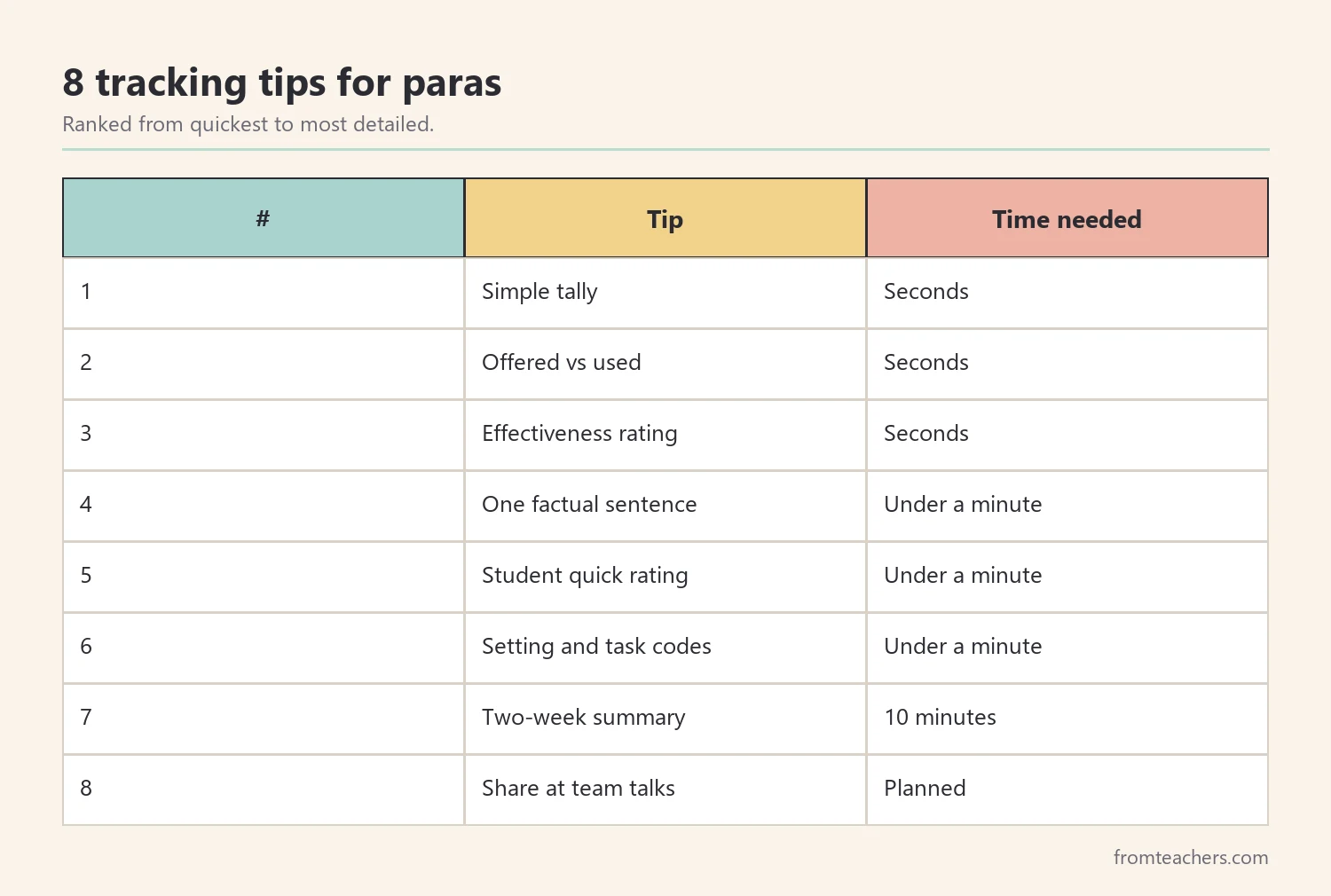
1. Use a simple tally for each accommodation
What it is: a small grid with the student’s accommodations in rows and the days of the week in columns. You add a tick each time a support is offered.
Why it helps: a tally takes seconds, so it fits into a busy lesson. Over a few weeks, it shows patterns, such as a support that is never offered in one class.
How to start: copy the accommodations word for word from the plan, so everyone uses the same names. Keep the grid on a clipboard or in a folder you carry.
Example: Ms. Reyes listed “extended time,” “calculator,” “copy of notes” and “breaks” for Jayden. After one week she saw that she had offered the copy of notes only twice, because the teacher often forgot to print it.
2. Separate “offered” from “used”
What it is: two small marks instead of one. “O” means you offered the support, and “U” means the student used it.
Why it helps: many students refuse supports, especially in middle and high school, because they do not want to look different. If you only record “offered,” the team may think a support is working when the student never uses it.
How to start: add a second column or simply write O or OU in each box.
Example: Jayden was offered breaks every day, but he used them only once in two weeks. That one note started a useful conversation about why.
3. Add a quick effectiveness rating
What it is: a three-point rating after the support is used, such as “helped,” “somewhat” or “did not help.”
Why it helps: a support can be used every day and still not make a difference. A simple rating shows which supports matter most for this student. It also helps the team decide whether to keep, change or add supports.
How to start: base the rating on what you see, such as finishing the task, staying calm or asking fewer questions. Do not guess about feelings.
Example: Ms. Reyes rated the calculator as “helped” on most days, because Jayden finished more problems. Extended time got “somewhat,” because he often spent the extra time waiting.
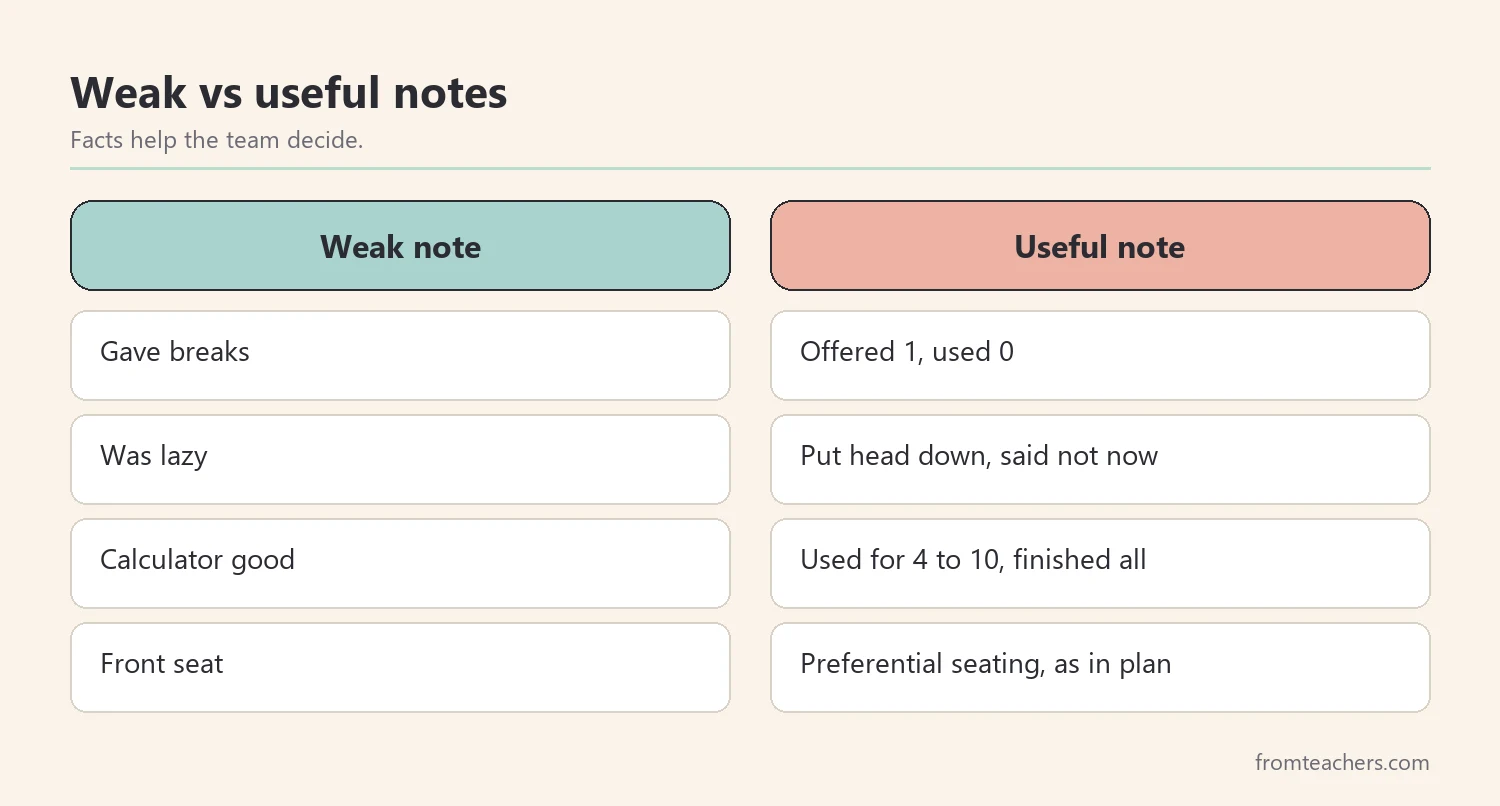
4. Write one factual sentence, not a story
What it is: a single short sentence describing what you saw when a support was used or refused.
Why it helps: one sentence gives context to the tally without taking much time. Factual language keeps notes fair and professional, which matters because parents may read them.
How to start: describe actions, not opinions. Write “Put head down when offered break, said not now” instead of “Was lazy about breaks.”
Example: “Used calculator for problems 4 to 10, finished all 10.” This note was more useful at the meeting than a whole paragraph.
5. Ask the student for a quick rating
What it is: a short question at the end of the lesson, such as “Did the notes help today, yes or no?”
Why it helps: students often know which supports help, and asking them builds self-advocacy. Their answers also explain refusals that adults misread.
How to start: keep the question private and quick. Some students prefer pointing to a thumbs up or thumbs down card.
Example: Jayden said he skipped breaks because the break spot was next to the door where everyone could see him. That one answer changed the plan.
If you want one page that covers all of these points, an accommodation feedback form for IEP and 504 plans includes effectiveness ratings, behavior and engagement notes and space for comments.
6. Note the setting and the task
What it is: a short code for the class, the type of task and the time of day.
Why it helps: a support may work well in math and poorly in science, or help during tests but not during group work. Knowing the setting helps the team adjust supports instead of dropping them.
How to start: use simple codes like “M” for math, “T” for test and “G” for group work.
Example: Ms. Reyes noticed that extended time helped Jayden on written tests but not on daily worksheets.
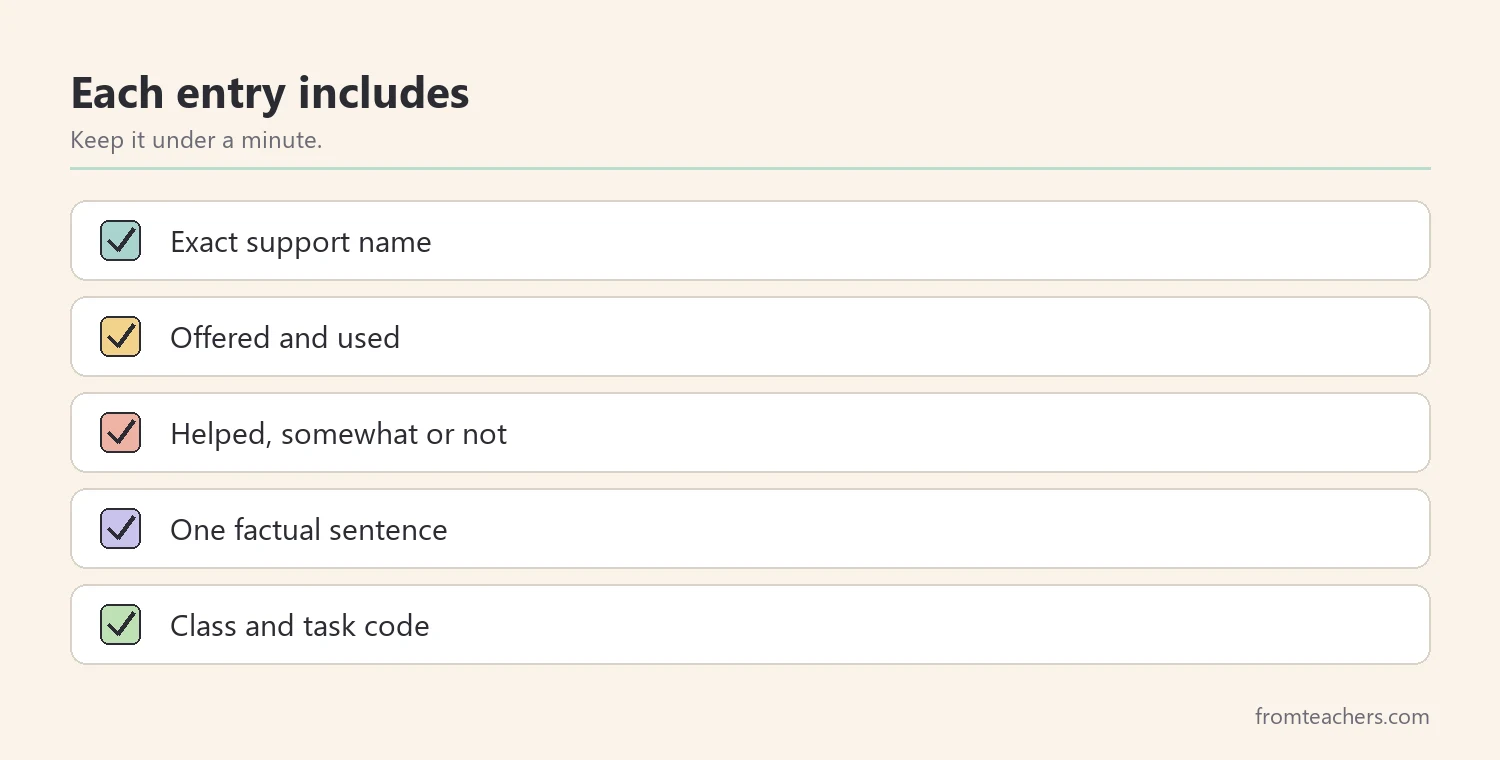
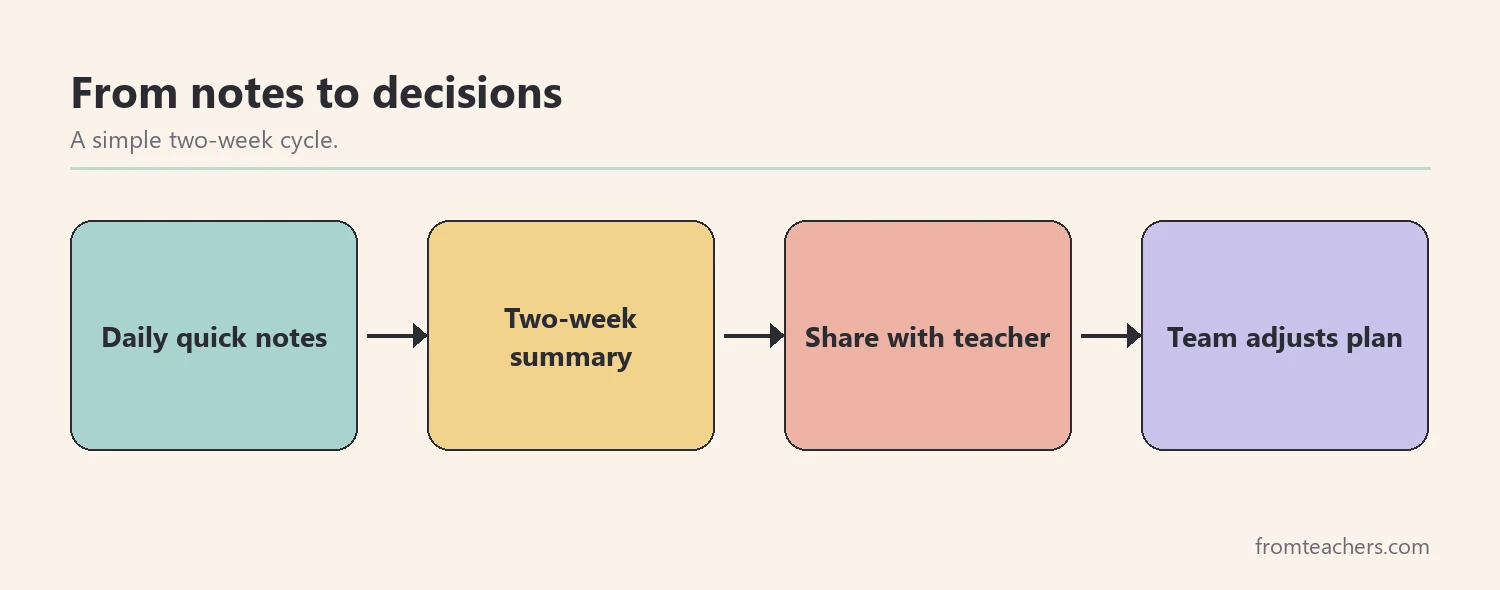
7. Summarize your notes every two weeks
What it is: a short summary of your tallies, ratings and comments, shared with the teacher or case manager.
Why it helps: raw notes are hard to read. A summary turns them into a few clear points, such as “Calculator used 9 of 10 days, helped most days.” This makes it easier for the team to act.
How to start: agree on a day, such as every other Friday, and use the same short format each time.
Example: Ms. Reyes sent a five-line summary every second Friday. The case manager used these summaries in the progress report.
8. Bring your data to team conversations
What it is: sharing your summary at a team meeting or a quick check-in with the teacher, when invited.
Why it helps: paras see the student closely and often notice details that others miss. Your data can support decisions about which accommodations to keep, change or add.
How to start: ask the case manager how they want to receive your input. Some prefer a written summary. Others invite paras to join part of the meeting.
Example: At the review, Ms. Reyes showed that Jayden used breaks only when the break spot moved to a quieter corner. The team updated the plan to describe the break location.
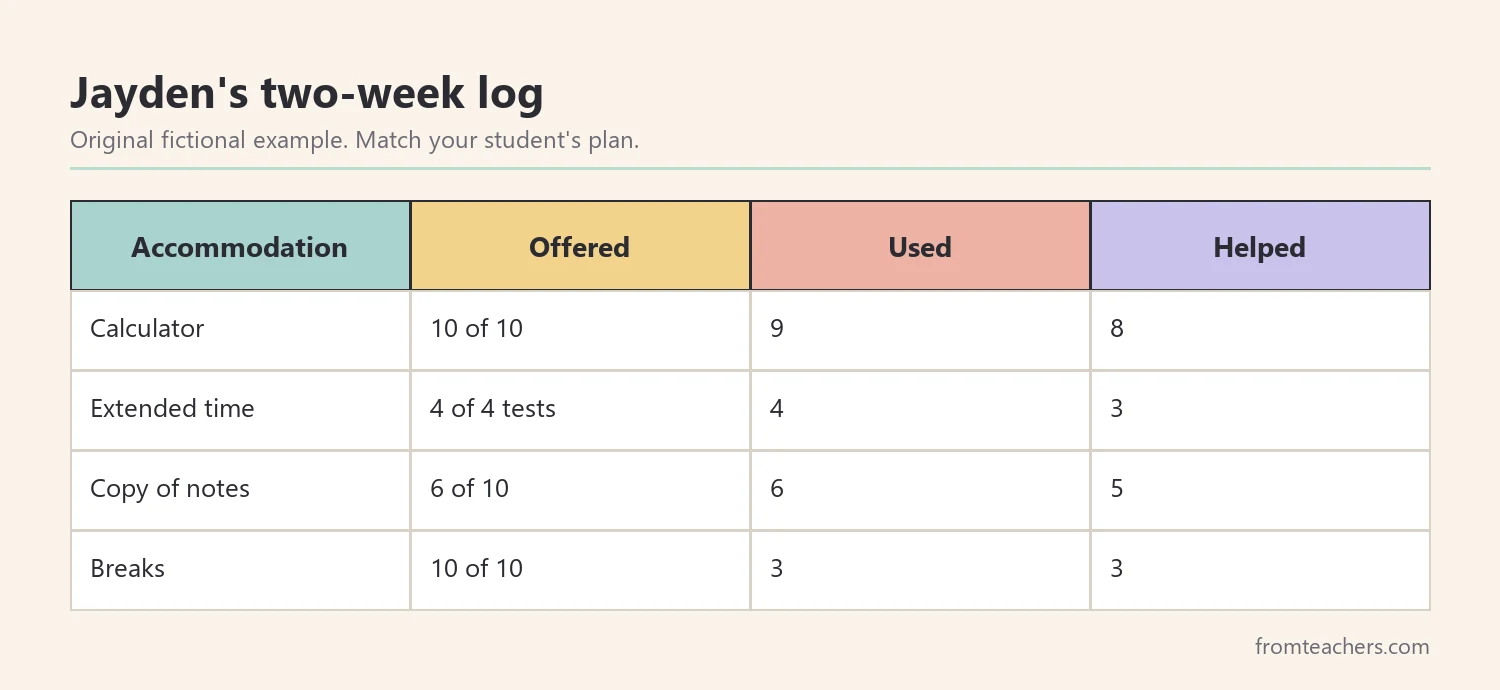
A sample two-week log
Here is a fictional summary of Ms. Reyes’s notes for Jayden. It shows the format only. Your categories should match the student’s actual plan.
| Accommodation | Offered | Used | Helped |
|---|---|---|---|
| Calculator | 10 of 10 | 9 | 8 |
| Extended time | 4 of 4 tests | 4 | 3 |
| Copy of notes | 6 of 10 | 6 | 5 |
| Breaks | 10 of 10 | 3 | 3 |
Several patterns stand out. The copy of notes was not offered every day, which is a fidelity issue for the teacher to fix. Breaks were offered daily but rarely used, which needed a conversation with Jayden. The calculator was the most helpful support, which was worth noting in the next plan.
Choosing the right tool for your setting
There is no single best tool for tracking accommodation use. A paper clipboard works well for paras who move between classrooms. A shared digital form works when the team already uses one platform. Also, a printed one-page form works when the case manager wants the same layout for every student.
Whatever you choose, keep it short. A tool that takes more than a minute or two per lesson will be dropped by the third week. In addition, keep your categories identical to the plan. If the plan says “preferential seating near instruction,” do not write “front seat,” because readers may think it is a different support.
Finally, think about privacy. Notes about students with disabilities are sensitive. Keep them in a closed folder, do not leave them on desks and never discuss them in the hallway or staff room. Ask your school how long to keep paper notes and where to store them.
Working with the classroom teacher
Tracking accommodation use works best when the teacher knows about it and agrees with it. Some teachers feel uneasy when a para records whether supports were provided, because it can feel like an evaluation. Explain that the goal is to help the student and the team, not to judge anyone.
For example, Ms. Reyes started by saying, “The case manager asked me to keep notes on Jayden’s supports. Would you like to see them each Friday?” The teacher liked seeing the summary, and she started printing the notes earlier once she saw the gaps.
Also, ask the teacher which supports they find hardest to provide. Sometimes the solution is simple, such as preparing copies of notes on Monday for the whole week. Your data can show where a small change in routine makes a big difference.
Common mistakes and how to avoid them
- Using different names for supports. Fix: copy the wording from the plan.
- Recording only “offered.” Fix: track “used” as well.
- Writing opinions instead of facts. Fix: describe what you saw and heard.
- Keeping notes but never sharing them. Fix: send a short summary every two weeks.
- Making the system too long. Fix: keep each entry under a minute.
- Leaving notes in public places. Fix: store them in a closed folder.
Questions paraprofessionals ask about tracking accommodation use
Is it my job to track accommodations?
It depends on your role and your school. Many case managers ask paras to help, because they see supports in action. Ask your supervising teacher or case manager what they expect.
What if the student refuses a support every day?
Record it calmly and share it with the team. Refusals are useful information. The team may change the support, the setting or the way it is offered.
Can parents see my notes?
Parents may have the right to see records about their child, depending on local rules. Write every note as if a parent will read it, using factual and respectful language.
How long should I keep tracking?
Follow the case manager’s guidance. Many teams collect notes for a few weeks before a review, or all year for students whose supports are changing.
What if I see that a support is not being provided?
Share it privately with the teacher or case manager, using your notes. Focus on solutions, not blame.
Related reading: Accommodations vs Modifications in Special Education, Teacher-Parent Communication in Special Education, and Effective ADHD Classroom Strategies.
You may also need: Accommodations and Modifications Tracker: Editable IEP Forms.
A companion resource for paraprofessionals and support staff:
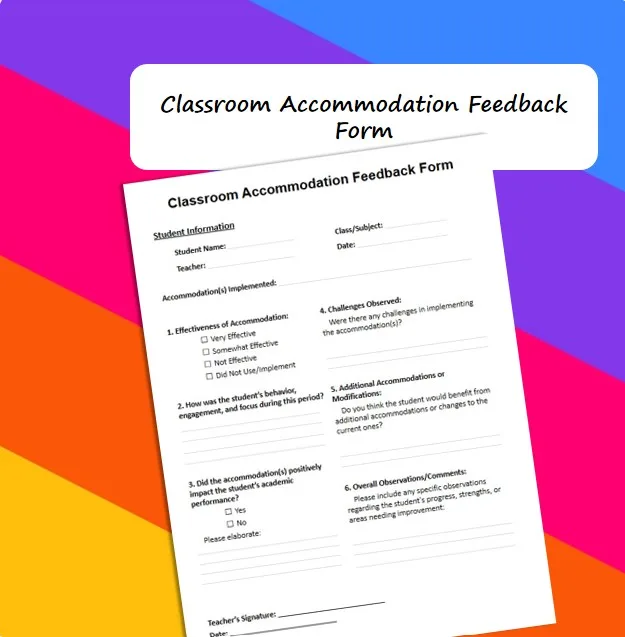
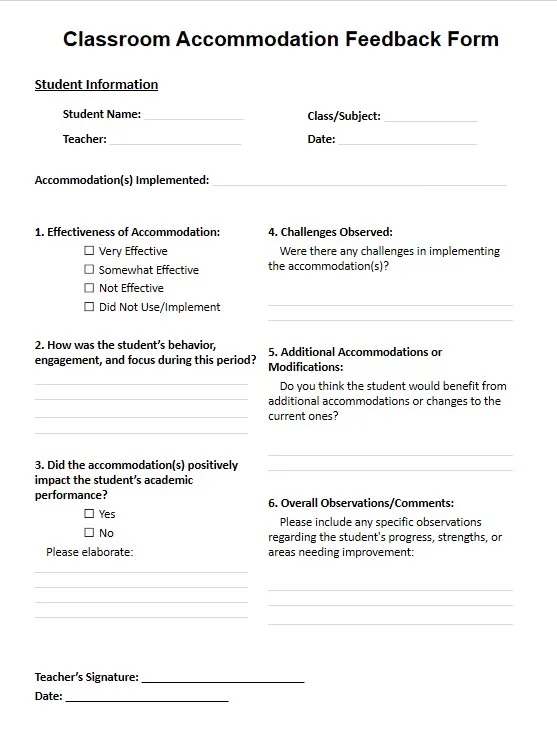
Classroom Accommodation Feedback Form IEP 504 Effectiveness Tracker: a one-page form with student, teacher, date and class fields, accommodations implemented, an effectiveness rating from very effective to did not use, questions on behavior, engagement and academic impact, challenges observed, suggested additional accommodations or modifications, overall comments and a signature line.
Sources and scope
- IRIS Center, Vanderbilt University: free modules on accommodations, paraprofessional roles and data collection.
- Understood.org: articles on accommodations, IEPs and 504 plans for families and educators.
- Center for Parent Information and Resources: plain-language information on IEPs, accommodations and school teams.
- Wrightslaw: information on special education law, IEPs and accommodations.
This guide gives practical ideas for paraprofessionals. It does not replace your district procedures, the student’s IEP or 504 plan, or the direction of the teacher and case manager. Follow your school’s rules on student records and privacy.
Key takeaways
- Tracking accommodation use gives the team real evidence instead of guesses.
- Start with a simple tally, then add “used” and a quick rating.
- Write short, factual notes and ask the student for feedback.
- Summarize every two weeks and share with the teacher or case manager.
- Keep notes private and use the exact wording from the plan.










Leave a Comment