
Spotting fake AI images is now part of growing up online. Picture a fifth grader who comes in from recess, phone screenshot in hand, sure that a shark was seen swimming down a flooded city street. The photo looks real, his friends shared it, and he wants to show the whole class. He is not careless. He simply has never been taught to pause and ask where a picture came from.
This guide gives teachers and parents a five-step plan: explain what AI images are, teach a few visual clues, add a source check, practice with real-life choices, and build a pause-before-sharing habit. By the end, you will have simple routines that turn healthy doubt into a calm, everyday skill.
Examples are fictional. Adapt to the student’s age, school policies, and family rules. This is general guidance, not technical or legal advice.
At a glance
- Explain AI images in simple words before teaching any clues.
- Teach two visual clues at a time, and remind kids that no clue proves anything alone.
- Pair what kids see with a source check: who posted it and where else it appears.
- Practice with short choose-a-response scenarios, including asking a trusted adult.
- Build one habit above all: pause before believing or sharing.
1. Explain what AI images are before teaching spotting fake AI images
First, give children a simple, honest picture of the technology. Spotting fake AI images makes more sense when kids know that computer tools can now create pictures and videos of things that never happened. Keep it short and calm. The goal is curiosity, not fear.
Next, use language that fits the age group. For younger children, you might say: “Some computer programs can draw pictures that look like real photos. Some of them are for fun, and some are made to trick people.” Older students can discuss why someone might make a fake image, such as to get attention, to sell something, or to spread a rumor.
Also, point out that not every edited or AI-made image is harmful. Artists, games, and movies use these tools too. The problem is an image that pretends to be real when it is not. Therefore, the key question for kids is not “Is this AI?” but “Is this trying to make me believe something that might not be true?”
Worked example. Maya is a fictional student in grade 5. Her teacher starts with a short class talk. She shows two pictures of a cat on a skateboard, one a real photo and one clearly made with a computer tool, and asks the class which one they think is real and why. Maya notices that the second cat has strange paws. The class agrees that pictures can fool people, so it helps to have a plan.
Then, invite questions. Children often have heard words like “deepfake” or “AI” from older siblings or videos, and some feel unsure or even worried. Answer honestly and briefly. You can also explain that spotting fake AI images is a skill that grown-ups are still learning too, so it is fine not to know every answer right away. What matters is knowing what to do next.
In short, a five-minute talk sets the stage. As a result, the clues in the next step feel useful instead of random.
2. Teach visual clues for spotting fake AI images
Once kids understand the idea, give them a short detective checklist. Spotting fake AI images often starts with zooming in on small details. Many AI-made pictures have tiny mistakes that the eye skips at first glance.
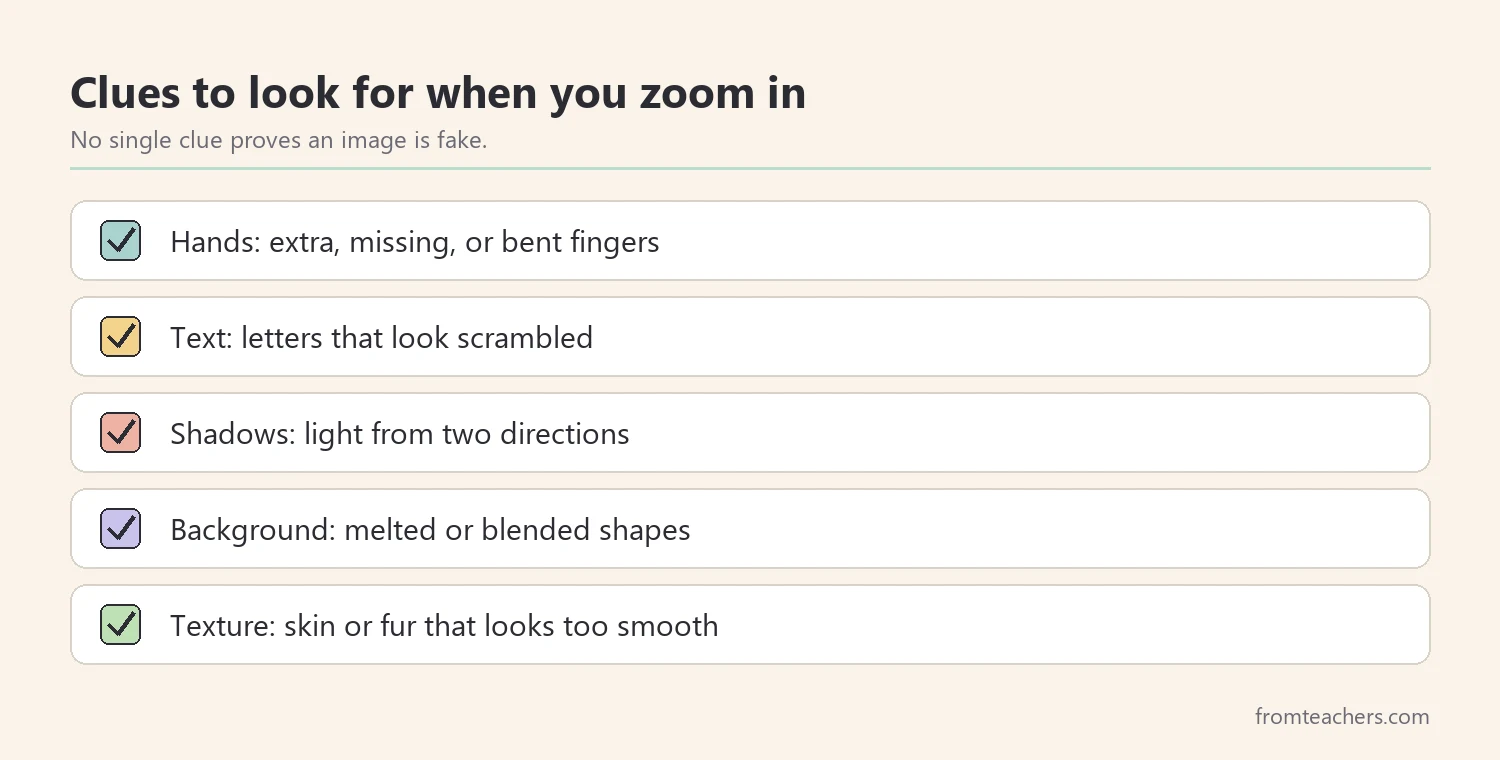
However, teach only two clues at a time. For example, start with hands and text in week one, then add shadows and backgrounds in week two. Small steps help the list stick. In addition, show examples side by side so kids can compare.
| Clue | What to look for |
|---|---|
| Hands | Extra, missing, or bent fingers |
| Text | Letters that look scrambled |
| Shadows | Light coming from two directions |
| Background | Melted or blended shapes |
| Texture | Skin or fur that looks too smooth |
Then, give kids an important warning. AI tools keep getting better, so a picture with no mistakes can still be fake. That is why spotting fake AI images never stops at the clues. Clues tell kids when to slow down. They do not give a final answer.
Worked example. Maya’s class practices with hands and text first. In one image of a school sign, Maya sees that the letters look like a word but do not spell anything. She circles it and says, “That is a slow-down clue.” Her teacher praises the careful look and asks what else the class could check.
3. Add a source check to every image
What kids see is only half the story. The other half is where the image came from. So, teach a short source check alongside the visual clues.
Start with three simple questions. Who posted this? Is it a known news outlet, a friend, or an account I do not know? Can I find the same event reported by other trusted sources? Older students can also learn that a reverse image search, done with an adult, can show where a picture first appeared.
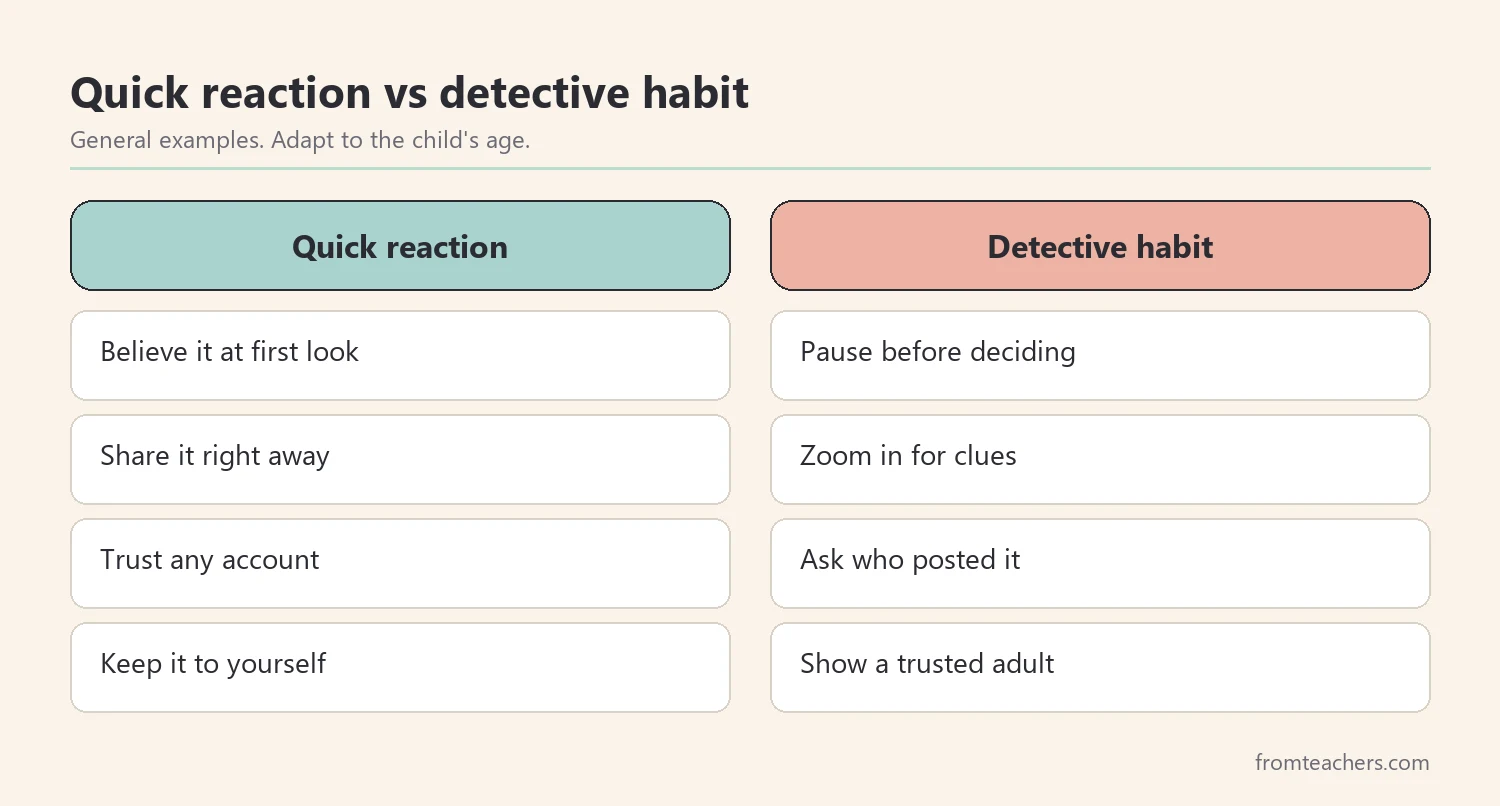
Next, connect the two halves. A strange clue plus an unknown source is a strong reason to wait. On the other hand, a clean-looking picture from an unknown source still deserves a check. Spotting fake AI images works best when kids combine what they see with what they can find out.
Also, keep the source check age-appropriate. Younger children do not need to search the web on their own. For them, the source check can simply be: “Ask a grown-up where this came from.”
In addition, model the source check out loud. When you share an image during a lesson, say where it came from and how you know. For example: “I found this photo on a museum website, and the museum lists the photographer.” Over time, kids start asking the same question about every picture they see. That small habit is the backbone of spotting fake AI images.
Worked example. Back to the shark photo. Maya’s class looks for the same picture on trusted news sites with their teacher and finds no report of it. The account that first shared it is unknown. Combined with odd water reflections, the class decides not to believe or share it.
4. Practice spotting fake AI images with real-life choices
Knowing the clues is not the same as using them in the moment. Therefore, give kids short practice scenarios with clear choices. Spotting fake AI images becomes a habit through repetition, not a single lesson.
A simple format works well: describe a situation, then offer three responses labeled A, B, and C. For example, “A friend sends you a picture of your teacher in a funny costume. It looks strange. What do you do? A: Share it with the class chat. B: Show it to a trusted adult. C: Post a comment that it is fake.” Then discuss why B is the safest choice.
If you want ready-made scenarios, the AI Safety for Kids guide on spotting fake images and videos includes numbered clues, an “Ask a Grown-Up” safety reminder, and multiple choose A, B, or C activities with friendly characters.
Next, track how practice goes. You do not need formal grades. A quick count of how many images the class judged with a good reason is enough to see growth.
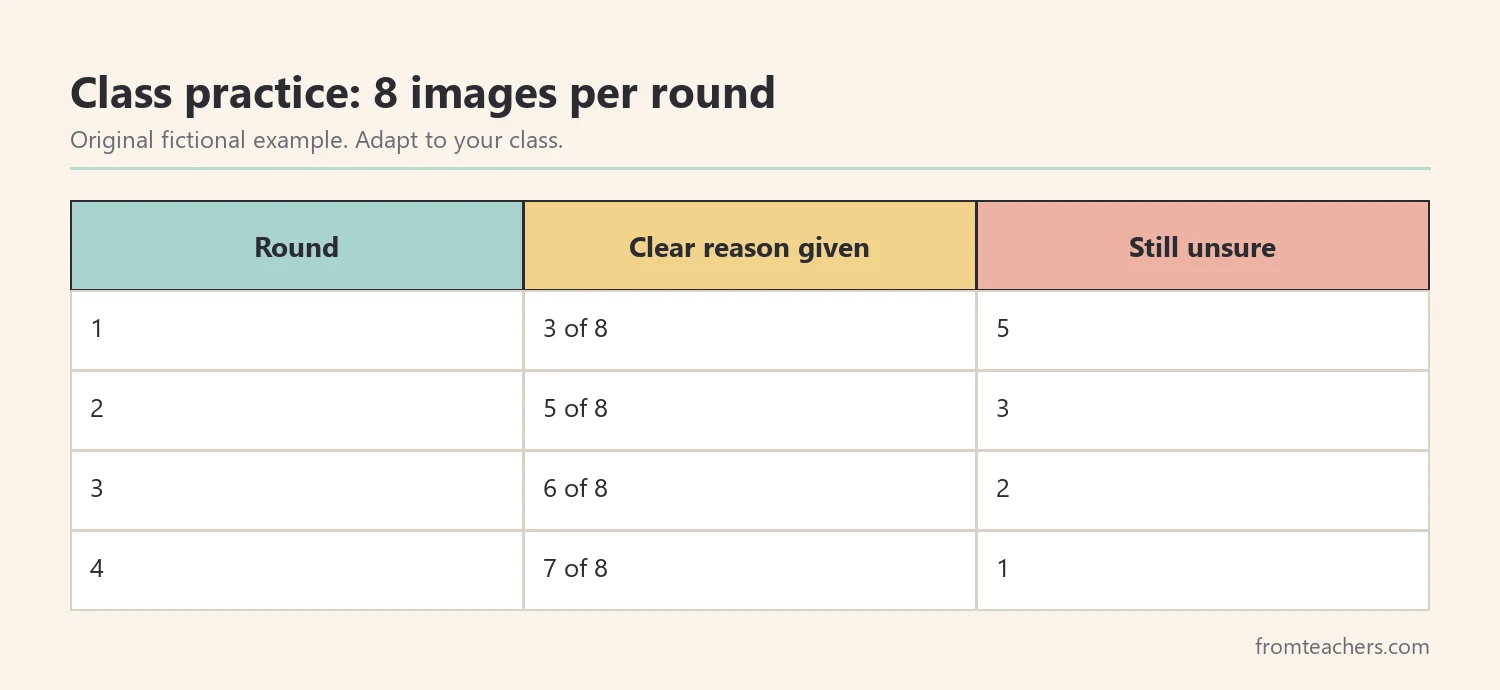
Worked example. Maya’s class does one practice round each week with eight images. In round 1, the class gives a clear reason for 3 of the 8. In round 2, it is 5, and in round 3, it is 6. By round 4, the class gives a clear reason for 7 of the 8 and names a source question for every image they are unsure about.
5. Build a pause-before-sharing habit at school and home
The most important skill is not any single clue. It is the pause. When kids stop for a moment before believing, reacting, or sharing, every other skill has time to work.
So, teach a short routine and use the same words at school and at home. A four-part loop works well: pause, look for clues, check the source, and talk to someone you trust. Post it near computers and send it home to families.
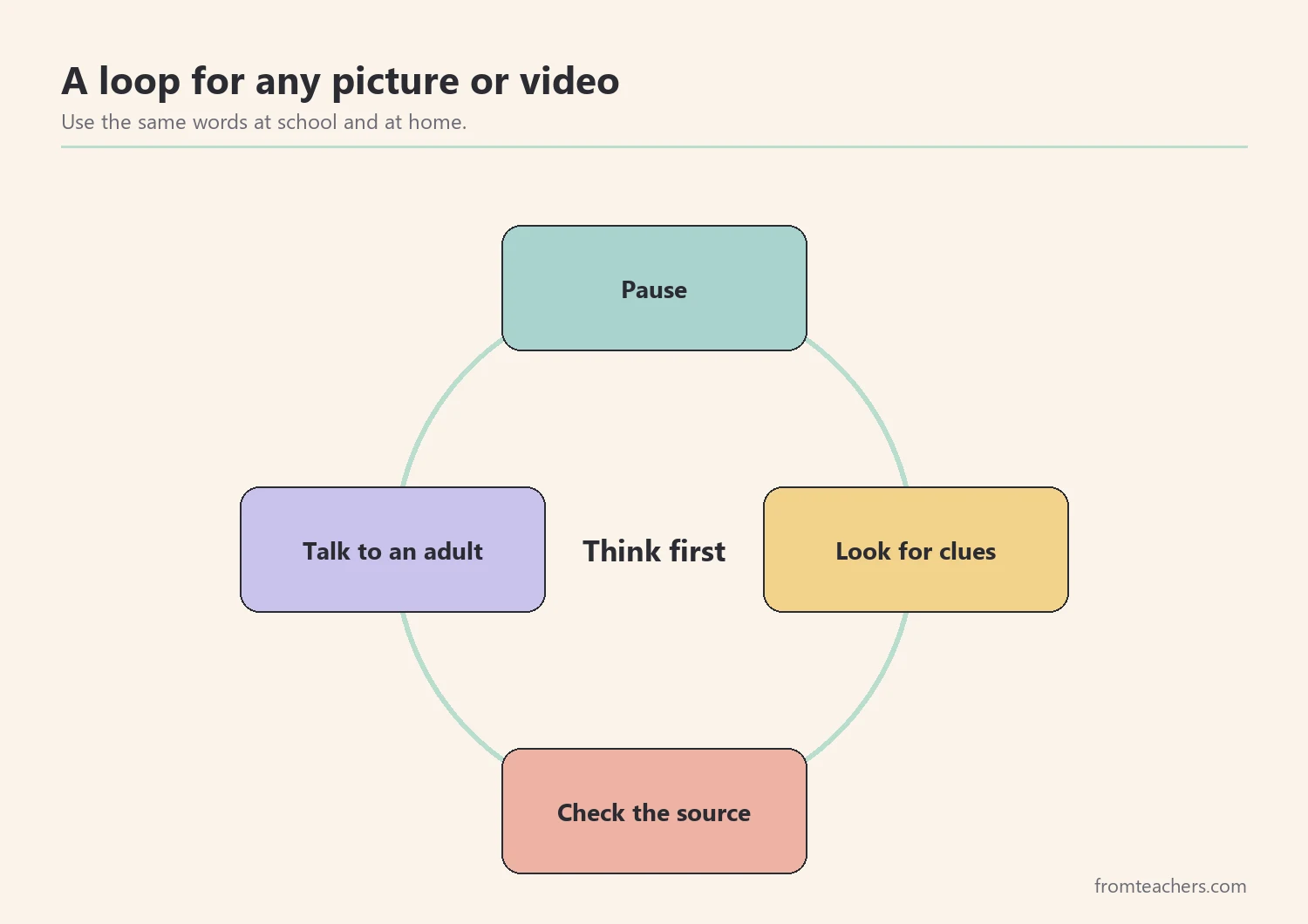
Also, make it safe to ask for help. Kids are more likely to show an adult something strange when they know they will not be in trouble for seeing it. Praise the asking, not just the right answer.
Then, extend the habit to videos. Synthetic videos can show faces that do not blink naturally, voices that do not match lip movement, or edges that flicker. The same pause-and-check loop applies. Spotting fake AI images and videos is one skill, not two.
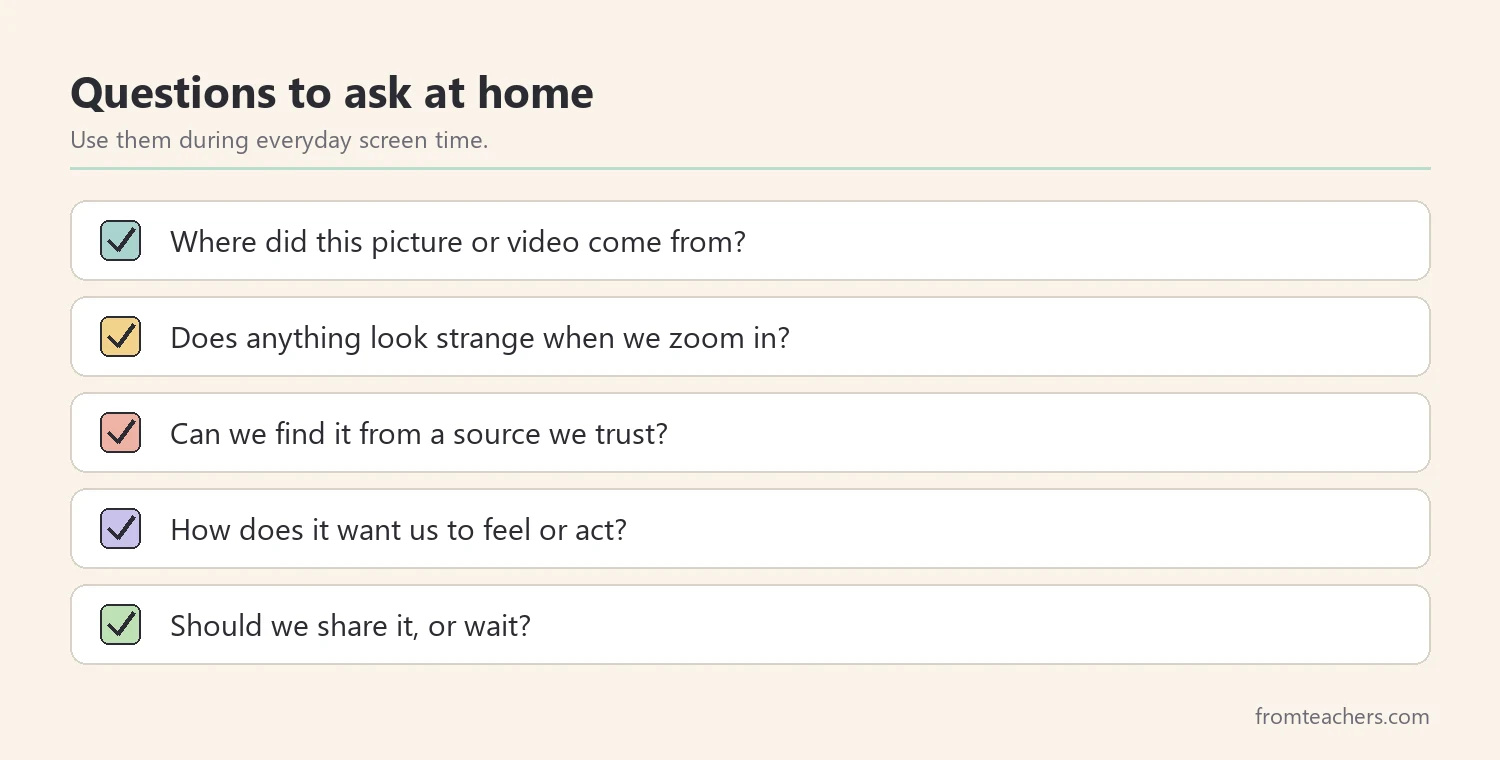
Finally, revisit the routine every few weeks. New apps, new trends, and new kinds of images appear all the time. A short review keeps spotting fake AI images fresh and lets kids share examples they have noticed on their own. Families can help by asking one of the home questions during regular screen time, so the habit grows outside school too.
Worked example. Maya’s teacher sends the four-part loop home in a short note. A week later, Maya shows her dad a video of a talking dog. Together they pause, notice that the dog’s mouth does not match the words, and find that the video came from a comedy account. Maya says, “Funny, but not real.”
Common mistakes and how to avoid them
- Using fear to teach. Scared kids may hide what they see. Fix: keep the tone curious and make asking for help safe.
- Teaching too many clues at once. Long lists are hard to remember. Fix: teach two clues at a time and review them often.
- Treating clues as proof. No single clue proves a picture is fake. Fix: always pair clues with a source check.
- One lesson and done. Habits need practice. Fix: run short practice rounds each week.
- Different words at home and school. Mixed messages slow learning. Fix: share the same simple routine with families.
Questions teachers and parents ask about spotting fake AI images
At what age can kids start spotting fake AI images?
Young children can learn the basic idea that some pictures are made up and that it is good to ask a grown-up. Older elementary and middle school students can learn visual clues and simple source checks. Match the depth to the child’s age and online use.
Are there tools that can tell if an image is AI-made?
Some tools claim to detect AI images, but their results can be wrong. For kids, a careful routine of clues, source checks, and asking an adult is more reliable than any single tool.
Will this make my child distrust everything online?
The goal is healthy doubt, not fear. Kids learn to trust sources that earn it and to check when something seems surprising. That balance is a core part of media literacy.
What should a child do if they already shared a fake image?
Stay calm and use it as a learning moment. Help the child delete the post if possible and, when appropriate, let friends know it was not real. Then practice the pause routine together.
How do I keep spotting fake AI images interesting for kids?
Frame it as detective work. Use short challenges, A, B, or C choices, and real-life examples that match their interests. Kids enjoy being the one who notices the clue.
Related reading: 5 Practical Teaching Tips to Boost Classroom Focus and Learning and Learning Styles Student Success Guide.
A companion resource for spotting fake AI images:
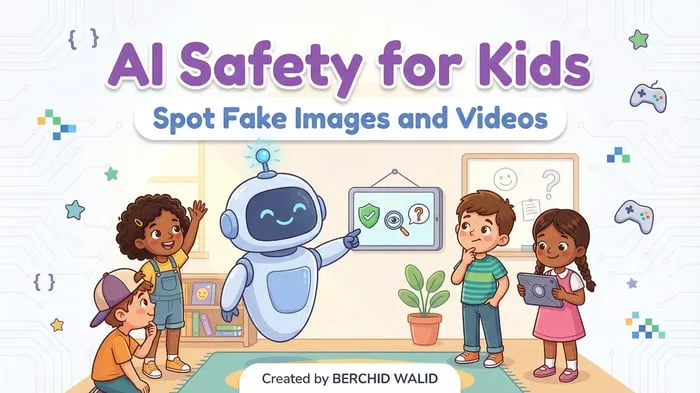
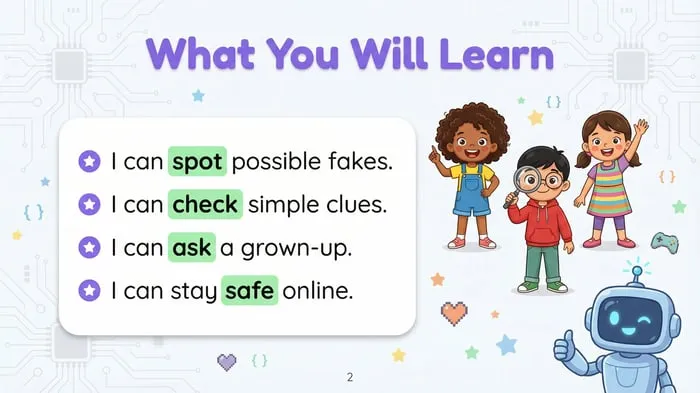
AI Safety for Kids: Spot Fake Images and Videos: a 55-page resource with numbered clues for spotting AI fakes, an “Ask a Grown-Up” safety reminder, and choose A, B, or C scenario activities, guided by friendly robot and kid characters.
Sources and scope
- Common Sense Education: digital citizenship lessons and guidance for teachers and families.
- News Literacy Project: a nonprofit with resources that help students judge the credibility of news and information.
- National Association for Media Literacy Education (NAMLE): a professional organization focused on media literacy education.
- ISTE: an organization supporting educators in using technology for learning, including digital citizenship.
This guide covers age-appropriate routines for teaching children to question images and videos online. It does not cover technical detection methods, platform reporting rules, or legal issues, which depend on the service and your school or family policies.
Key takeaways
- Spotting fake AI images starts with a calm, simple explanation.
- Teach clues two at a time and remember that no clue proves anything alone.
- Always pair what kids see with a source check.
- Practice spotting fake AI images with short scenarios, including asking a trusted adult.
- Build the pause-before-sharing habit at school and at home.

Leave a Comment