

Media literacy for kids starts with a moment most teachers and parents know well. A child looks up from a tablet and says, “It says I won a free phone. Can I click it?” Another student insists a video must be true because it has millions of views. Children meet ads, claims, and clever headlines every day, and many of them cannot yet tell the difference.
This guide gives you a clear, step-by-step way to teach that difference. By the end, you will be able to introduce a simple routine, run quick sorting games, practice with real-life scenarios, and track whether students are actually getting better. Examples are fictional. Adapt to the student’s goals and agreed supports. This is guidance, not a diagnosis.
At a glance
- Teach one guiding question first: “What is this trying to do?”
- Use a three-part routine, Stop, Think, Check, every time students meet new media.
- Practice telling ads from facts with short, fast sorting games.
- Rehearse real scenarios, like pop-up prize alerts, before children meet them alone.
- Track a small weekly score so you can see real progress.
1. Define media literacy for kids in one question
Adults often define media literacy for kids with long lists of skills. Children need something shorter. The most useful starting point is one question they can ask about anything they see: “What is this trying to do?”
That question opens the door to the main purposes of media. Some messages try to sell something. Others try to inform, entertain, or persuade. When students learn to name the purpose, they stop treating every screen as equally trustworthy.
Keep the first lesson simple. Show four short examples: a toy commercial, a weather report, a cartoon clip, and a poster asking people to recycle. Ask students to name what each one is trying to do. Most children quickly see that the toy ad wants them to buy, while the weather report wants them to know something.
Worked example: Priya’s first lesson
Priya is in grade 5. When her teacher, Mr. Okafor, shows the toy commercial, Priya says it is “information about a toy.” Mr. Okafor asks the guiding question again. Priya pauses, then says, “It wants me to want it.” That is exactly the shift media literacy for kids aims for.
| Example | What is it trying to do? |
|---|---|
| Toy commercial | Sell |
| Weather report | Inform |
| Cartoon clip | Entertain |
| Recycling poster | Persuade |
Post the guiding question where everyone can see it. You will use it in every step that follows, so it should become familiar language in your room or home.
2. Teach the Stop-Think-Check routine
A routine turns a good question into a habit, and habits are what make media literacy for kids last. The Stop-Think-Check framework gives children three clear moves they can use with any piece of media, from a video to a pop-up window.
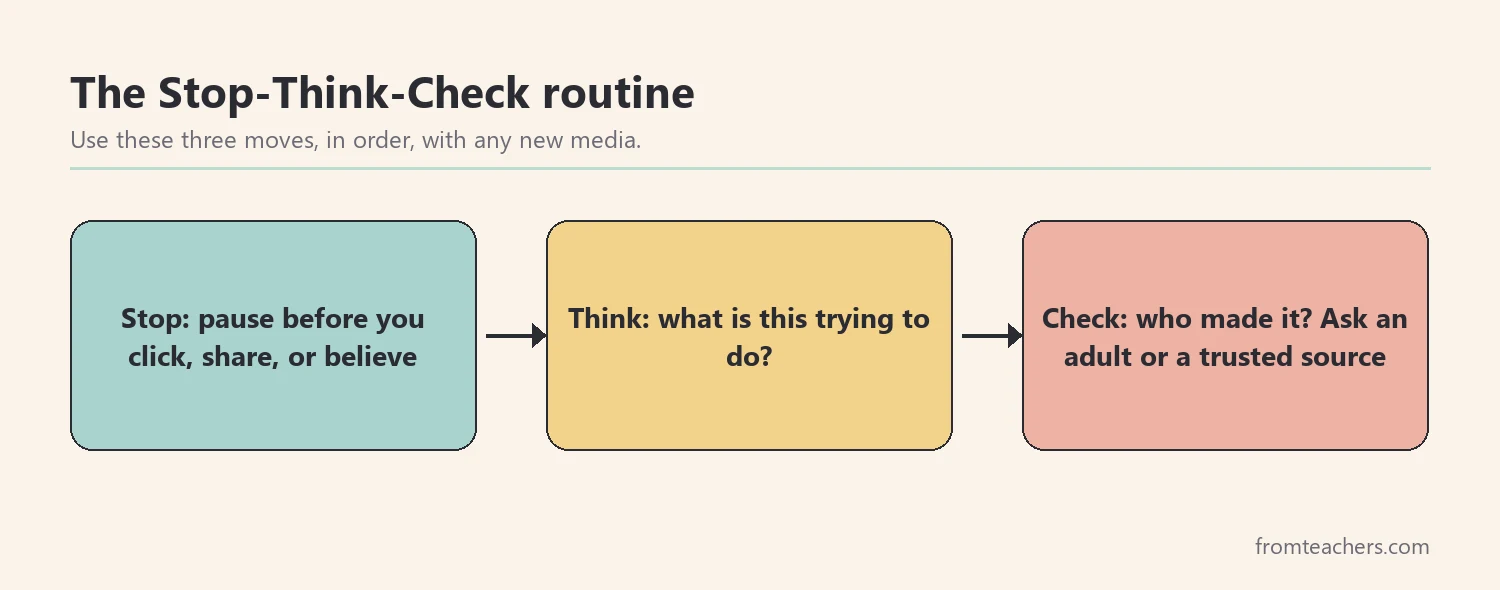
First, Stop. Before clicking, sharing, or believing, pause. This step matters most, because many online tricks depend on quick reactions. Next, Think. Ask the guiding question and notice how the message makes you feel. Finally, Check. Look for who made it, compare it with a trusted source, or ask an adult.
Teach the routine with a hand signal for each step. For example, an open palm for Stop, a finger on the temple for Think, and a checkmark in the air for Check. Movements help younger students remember the order.
Worked example: practicing the routine
Mr. Okafor shows a headline that says a new snack makes kids “twice as smart.” Priya raises her open palm, then taps her temple. She says the snack company probably made the message to sell snacks. For Check, she suggests asking the school nurse or looking for the claim on a trusted health website.
Practice the routine once a day for a week with a new example each time. Short, frequent practice builds the habit faster than one long lesson. Meanwhile, keep examples age-appropriate and free of real brand names if that suits your setting.
If you want this routine already laid out with lessons and games, the Ads vs Facts media literacy resource with Is This True? mini games is built around the same Stop-Think-Check framework.
Adapting the routine for different learners
Not every child will use Stop, Think, Check the same way. Younger students may need picture cards for each step, while older students can write a short reason for each move. Students who find reading hard can listen to messages read aloud and still do all the thinking.
In addition, some children react quickly and need extra practice with the Stop step alone. A simple game helps: show a message, count to three together, and only then allow anyone to answer. That pause is the heart of media literacy for kids, so it deserves its own practice time.
3. Practice telling ads from facts
Once the routine is familiar, students need lots of quick practice. Sorting games work well because they are fast, active, and easy to repeat. They are also a simple way to make media literacy for kids feel like play instead of a lecture.
Prepare a set of cards. Each card shows a short message, such as “New sneakers make you run faster!” or “The library opens at 9 a.m. on Saturdays.” Students sort each card into one of two piles: Ad or Fact. Then they explain their choice using clues.
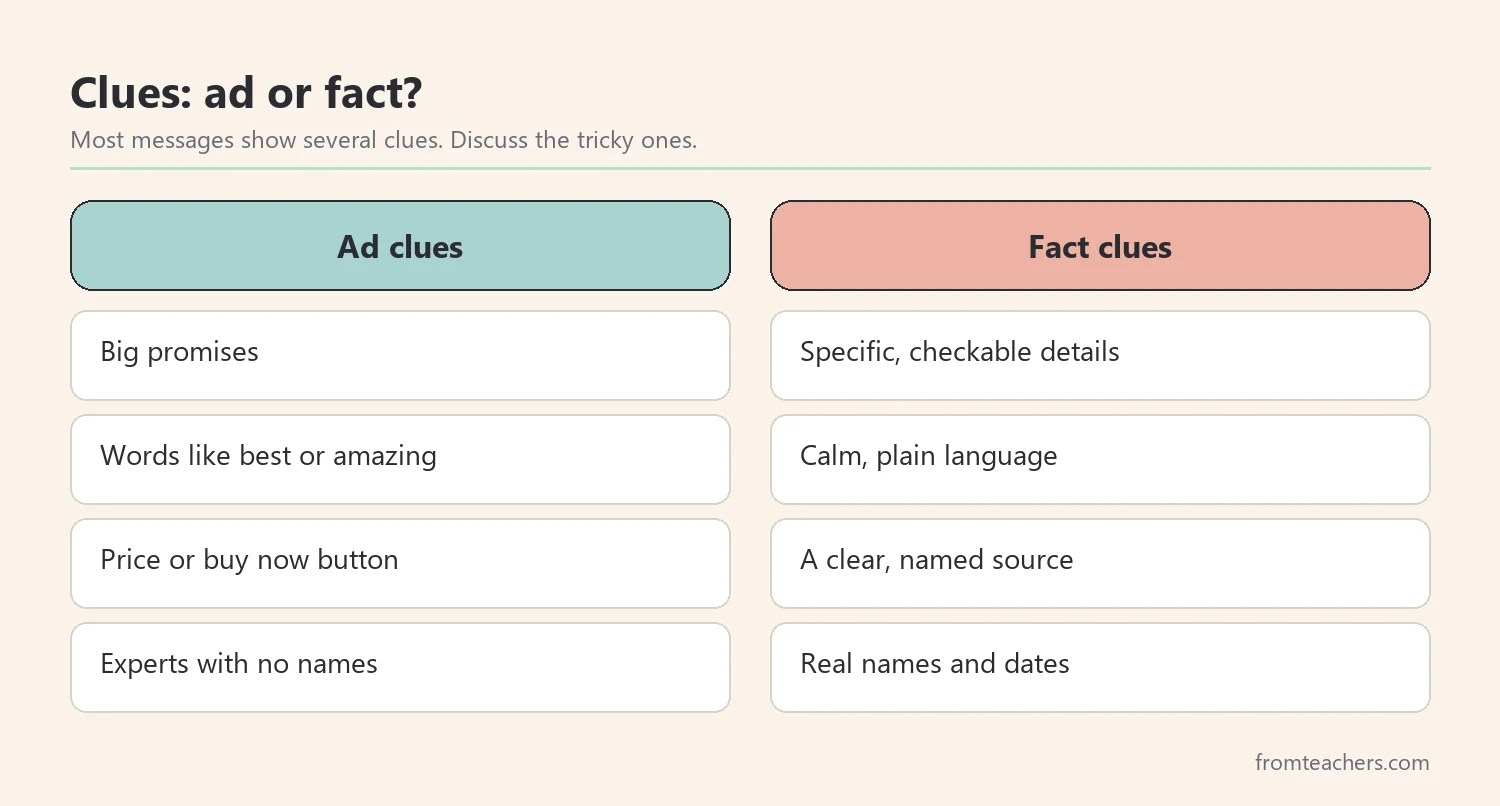
Teach a few reliable clues. Ads often use big promises, words like “best” or “amazing,” a price or a “buy now” button, and bright, exciting images. Facts usually give specific, checkable details, name a clear source, and stay calm in tone. Of course, not every message fits neatly, and that is worth discussing too.
Worked example: the ten-card sort
Mr. Okafor gives each group of four students ten cards: five ads and five facts. Priya’s group sorts six cards correctly on the first try. They put two ads in the Fact pile and two facts in the Ad pile.
One of the mixed-up ads says, “Scientists love our toothpaste.” The group thought “scientists” made it a fact. After discussion, they notice there is no named scientist and no source, so they move it. That kind of reasoning is the real goal of media literacy for kids.
4. Rehearse real scenarios for media literacy for kids
Sorting cards builds the skill. However, children also need to practice the moment of decision, when something pops up and they must choose what to do. Scenario practice lets them rehearse that moment safely.
Write short media literacy for kids scenarios with three or four response choices. For example: “A window pops up saying you won a free tablet. It asks for your name and address.” Choices might include clicking to claim the prize, closing the window, telling an adult, or sharing it with a friend. Students pick an answer and explain it using Stop, Think, and Check.
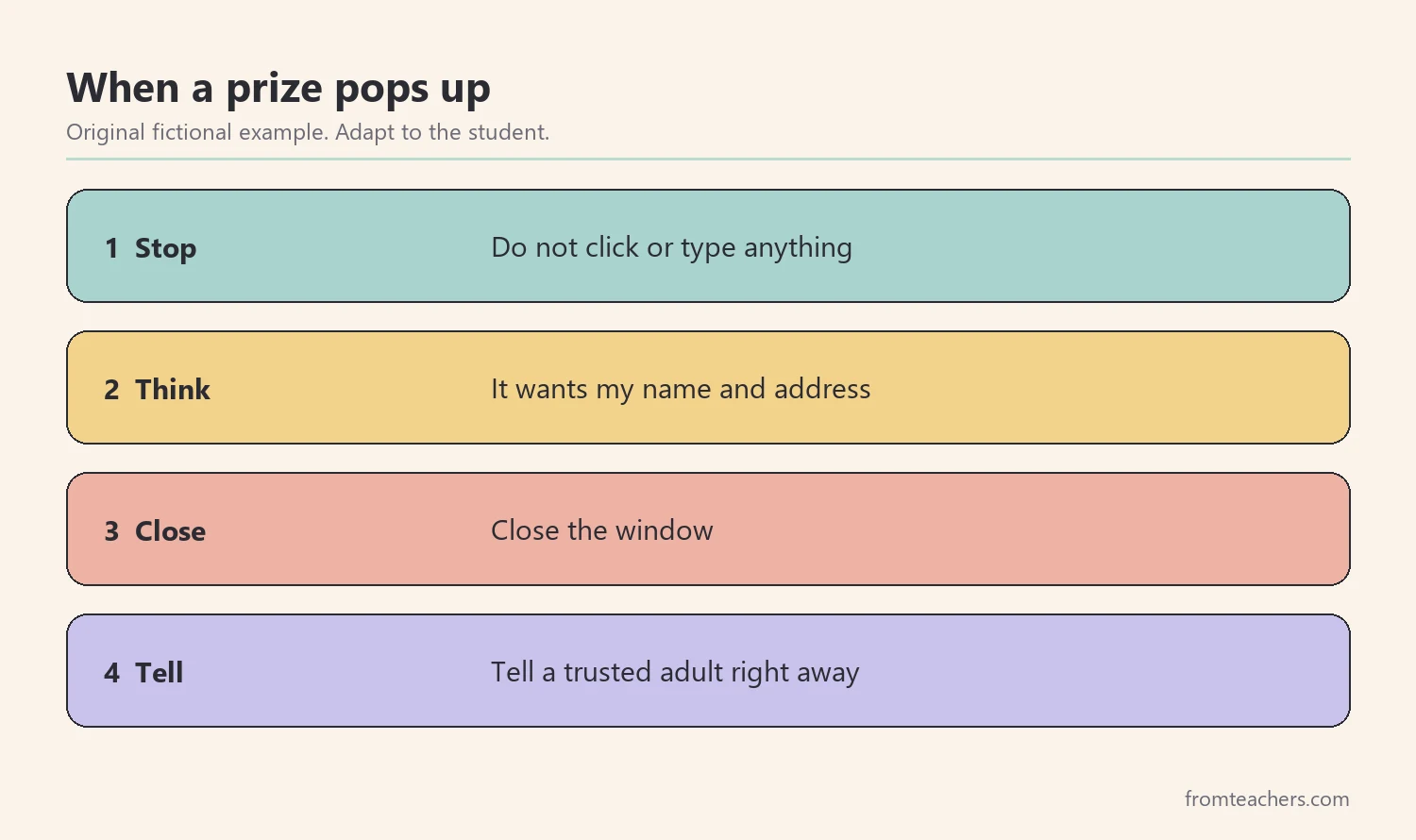
Cover a range of situations. Include a fake prize, a video that claims something surprising, a game asking to buy extra coins, and a friend forwarding a scary rumor. Each scenario uses the same routine, which reinforces the habit.
Worked example: the prize pop-up
Priya reads the free tablet scenario. She chooses “close the window and tell an adult.” When asked why, she explains: “I stopped. I thought it wants my address, and real prizes don’t just pop up. I checked by telling my teacher.” Mr. Okafor writes her words on the board as a model answer.
Another student says he would click “just to see.” Instead of scolding, Mr. Okafor asks the class what could happen next. Students suggest that the site might ask for more information or a password. Consequently, the student changes his answer on his own.
| Scenario | Safe first move |
|---|---|
| Free prize pop-up | Close it, tell an adult |
| Shocking video claim | Check a trusted source |
| Buy extra game coins | Ask a parent first |
| Scary rumor from a friend | Do not share, ask an adult |
5. Track progress in media literacy for kids
Without a simple record of media literacy for kids, it is hard to know whether practice is working. A small weekly score keeps media literacy for kids visible and shows growth over time. It also gives you something concrete to share with families.
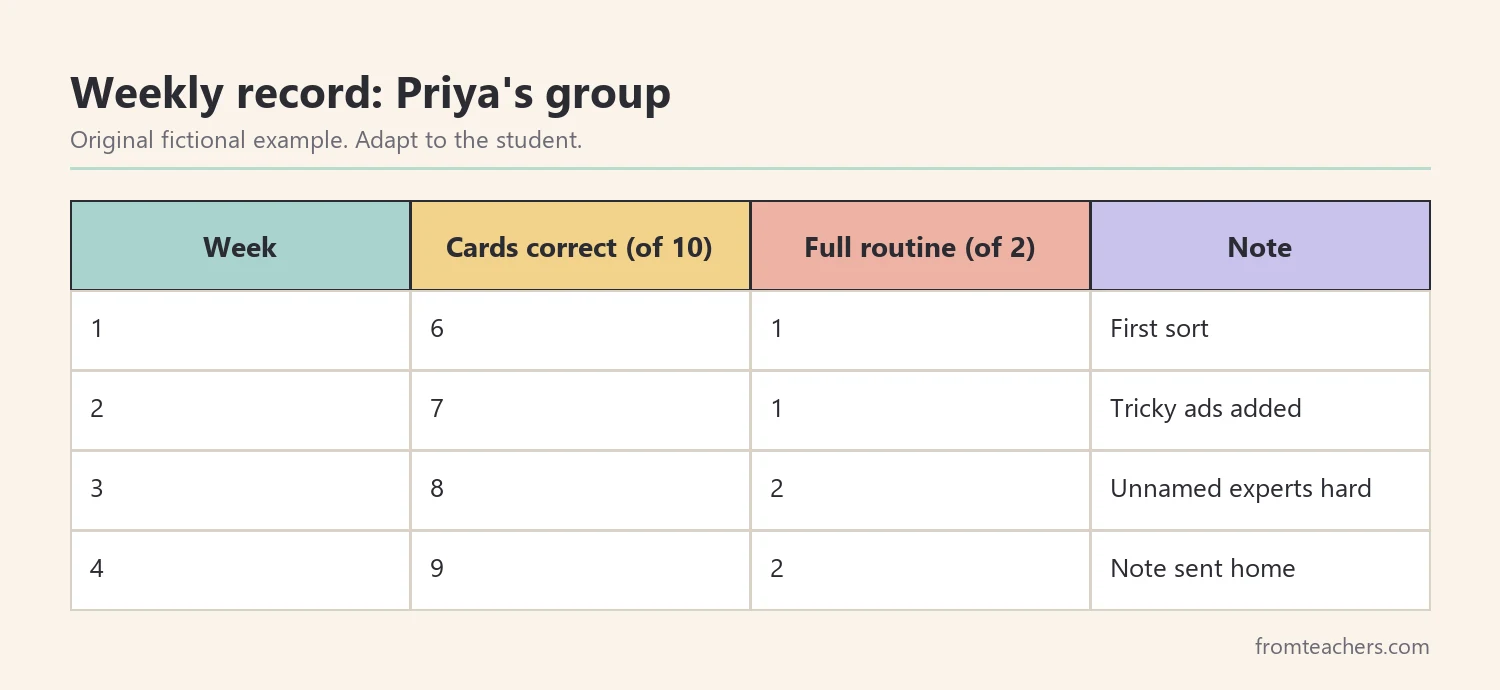
Use the same format each week. For instance, give each student or group ten new sorting cards and two new scenarios. Record how many cards they sorted correctly and whether they used all three routine steps in their scenario answers.
Worked example: four weeks of practice
In week 1, Priya’s group sorted 6 of 10 cards correctly and used the full routine in 1 of 2 scenarios. By week 2, they sorted 7 of 10 and used the routine in 1 of 2. In week 3, they reached 8 of 10 and used the routine in both scenarios. By week 4, they sorted 9 of 10 and again used the routine in both.
That steady rise tells Mr. Okafor the practice is working. He also notices the group still struggles with messages that mention “experts” without names. Therefore, his next lesson focuses on that one type of claim.
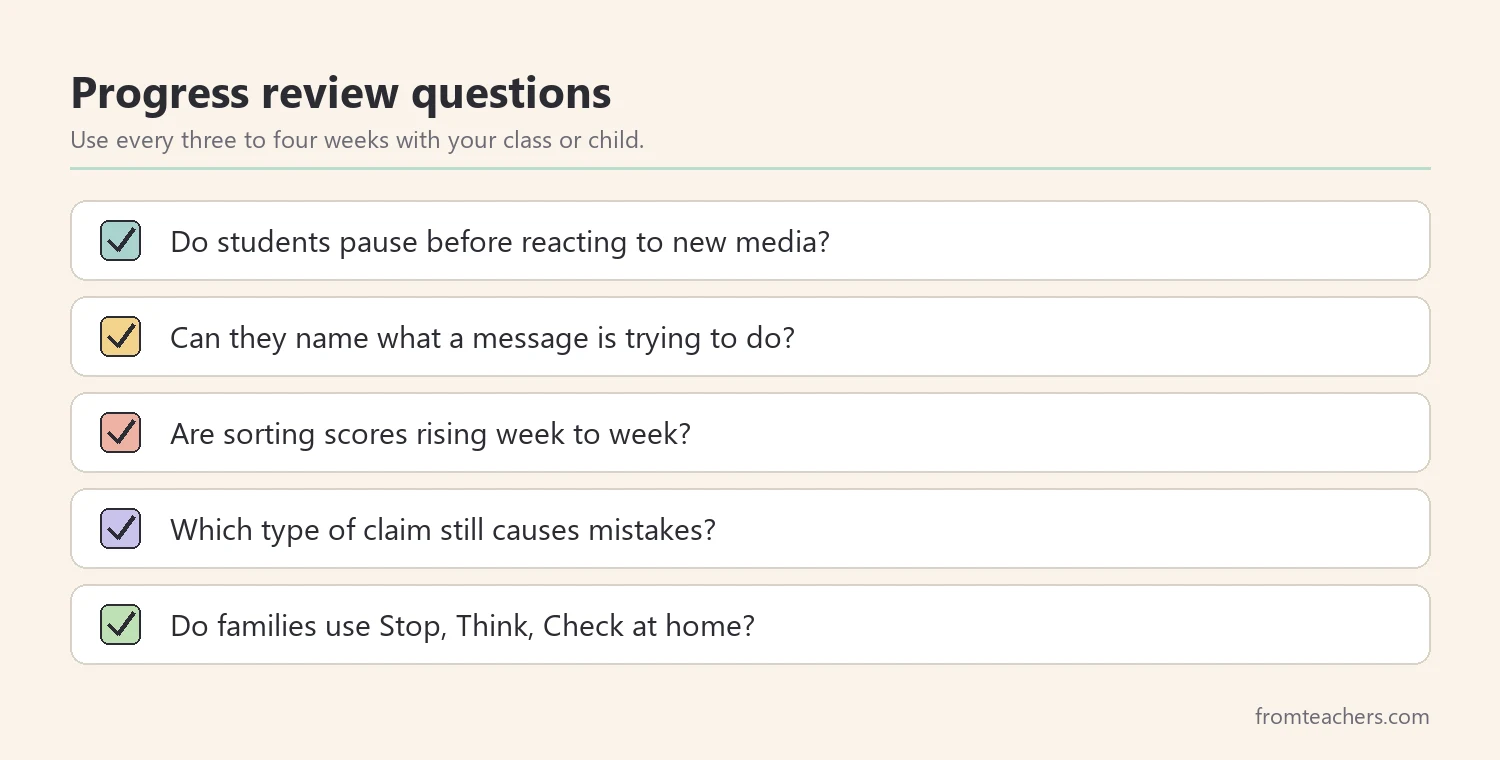
Share a short note home every few weeks. Parents can use the same three words, Stop, Think, Check, when their child asks about something online. Using shared language at school and home makes media literacy for kids much stronger.
Common mistakes and how to avoid them
- Starting with scary warnings. Fix: start with curiosity and the guiding question, so children feel capable rather than afraid.
- Teaching the media literacy for kids routine once. Fix: practice Stop, Think, Check daily for at least a week, then weekly.
- Using only obvious examples. Fix: include tricky messages that look like facts but are really ads.
- Giving the answer too fast. Fix: ask “What clue made you think that?” before you correct anything.
- Forgetting families. Fix: send home the three routine words and one example to try together.
Questions teachers and parents ask about media literacy for kids
What age should media literacy for kids begin?
Children can start simple lessons as soon as they watch videos or see ads, often in the early elementary years. Younger children can learn the guiding question with pictures. Older students can handle more complex claims and sources.
How is an ad different from a fact?
An ad tries to get you to buy, do, or believe something, usually for the benefit of whoever made it. A fact is information that can be checked and shown to be true. Some messages mix both, which is why the routine matters.
Do I need devices to teach media literacy for kids?
No. Printed cards, posters, and paper scenarios work very well for media literacy for kids. Devices can help later, but the core thinking skills can be taught entirely offline.
How can parents support this at home?
Parents can watch an ad together with their child and ask, “What is this trying to do?” They can also use Stop, Think, Check before any online purchase or download. Short, calm conversations work better than strict rules alone.
What should a child do if they already clicked something?
The child should tell a trusted adult right away, without fear of getting in trouble. Adults can then close the page, check the device, and talk through what happened. Calm responses make children more likely to speak up next time.
Related reading: 5 Practical Teaching Tips to Boost Classroom Focus and Learning and Learning Styles Student Success Guide.
A companion resource for media literacy for kids:
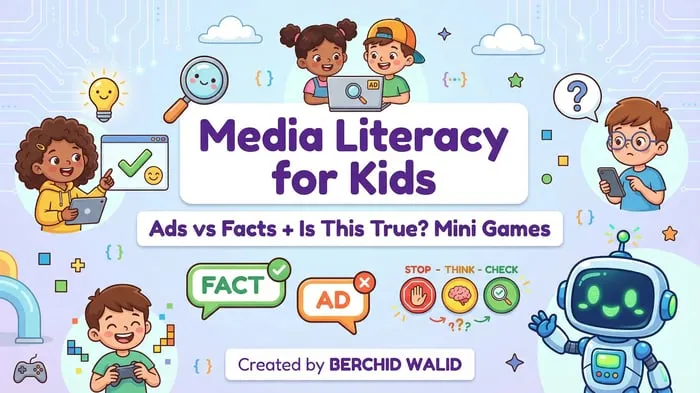
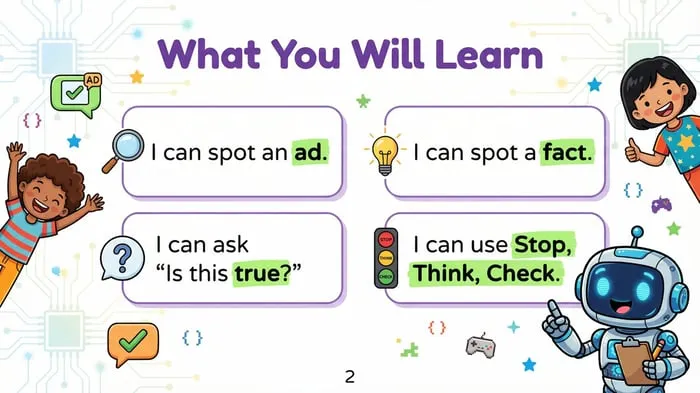
Media Literacy for Kids: Ads vs Facts + Is This True? Mini Games: a 55-page interactive resource built on the Stop-Think-Check framework, with “Ad or Not?” sorting games, numbered real-world scenarios with multiple-choice answers, and guiding questions for critical thinking.
Sources and scope
- Common Sense Education: free digital citizenship lessons and guidance for teachers and families.
- News Literacy Project: a nonprofit offering resources that help students judge the credibility of information.
- National Association for Media Literacy Education: a professional organization focused on media literacy teaching.
- Federal Trade Commission consumer advice: general information on advertising, scams, and online safety.
This guide covers classroom and home routines for helping children tell ads from facts. It does not cover technical device settings, parental control software, or responses to serious online safety incidents, which may need school or professional support.
Key takeaways
- Media literacy for kids begins with one question: “What is this trying to do?”
- Stop, Think, Check gives children a routine they can use anywhere.
- Fast sorting games build the skill of telling ads from facts.
- Scenario practice prepares children for real decisions online.
- A small weekly score shows progress and guides your next lesson.

Leave a Comment