

Special education strategy tables turn a broad challenge, such as “can’t start tasks” or “loses track of time,” into a short list of practical things to try. Picture a sixth grader who sits with an open notebook for ten minutes every morning. His teacher has heard many ideas in trainings, but in the moment, nothing specific comes to mind. A clear table on the desk changes that.
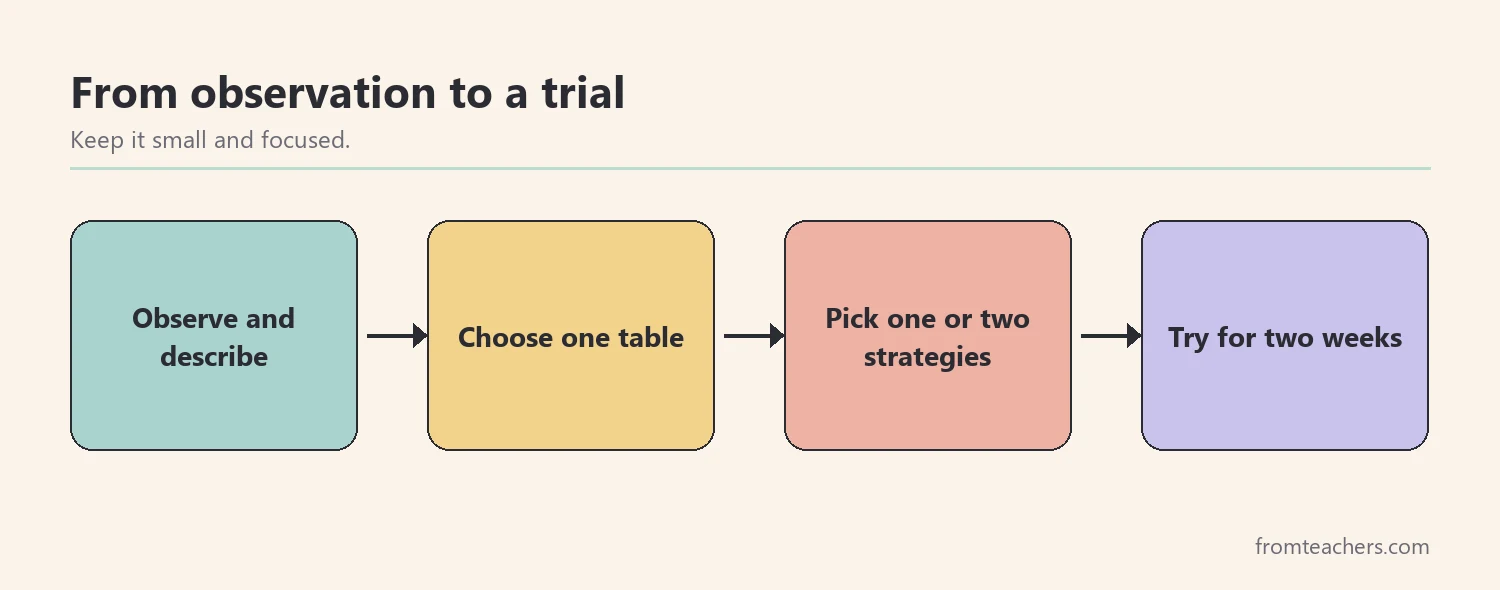
This guide shows you how to use special education strategy tables in five steps: describe the challenge clearly, match it to the right table, plan one or two strategies, try them consistently, and review the results with the team. By the end, you will be able to move from a vague worry to a focused, trackable plan.
Examples are fictional. Adapt to the student’s goals and agreed supports. This is guidance, not a diagnosis.
At a glance
- Strategy tables organize practical ideas by challenge, so you can find them quickly.
- Start with a clear, observable description of what the student does.
- Choose one or two strategies at a time, not a long list.
- Try each strategy consistently and keep a short record.
- Review the results with the team and adjust.
1. Describe the challenge before you open the strategy tables
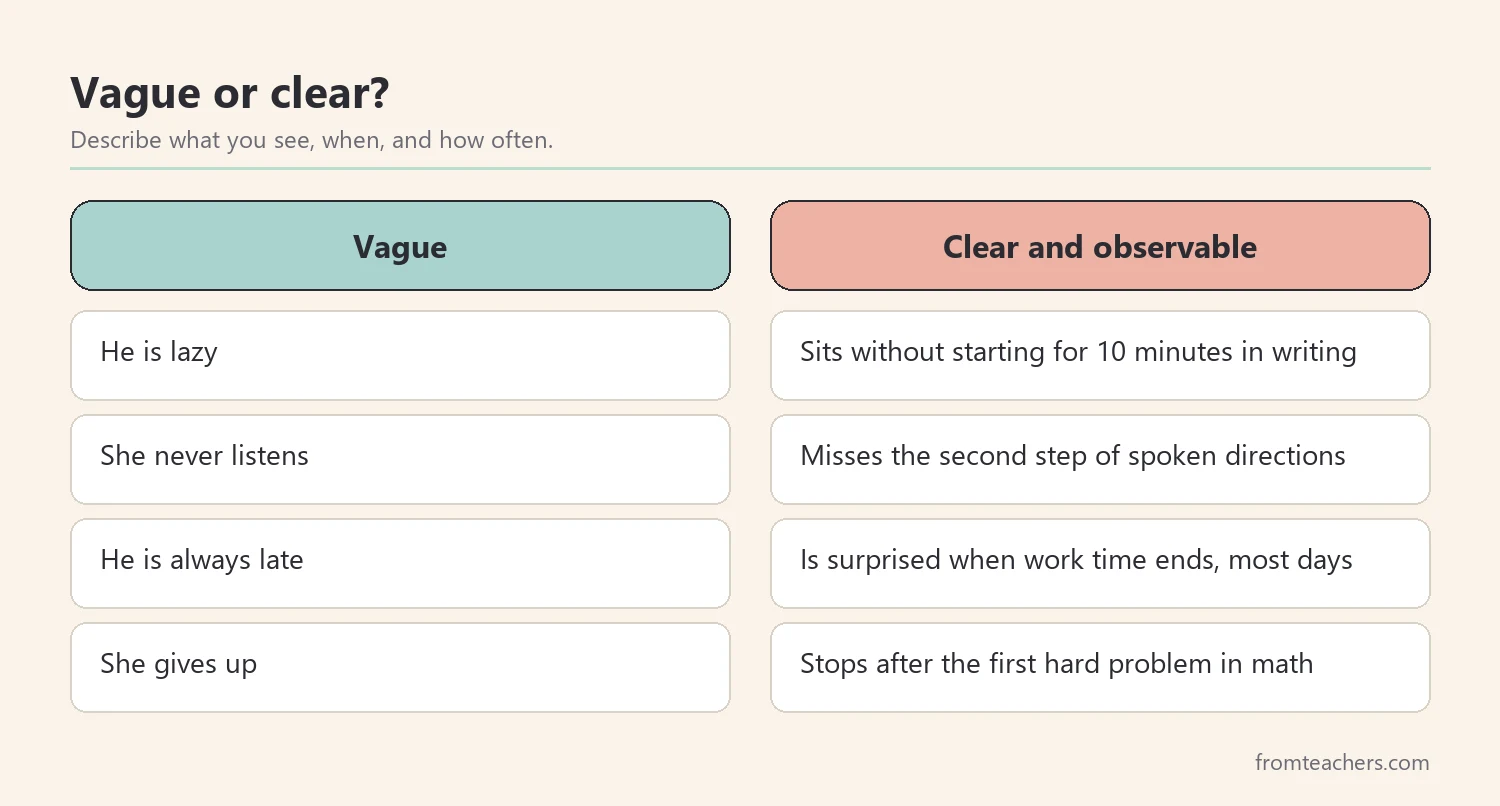
First, describe what you actually see before you reach for any special education strategy tables. Strategy tables work best when you know exactly which challenge you are solving. “He is lazy” or “she does not care” are not descriptions. They are guesses, and they point you toward the wrong strategies.
Next, write an observable statement. Say what the student does, when, and how often. For example: “During independent writing, Jonah sits without starting for about ten minutes, most mornings.” This is specific, neutral, and easy to check later.
Also, look for patterns. Does the challenge happen at certain times, in certain subjects, or after certain events? A student who cannot start writing tasks but starts math quickly needs different support than a student who struggles to start anything.
In addition, separate similar challenges. Trouble starting a task, trouble switching between tasks, and trouble keeping track of time can look alike from across the room. Yet each one calls for different strategies. A clear description helps you open the right table.
Meanwhile, ask the student. Many students can tell you what feels hard: “I don’t know where to start,” or “I thought I had more time.” Their words often point straight to the right challenge area.
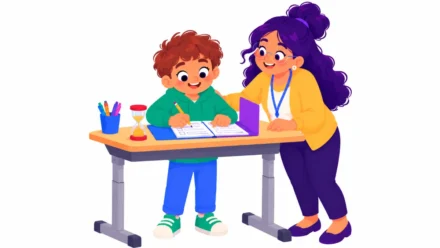
Worked example. Jonah is a fictional sixth grader. His teacher, Ms. Brooks, notices that he rarely starts independent tasks without help and often seems surprised when time is up. Over one week, she writes two clear statements: one about starting tasks and one about tracking time.
2. Match the challenge to special education strategy tables
Next, find the table that matches your description. Special education strategy tables are usually organized by challenge area, such as initiation, working memory, task switching, time management, or cognitive load. Pick the table that fits your clearest statement.
First, start with the main challenge. If a student has several difficulties, choose the one that affects learning the most right now. Working on everything at once makes it hard to see what helps.
Also, check closely related tables. For example, a student who cannot start tasks might also be overwhelmed by too much information at once. Reading both tables can help you see whether the root issue is starting, overload, or both.
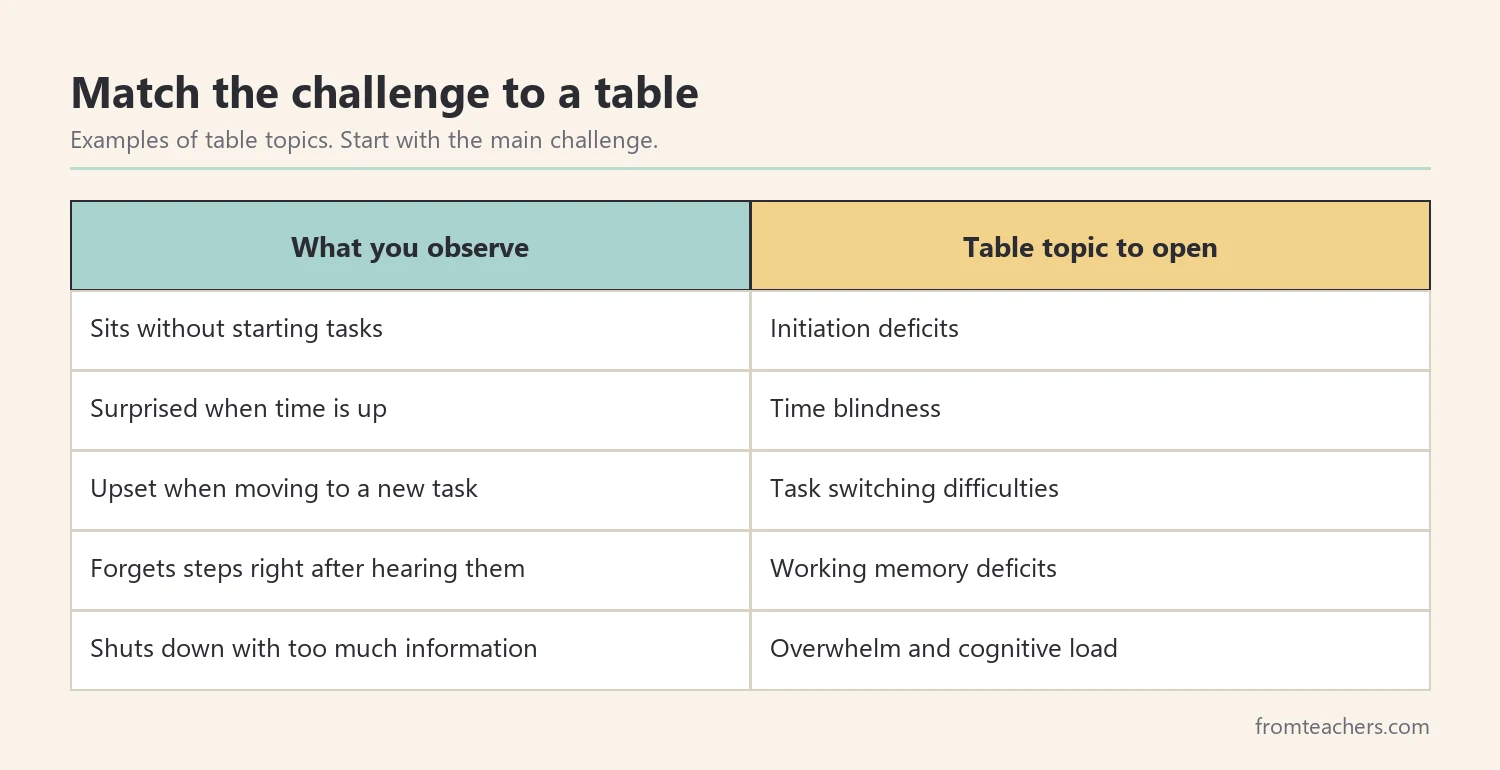
In addition, keep a full set close by. When tables for many challenge areas sit in one binder or folder, you can match a challenge in minutes instead of searching online. The special education strategy tables bundle brings 20 strategy toolkits together, on topics such as initiation deficits, time blindness in ADHD students, task switching, working memory, and overwhelm and cognitive load.
Then, share the match with the team, so everyone uses the same special education strategy tables. A short note such as “We are using the initiation table for Jonah” keeps everyone working on the same challenge.
Worked example. Ms. Brooks decides that starting tasks affects Jonah’s learning the most. She opens an initiation table first. She also keeps a time management table nearby, because his time surprises often follow a slow start.
3. Plan one or two strategies
Next, choose a small number of strategies. Special education strategy tables often list many ideas, but trying all of them at once makes it impossible to know what worked. Choose one or two that fit the student, the class, and your time.
First, ask three questions. Is this strategy realistic in my classroom every day? Does it fit the student’s age and interests? Can I see whether it is working? If the answer is yes to all three, it is a good candidate.
Also, write a short plan. Name the strategy, when it will be used, who will use it, and what success looks like. A plan of three or four lines is enough.
In addition, prepare the materials before you start. If a strategy uses a visual first step card, a timer, or a checklist, have it ready on day one. Missing materials are a common reason strategies fade quickly.
Meanwhile, explain the plan to the student. Students are more likely to use a strategy when they understand why it is there. Keep it simple: “This card shows your first step, so getting started feels easier.”
Worked example. From the initiation table, Ms. Brooks chooses two strategies: a “first step” card on Jonah’s desk and a quick check-in within the first minute of independent work. Her plan says, “Use both every morning for two weeks. Success means Jonah starts within two minutes.”
4. Try strategies consistently and record results
Next, use the strategies the same way every day. Consistency matters more than perfection. A strategy used every day for two weeks gives you much clearer information than one used now and then.
First, keep the record simple. Even the best special education strategy tables need data to show what works. Count one or two things that match your plan, such as how many tasks the student started within two minutes. A tally on a sticky note or a short form is enough.
Also, note anything unusual. A fire drill, a substitute, or an exciting event can affect a day. A short note helps you read the data fairly.
In addition, ask the student how it feels. A strategy that works on paper but feels embarrassing to the student may not last. Small changes, such as a smaller card or a private signal, can make a big difference.
Then, involve other adults. If a support assistant or a specialist works with the student, share the strategy so it is used in more settings. This also helps the skill transfer across the day.
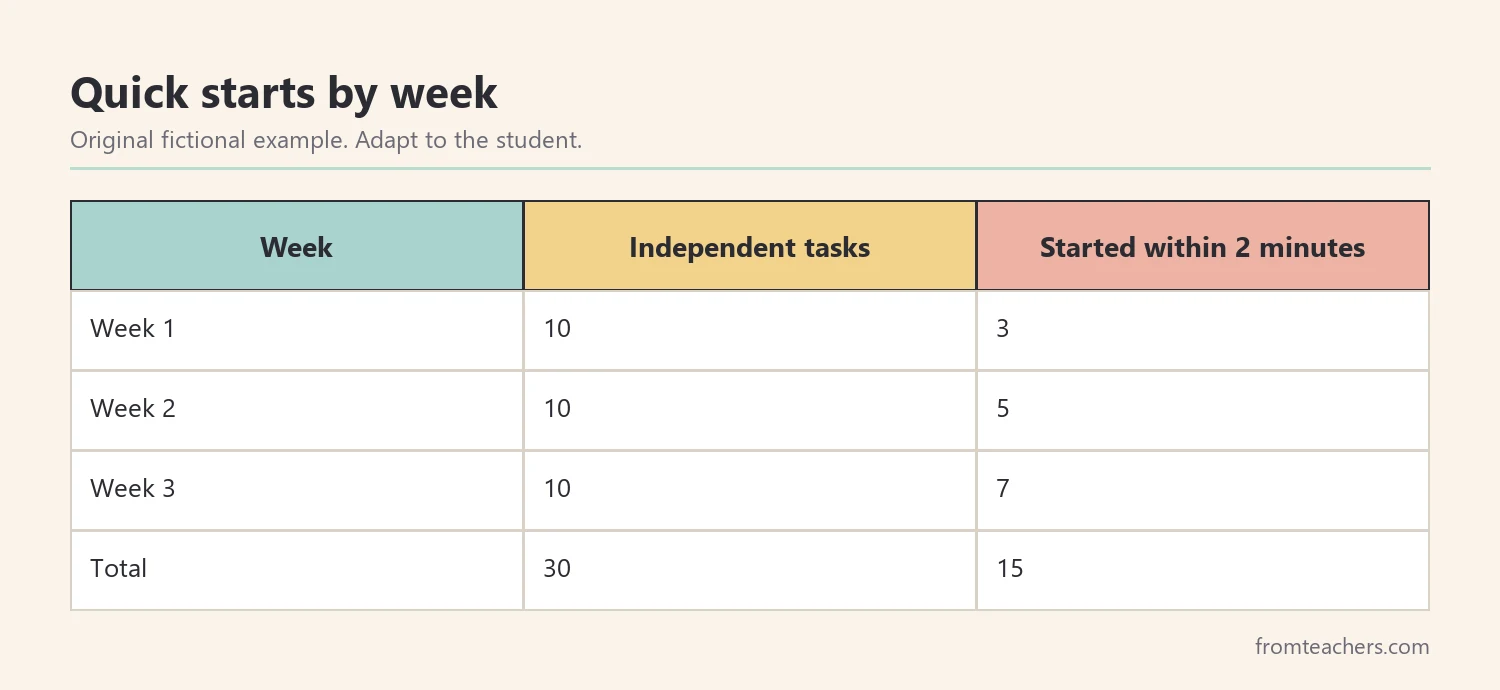
Worked example. Ms. Brooks gives Jonah 10 independent tasks each week. In week 1, he starts 3 within two minutes. In week 2, he starts 5. In week 3, he starts 7. Across three weeks, that is 15 quick starts out of 30 tasks. She also notes that his slowest starts happen on Mondays.
5. Review special education strategy tables with the team
Finally, look at the results together. Special education strategy tables are a starting point, and review is where you learn what really works for this student. Meet with the team after two to four weeks of consistent use.
First, compare the data with your plan. If the strategy is helping, keep it and think about how to fade support over time. If it is not helping, check whether it was used consistently before you replace it.
Next, decide on the next step. You might keep the strategy, adjust it, add a second strategy from the same table, or move to a related table. For example, once a student starts tasks more easily, you might turn to time management.
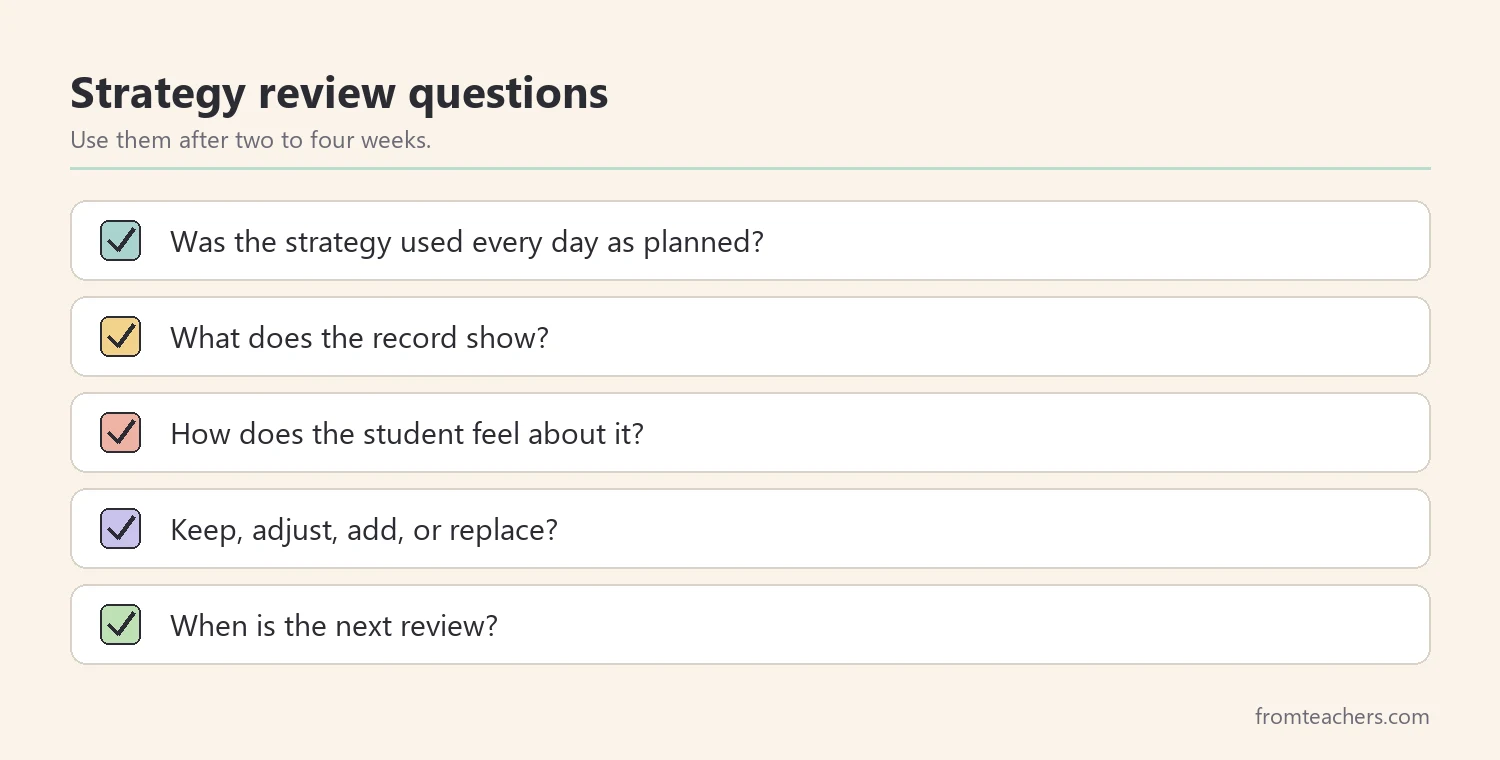
Also, share the results with the family. A short, plain update such as “Jonah now starts most tasks within two minutes using a first step card” gives families something they can try at home.
In addition, keep a record of what you tried. A simple list of strategies, dates, and results helps next year’s teacher avoid repeating what did not work.
Worked example. At the review, the team agrees to keep the first step card and reduce the check-in to every other day. Because Jonah still loses track of time, they add one strategy from a time management table: a visual timer during independent work. They set the next review for four weeks later.
Organizing special education strategy tables for daily use
Strategy tables only help when you can find them quickly. So, give them a simple home. A binder with tabs by challenge area, or a folder on a shared drive, lets any adult reach the right page in a minute.
Next, group special education strategy tables by the questions teachers ask most. For example, one section can cover starting and finishing work, one can cover memory and attention, and one can cover regulation and energy. Clear groups make the set easier to browse.
Also, add a one-page index at the front. List each table, the challenge it covers, and the students currently using it. This turns your special education strategy tables into a living record of what the team is trying.
In addition, keep a few copies ready for meetings. When a parent or colleague raises a concern, you can open the matching table together and choose a strategy on the spot. Shared special education strategy tables make team conversations shorter and more practical.
Choosing strategies respectfully
Strategies should support the student, not punish or embarrass them. So, choose ideas that build independence and dignity. Ask, “Would I be comfortable if this strategy were used with me?”
Also, remember that challenges like slow starts or time blindness are not choices. Many students work very hard just to keep up. A supportive strategy recognizes that effort.
Finally, follow the student’s support plan and the team’s guidance. Special education strategy tables give you ideas to discuss and try. They do not replace assessment or professional decisions.
Common mistakes and how to avoid them
- Starting with a label instead of a description. You pick the wrong table. Fix: write what you see, when, and how often.
- Trying many strategies at once. You cannot tell what worked. Fix: choose one or two.
- Using a strategy only now and then. Results are unclear. Fix: use it daily for at least two weeks.
- Skipping the record. Decisions rely on memory. Fix: keep a quick count.
- Dropping a strategy too early. It never had a fair chance. Fix: check consistency before you replace it.
Questions teachers and parents ask about special education strategy tables
What is a strategy table?
It is a printable page or set of pages that organizes practical strategies around one challenge. It helps adults find relevant ideas quickly and discuss them as a team.
Can general education teachers use them?
Yes. Many challenges, such as trouble starting tasks or tracking time, appear in every classroom. Strategy tables can help any teacher plan practical support.
How many strategies should I try at once?
One or two is usually enough. A small number makes it easier to use them consistently and to see what helps.
How long should I try a strategy?
Two to four weeks of consistent use is a practical trial period. Then review the results with the team.
Can parents use strategy tables at home?
Yes. Many strategies, such as first step cards or visual timers, work at home too. Share what works at school so families can try the same approach.
Related reading: Special Education Strategies: 10 Powerful Ways Teachers Can Succeed, Effective ADHD Classroom Strategies to Support Student Success, and The Power of Data Tracking in Special Education.
A companion resource for special education strategy tables:
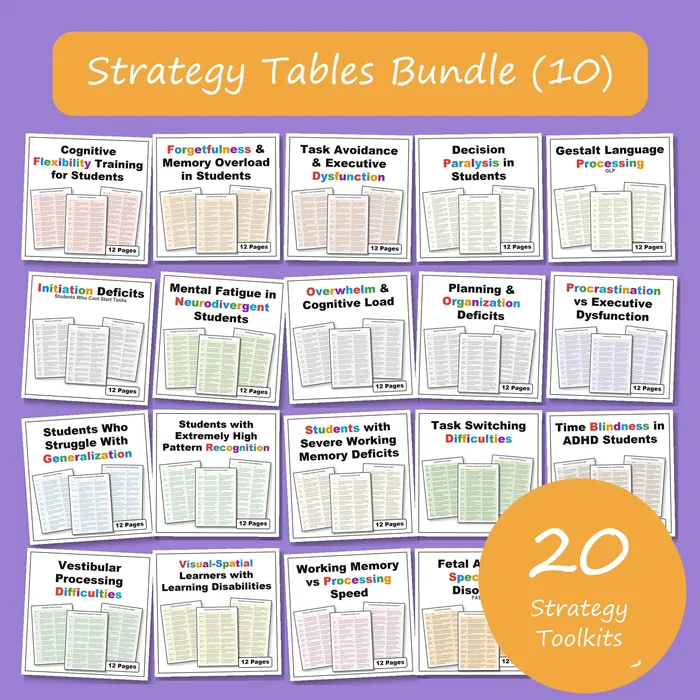
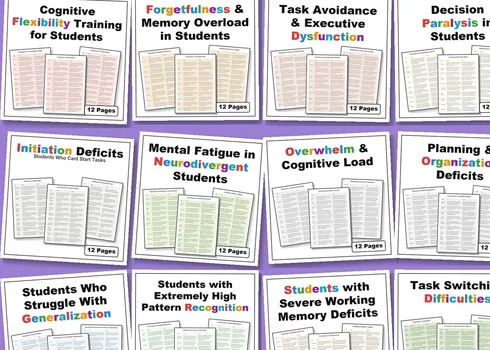
Strategy Tables Bundle (10): 20 Special Education Strategy Toolkits: printable strategy tables with practical strategies for common challenges, such as initiation, task switching, working memory, time blindness, and cognitive load, in one bundle.
Sources and scope
- IRIS Center, Vanderbilt University: free modules on classroom strategies, behavior, and progress monitoring.
- What Works Clearinghouse: reviews of education research and practice guides for educators.
- Understood.org: family-friendly information on executive function, ADHD, and learning differences.
- Center on PBIS: information on positive behavior support and data-based decision making.
This guide covers practical classroom use of strategy tables for common learning and executive function challenges. It does not replace assessment, diagnosis, or the decisions of the student’s support team.
Key takeaways
- Describe the challenge clearly before choosing special education strategy tables.
- Match one clear challenge to one table at a time.
- Plan and try one or two strategies consistently.
- Keep a short record so decisions rest on facts.
- Review with the team, then adjust or move to a related table.



Leave a Comment