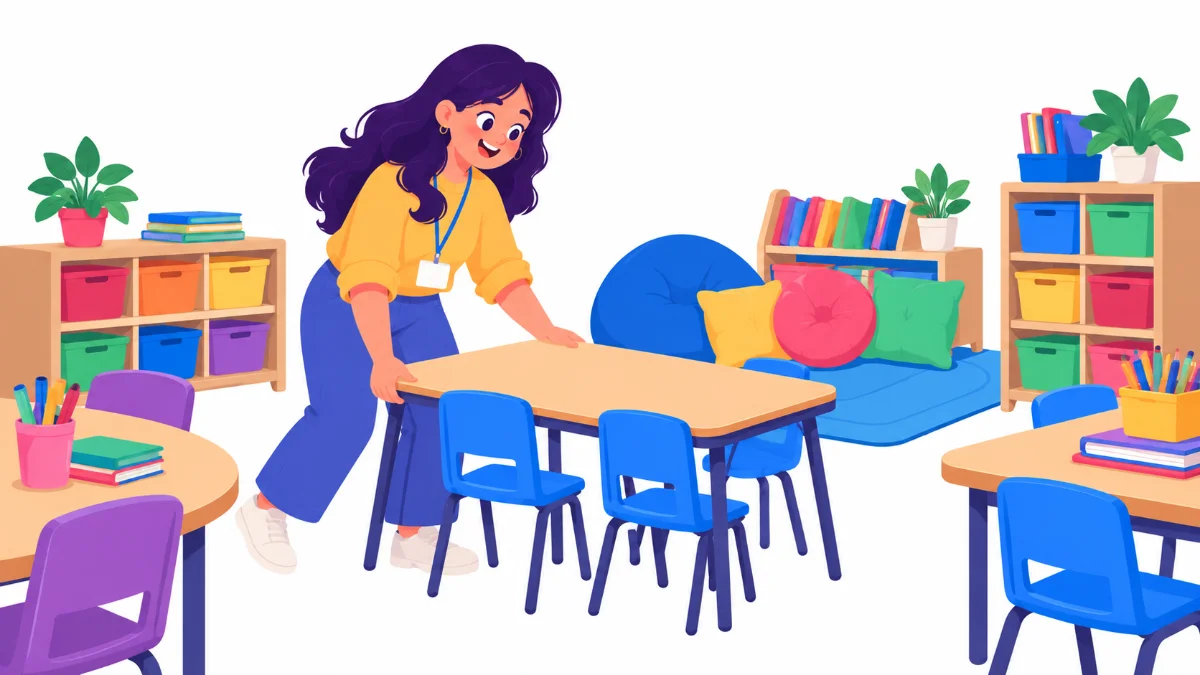

Inclusive classroom setup tips are easiest to use before the first bell, when the room is still empty and every table can move. Picture Ms. Okafor, a first-year fourth grade teacher, standing in her new classroom with a class list that includes a student who uses a wheelchair, two students with ADHD and one autistic student who finds noise hard. She wants the room to work for all of them on day one, without a big budget.
This list is for first-year and early career teachers in upper elementary and middle school. It ranks ten inclusive classroom setup tips from the quickest wins to the changes that take a few weeks. Each tip explains what to do, why it helps and how Ms. Okafor applied it. Her student Maya, age 9, who uses a wheelchair, appears in several examples.
Examples are fictional. Adapt to the student’s goals and agreed supports. This is guidance, not a diagnosis.
At a glance
- Design for the full range of students from the start, rather than retrofitting.
- Clear, wide pathways help everyone move safely.
- Calm, purposeful walls support focus.
- Offer more than one way to sit, work and show learning.
- Belonging is part of the setup: names, routines and shared ownership.
How we ranked these tips
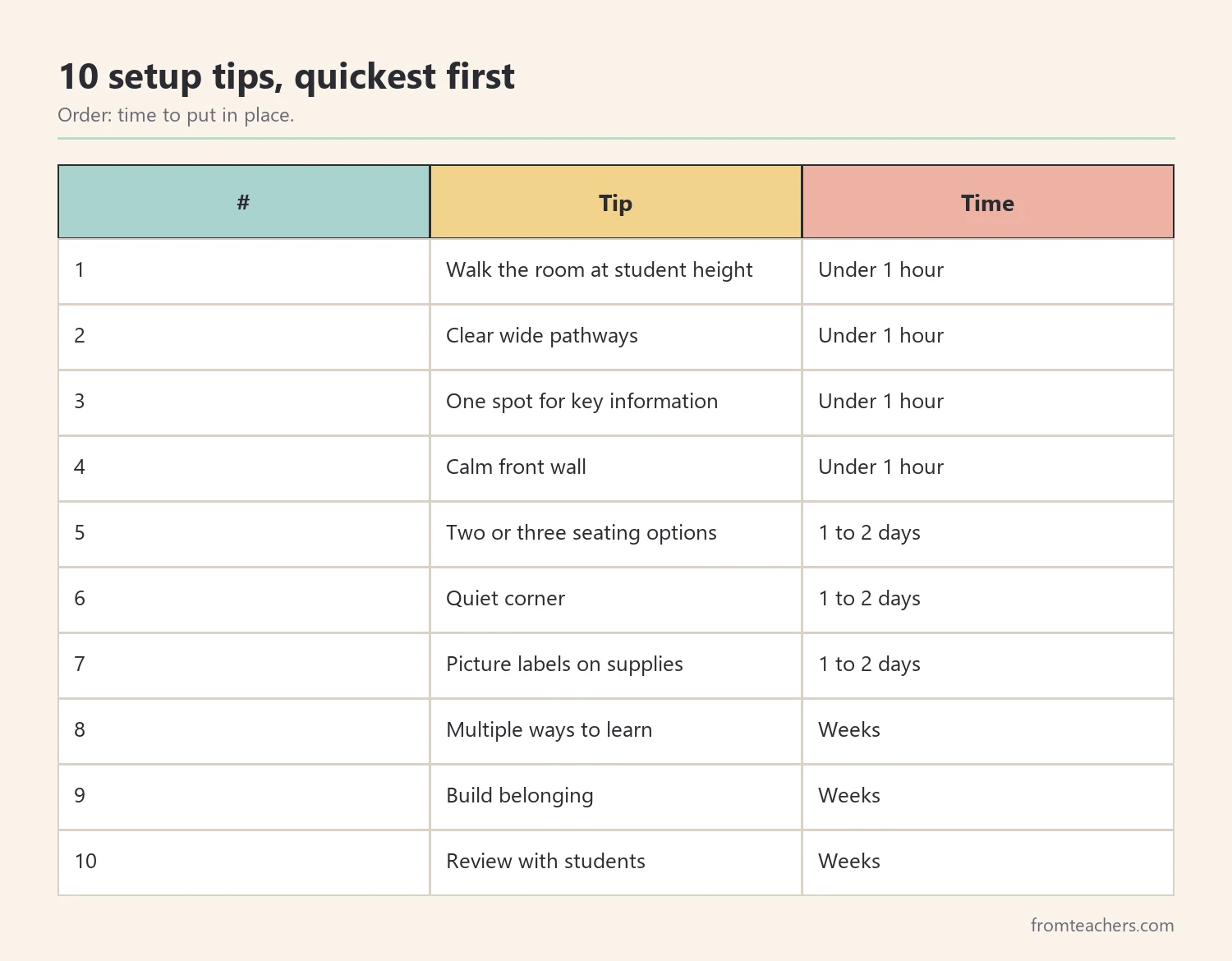
We ranked the ten tips by how quickly a new teacher can put them in place. Tips 1 to 4 take under an hour each. Tips 5 to 7 take a day or two and a few simple materials. Also, tips 8 to 10 grow over the first weeks with your students.
All ten follow a single principle from Universal Design for Learning: plan for variability from the start. Figure 1 shows the ranking.
Before you start, read the IEPs and 504 plans for your incoming students, and ask the special education team about any equipment that needs space, such as a standing frame or a mobility device. Also, ask a custodian which furniture can move and which is fixed. These quick conversations save you from setting up the room twice.
1. Walk the room at student height
What to do: sit in a chair, or a rolling chair if you have one, and move through the room. Check what you can see, reach and get through.
Why it helps: adults standing up miss low obstacles, high shelves and blocked sight lines to the board.
Example: From a seated view, Ms. Okafor noticed that the pencil sharpener and the tissue box were on a high shelf. She moved both to a low table near the door. That simple change helped Maya and several shorter students.
2. Clear wide main pathways
What to do: keep main routes, such as door to seats, seats to supplies and seats to exits, wide and free of bags and cords.
Why it helps: wide paths support students who use mobility devices, students who bump into things when moving quickly and everyone during emergencies.
Example: Ms. Okafor removed one bookshelf that narrowed the path to the door. Maya now moves to the carpet area without anyone needing to shift chairs.
3. Put essential information in one predictable spot
What to do: choose one board area for the daily schedule, today’s goals and homework. Keep it in the same place every day.
Why it helps: students who struggle with attention or change can find what they need without searching.
Example: Ms. Okafor’s schedule sits on the left side of the board with pictures and times. Her autistic student checks it on arrival each morning.
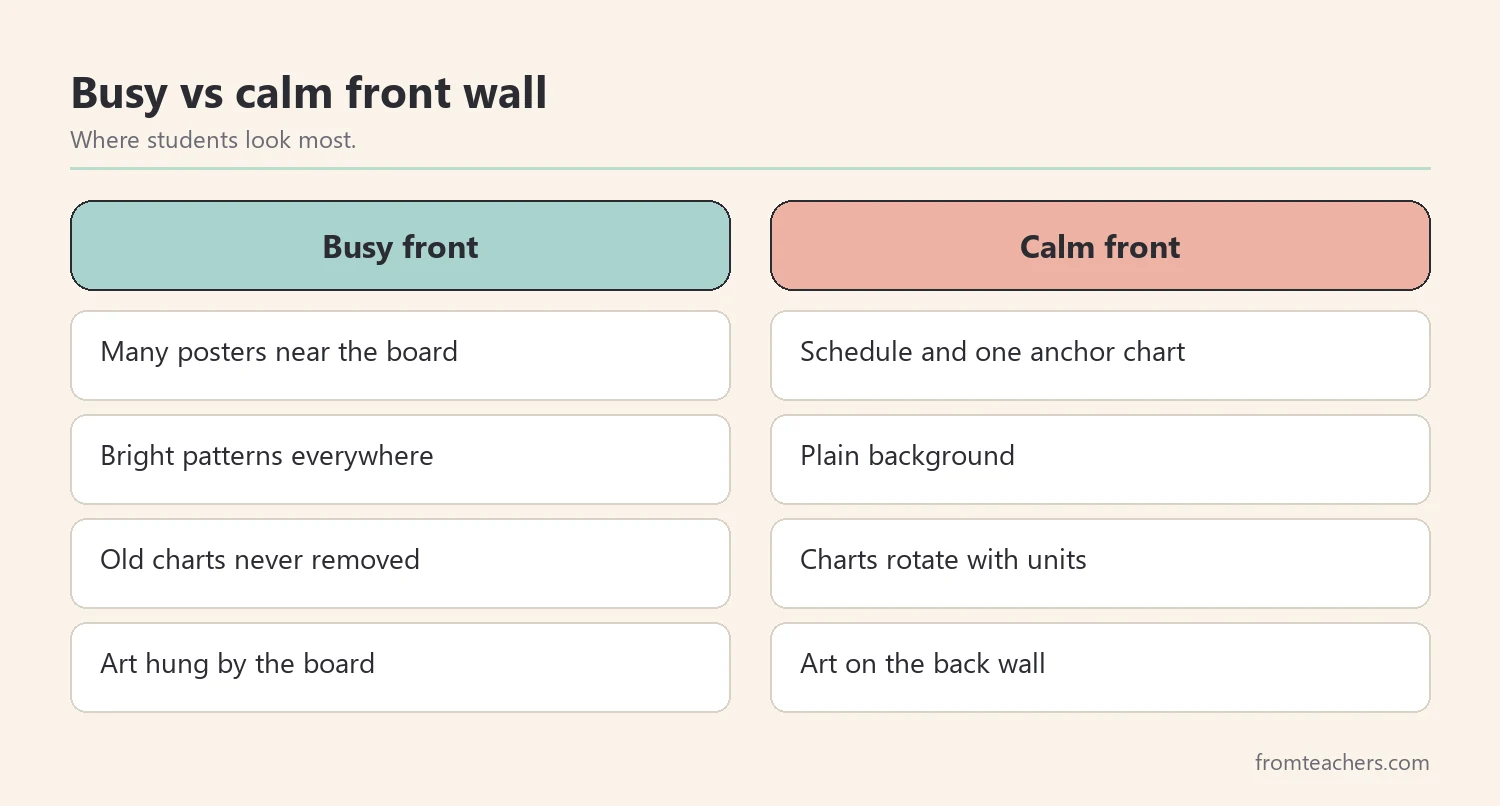
4. Reduce wall clutter at the front
What to do: keep the front wall, where students look most, calm and purposeful. Move decorative displays to side or back walls.
Why it helps: busy walls compete for attention. A calmer front supports focus during instruction.
Example: Ms. Okafor took down four posters near the board and kept only the schedule and one anchor chart. Students’ artwork went to the back wall, where it still celebrates their work.
5. Offer two or three seating options
What to do: keep standard desks and add a few alternatives, such as a standing spot, a wobble stool or a floor cushion area. Teach how and when to use each.
Why it helps: some students focus better when they can move or change position. Choice also builds ownership.
Example: Ms. Okafor added a standing table near the window. One of her students with ADHD uses it during independent work and finishes more problems there.
6. Create a quiet corner
What to do: set aside a small, calm space with a cushion, headphones and a visual card for “I need a break.” Teach a simple routine for using it.
Why it helps: students who feel overwhelmed can reset without leaving the room or being sent out.
Example: Ms. Okafor’s quiet corner has a five-minute sand timer. Her autistic student uses it after loud assemblies and returns calmly to work.
7. Label supplies with words and pictures
What to do: store shared supplies in low, open bins labeled with words and simple pictures.
Why it helps: labels support early readers, multilingual learners and students who need visual cues. Low bins support reach.
Example: Maya and her classmates get their own scissors and glue without asking. As a result, Ms. Okafor answers fewer “Where is…?” questions.
8. Plan for multiple ways to learn and show learning
What to do: set up stations or materials that allow listening, reading, drawing and building. Offer more than one way to show understanding when possible.
Why it helps: this is the heart of Universal Design for Learning. When options are built in, fewer students need separate arrangements.
Example: Ms. Okafor keeps a listening station with headphones and audio books, plus a bin of building blocks for math. Students choose between a written answer and a labeled drawing for some tasks.
For more before and after comparisons like this, the Inclusive Classroom Design Guide on UDL and flexible seating walks through layout, displays, seating and UDL in a comic style format.
9. Build belonging into the room
What to do: display student names, photos and work. Use materials and books that reflect many families and abilities. Give every student a classroom job.
Why it helps: students learn better when they feel the room belongs to them too.
Example: Every student in Ms. Okafor’s class has a job on a rotating chart. Maya’s first job was “line leader,” and the route was planned so she leads from the front.
10. Review the setup with your students
What to do: after two or three weeks, ask students what works and what does not. Use a short survey with pictures or a class meeting.
Why it helps: students notice things adults miss. Asking them also models that the room is shared.
Example: Ms. Okafor’s class asked for a second quiet spot and a clearer sign for the late work bin. Both changes took ten minutes.
A first-week setup plan
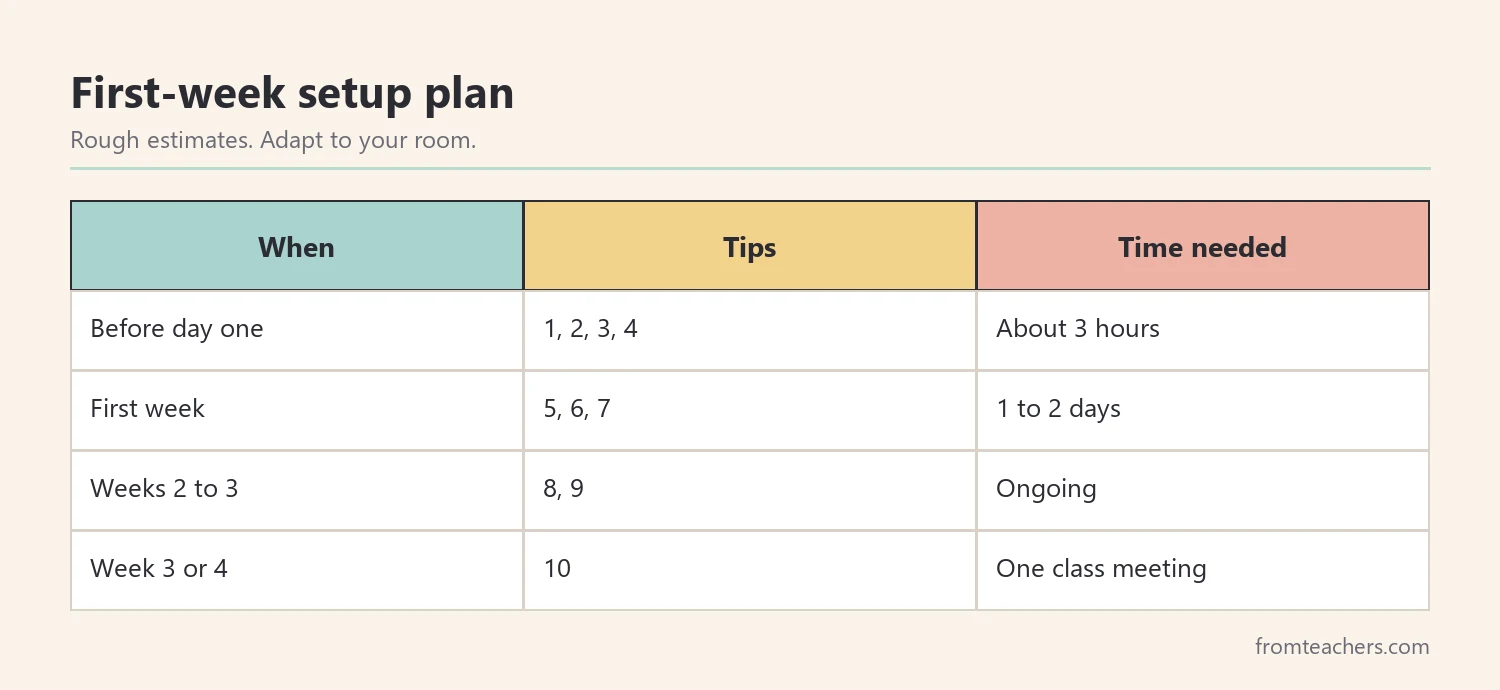
The table below turns these inclusive classroom setup tips into a simple plan for the week before school and the first weeks with students.
| When | Tips | Time needed |
|---|---|---|
| Before day one | 1, 2, 3, 4 | About 3 hours |
| First week | 5, 6, 7 | 1 to 2 days |
| Weeks 2 to 3 | 8, 9 | Ongoing |
| Week 3 or 4 | 10 | One class meeting |
The times are rough estimates for a typical classroom and will vary with your room and your students.
Designing for inclusion vs retrofitting
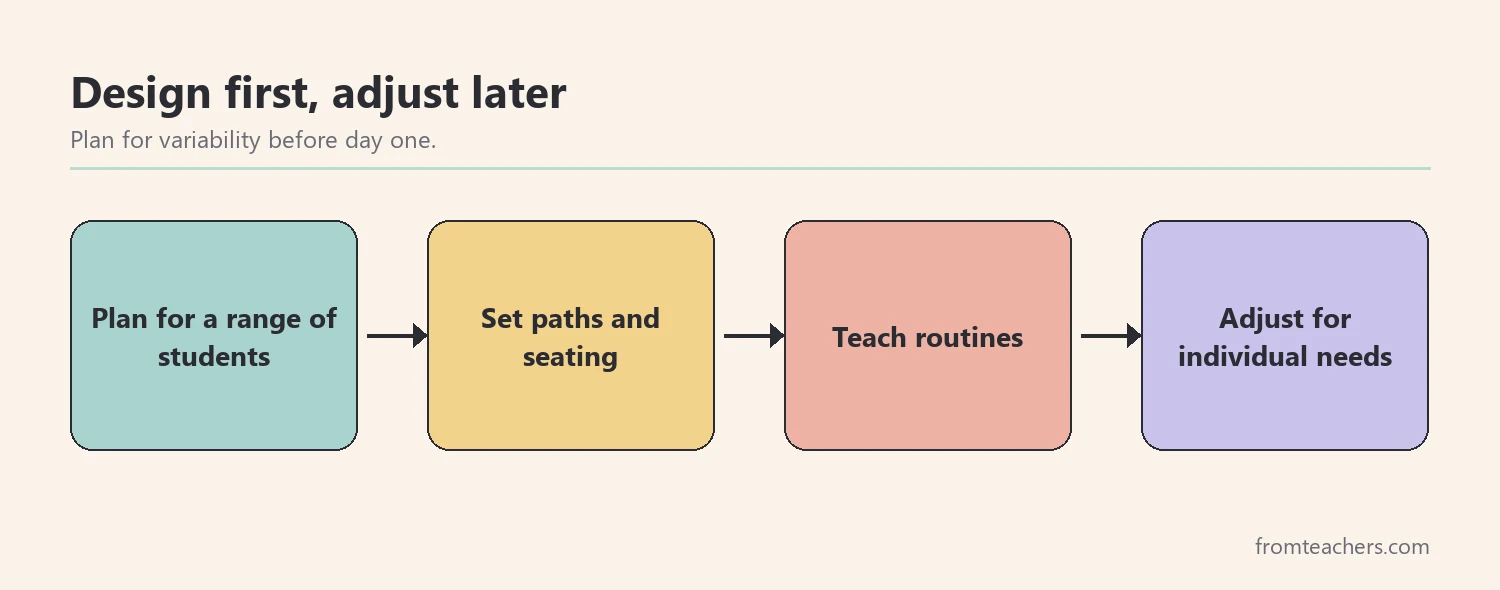
A common pattern in schools is to set up a room for an “average” student and then make changes when a student needs something different. That approach is called retrofitting. Designing for inclusion means planning for a range of students from the start. Figure 4 shows the difference in a simple flow.
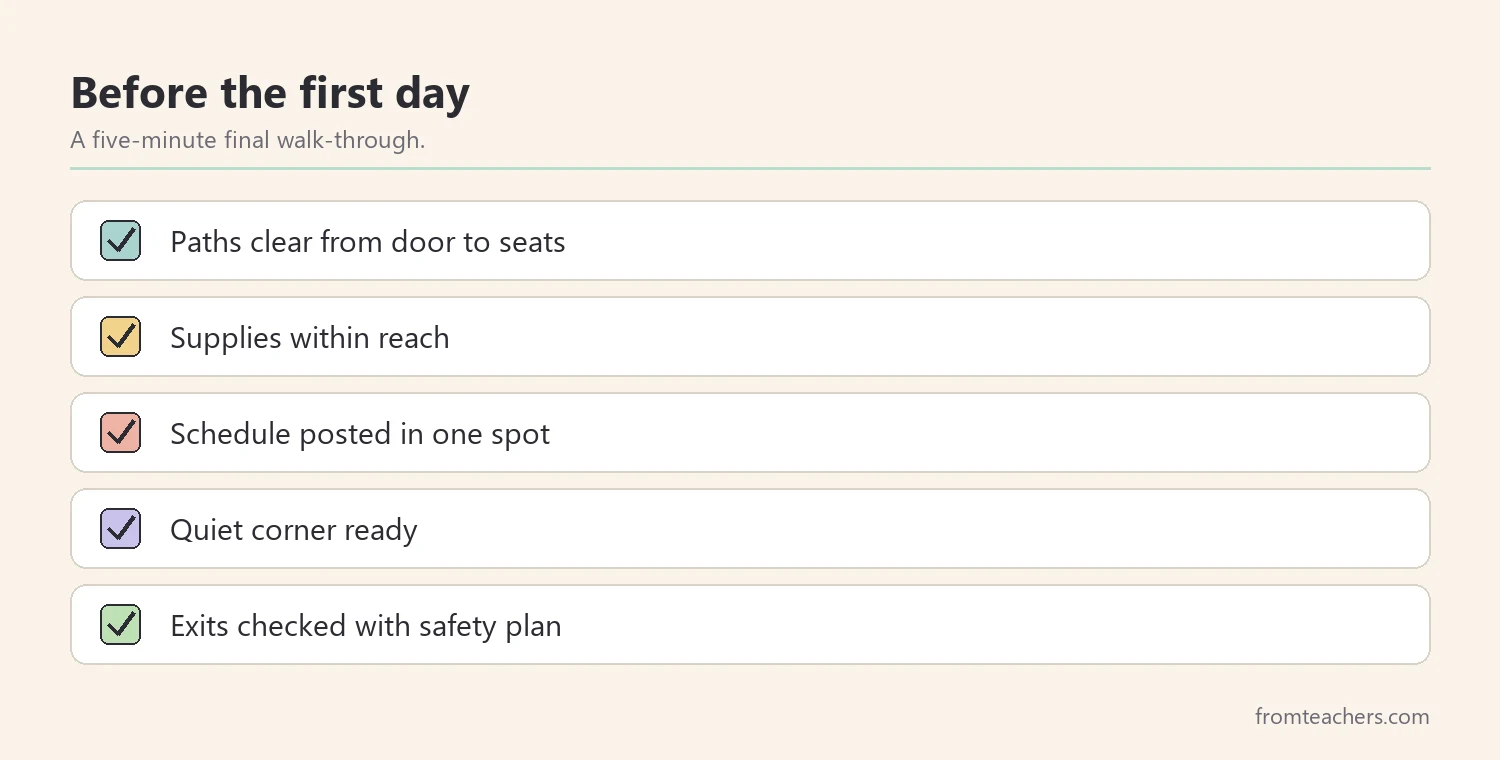
Retrofitting is sometimes necessary, and individual accommodations will always matter. However, many inclusive classroom setup tips cost nothing and prevent problems before they start. Figure 5 is a quick final check before the first day.
Common setup mistakes for new teachers
- Decorating before planning paths. Fix: place furniture first, then decorate.
- Filling every wall. Fix: leave empty space, especially at the front.
- Buying flexible seating without routines. Fix: teach expectations for each option.
- Making the quiet corner a punishment spot. Fix: present it as a tool anyone can use.
- Forgetting emergency routes. Fix: check exits with your school’s safety plan.
Questions new teachers ask about inclusive classroom setup tips
Do I need a big budget?
No. Most tips involve moving furniture, removing clutter and labeling. Flexible seating can start with one standing spot and a few cushions.
How do I know which students need what?
Read IEPs and 504 plans before school starts and talk with special education staff. Then design the room for variability, so many needs are met without singling anyone out.
What if my room is very small?
Prioritize clear paths and one quiet spot. Use walls and vertical storage wisely, and keep the front calm.
Is flexible seating right for every class?
Not always. Start small, teach routines and watch how students use it. Keep standard seats for students who prefer them.
How often should I change the setup?
Review after the first few weeks and again after major changes, such as a new student joining. Small, steady changes work better than full rearrangements.
Related reading: Special Education Strategies, Managing Sensory Overload in Autism and ADHD, and 5 Teaching Tips for Classroom Focus.
You may also need: Special Education Classroom Setup Guide for Teachers and Autism Support.
A companion resource for inclusive classroom setup tips:
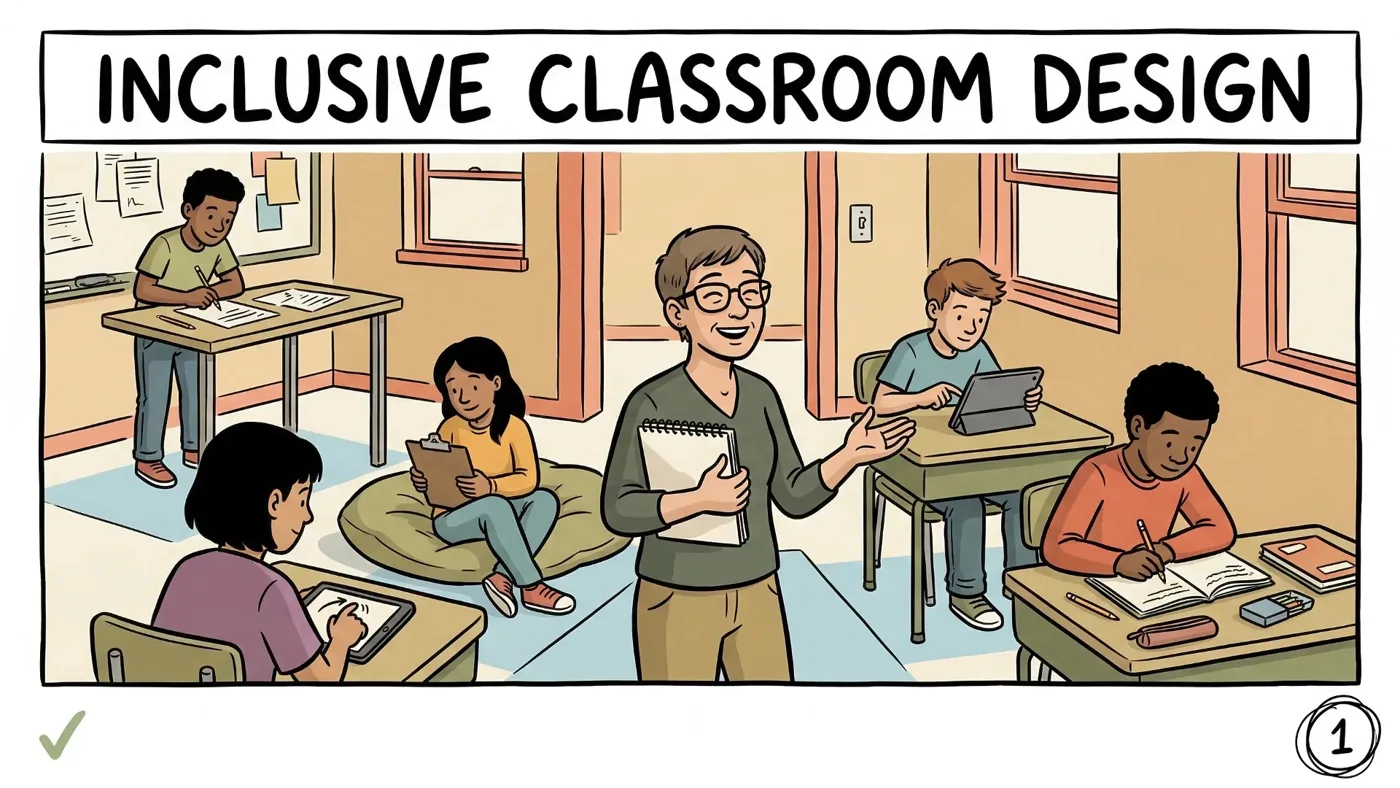
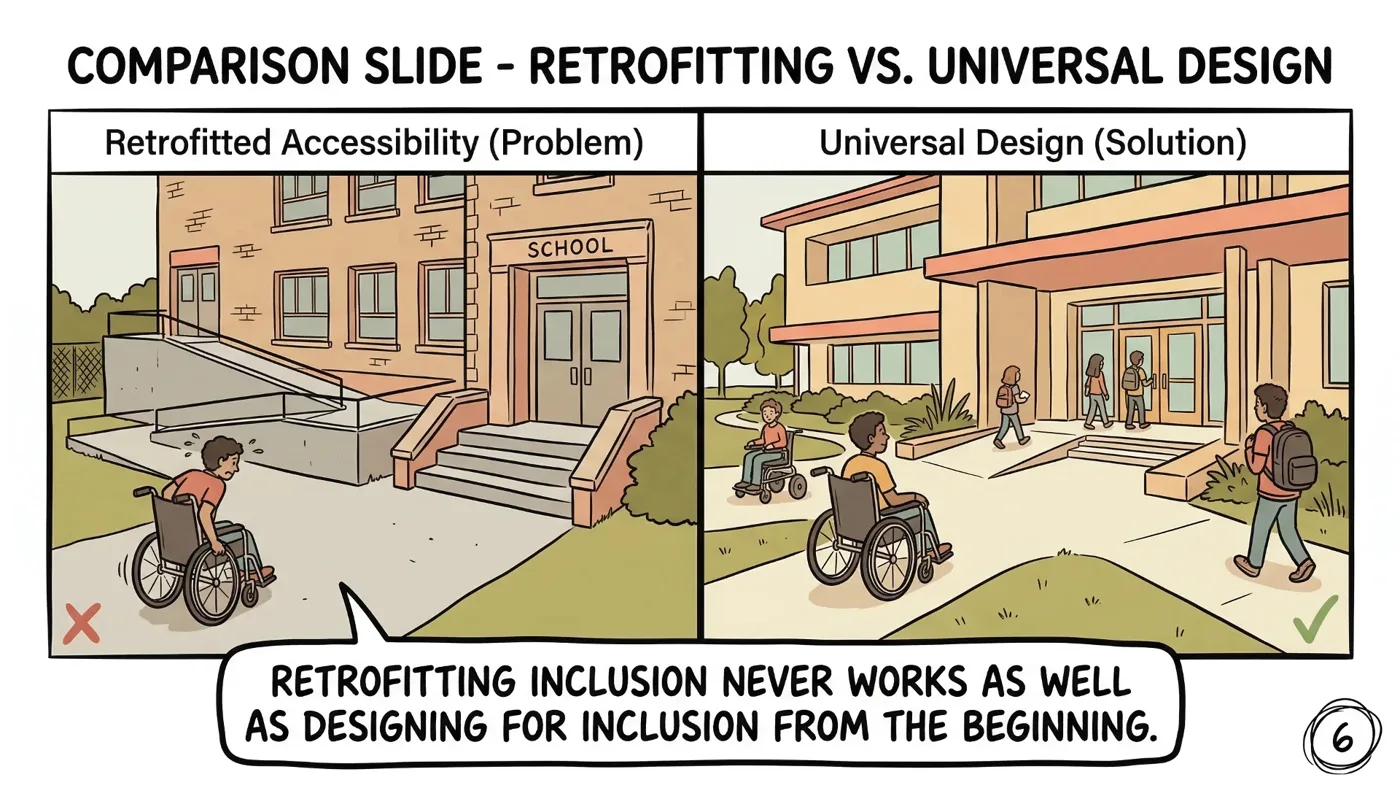
Inclusive Classroom Design Guide: UDL & Flexible Seating: a 53-page comic style digital guide covering what inclusion really means, physical space and layout, visual environment and displays, flexible seating and movement, Universal Design for Learning and building belonging through classroom culture, with before and after comparisons, for elementary through high school.
Sources and scope
- CAST UDL Guidelines: the Universal Design for Learning framework for multiple means of engagement, representation and action and expression.
- CAST: the nonprofit that developed Universal Design for Learning, with resources on inclusive design.
- Center for Parent Information and Resources: information on IDEA, the least restrictive environment and school supports for students with disabilities.
- Understood.org: practical guidance for teachers on learning and thinking differences.
These tips cover general classroom setup for inclusion. They do not replace individual accommodations in a student’s IEP or 504 plan, or accessibility requirements set by your school and district.
Key takeaways
- Inclusive classroom setup tips start with paths, sight lines and reach.
- A calm front wall and a predictable schedule support focus.
- Seating options and a quiet corner work best with taught routines.
- UDL options reduce the need for separate arrangements.
- Ask students for feedback after a few weeks.










Leave a Comment