
TOP 3
LABEL MAKERS FOR TEACHERS
Keyboard convenience · Tape choices · Wider labels
Brother PT-D220
DYMO LetraTag 100H
Brother CUBE Plus PT-P710BT
Affiliate disclosure: As an Amazon Associate I earn from qualifying purchases. Purchases through our links may earn a commission at no additional cost to you.
Label makers for teachers can help identify classroom bins, folders, cables, and shared supplies. Start with two questions: do you want to type directly on the machine, and how wide does the label need to be? Those decisions matter more than choosing the model with the longest feature list.
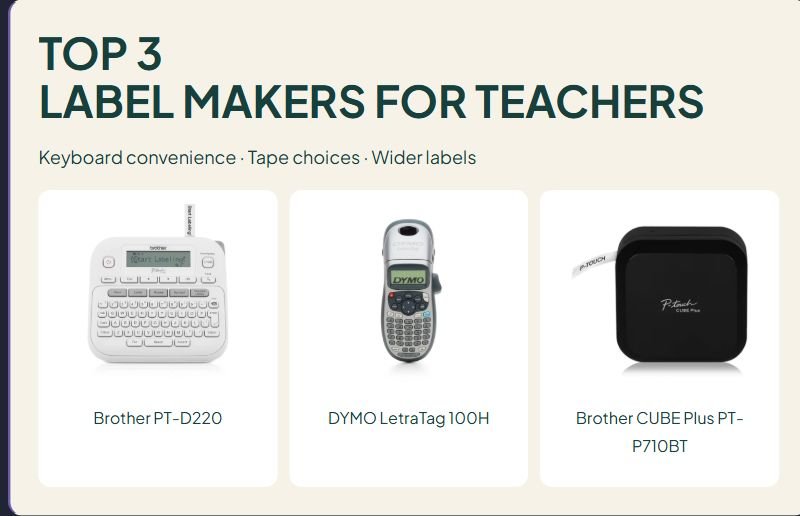
This guide compares the Brother PT-D220, silver DYMO LetraTag 100H, and Brother P-touch CUBE Plus PT-P710BT using manufacturer information and verified U.S. Amazon listings. We have not tested print quality, adhesive life, tape use, battery endurance, or classroom durability. These choices fit different labeling routines.
Label makers for teachers at a glance
| Model | Design method | Tape system | Maximum width | Main trade-off |
|---|---|---|---|---|
| Brother PT-D220 | Built-in QWERTY keyboard and display | Brother TZe | 12 mm, about ½ inch | Power supplies are separate in the standard package |
| DYMO LetraTag 100H | Handheld keyboard and display | DYMO LetraTag LT | 12 mm, about ½ inch | LT cartridges do not fit Brother TZe machines |
| Brother CUBE Plus PT-P710BT | Compatible mobile app or computer software | Brother TZe | 24 mm, about 1 inch | No built-in keyboard or display |
Cartridge width is not the same as printable text height. Check the current package contents, supported tape widths, and device requirements before ordering.
Three label makers to compare for classroom organization
1. Brother PT-D220: for typing labels directly on the machine
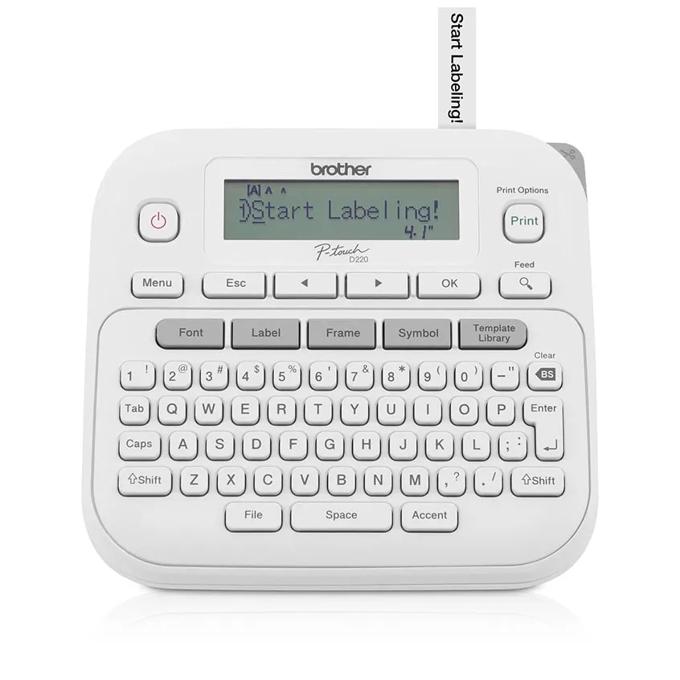
The PT-D220 has a QWERTY keyboard, one-touch formatting keys, a 15-character display, and 25 preset label templates. It prints on Brother TZe tapes up to 12 mm wide. Brother lists power from six AAA batteries or an optional AC adapter; neither is included in the standard package.
Why consider it: A built-in keyboard makes quick text labels possible without a phone or computer. That can suit a shared prep area where staff want to label a folder and put the tool away.
Limitation: Half-inch tape limits the available design space. Long category names can become long strips or require smaller text. Do not buy this model expecting inch-wide labels.
Classroom fit check: Try concise category names such as “READING SETS” or “SPARE PENCILS.” Measure the label holder and include batteries or the correct adapter in the budget.
Brother PT-D220 manufacturer information
Check Brother PT-D220 on Amazon.com →
2. DYMO LetraTag 100H: for a handheld LT-tape workflow
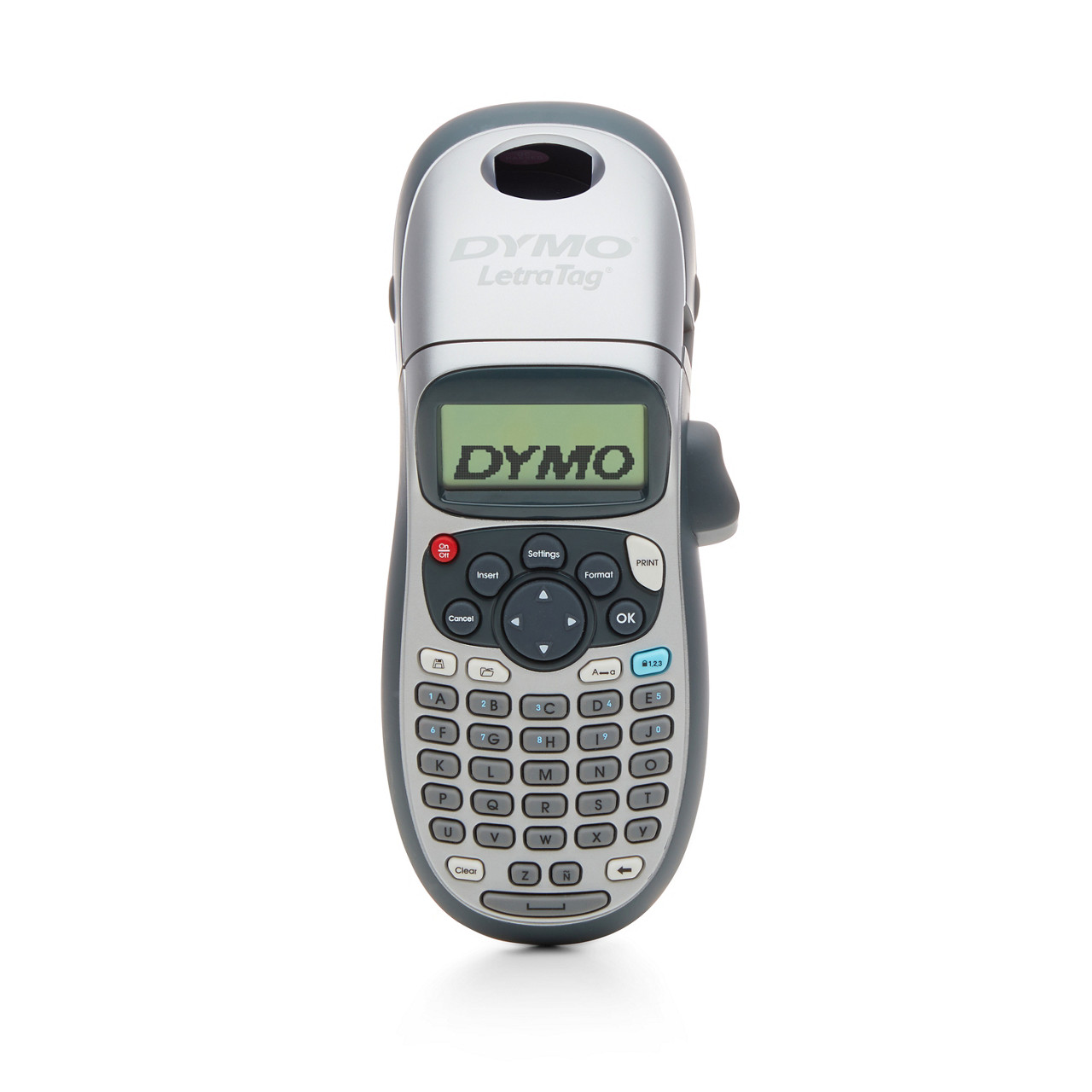
The LetraTag 100H is a handheld label maker with its own keyboard and display. It uses 12 mm DYMO LetraTag cartridges and direct thermal printing, so it does not require an ink or toner cartridge. The LT range includes paper, plastic, and textile options; choose the material for the intended surface and use.
Why consider it: It offers a self-contained way to make short organizational labels. It may also be a practical shortlist option when a school already stocks compatible LT tapes.
Limitation: LT tapes are a separate system from Brother TZe and DYMO D1 tapes. A familiar brand name or matching nominal width does not establish cartridge compatibility. Paper labels and plastic labels should not be treated as having identical properties.
Classroom fit check: Check the selected silver machine and its included tapes. Bundles with similar names can include different numbers or materials of cartridges. Confirm power requirements and what the seller supplies.
DYMO LetraTag 100H manufacturer information
Check DYMO LetraTag 100H on Amazon.com →
3. Brother P-touch CUBE Plus PT-P710BT: for wider labels and digital design
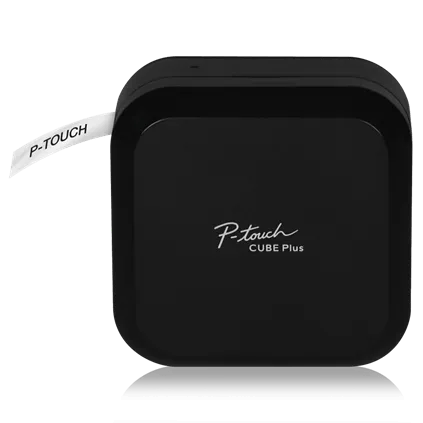
The CUBE Plus PT-P710BT prints on TZe tapes up to 24 mm wide. Brother describes mobile design through its compatible apps and computer design through P-touch Editor using USB. The machine has a built-in lithium-ion battery and no built-in keyboard or display.
Why consider it: The wider format gives you another option for larger bin labels or designs needing more room. A computer-based workflow may suit staff who prefer editing a set of labels at a desk.
Limitation: You need a compatible device and approved software or app. Check current operating-system support and school installation permissions. This is the CUBE Plus, not the narrower original CUBE or the wider CUBE XP.
Classroom fit check: Confirm which device will control it, where the USB connection or charging cable will run, and who maintains the saved designs. Check the current bundle rather than assuming every listing has the same starter tapes.
Brother CUBE Plus PT-P710BT manufacturer information
Check Brother CUBE Plus PT-P710BT on Amazon.com →
Check tape compatibility before comparing costs
Match the family, width, and material
Write down the machine model, compatible cartridge family, and supported width. Then choose the tape material and adhesive for the surface. Two cartridges can both say 12 mm while fitting different machines. Within a compatible family, a finish or adhesive suitable for one task may be unsuitable for another.
Check removal and cleaning needs
Think about how the container is used. A frequently washed bin, a paper folder, and a cable need different considerations. Read the tape maker’s instructions and test a small, inconspicuous area where appropriate. Do not assume that every label is removable, waterproof, dishwasher-safe, or suitable for every surface.
Compare cost per finished labeling job
Count the labels you actually need, their approximate lengths, and the tape supplied in the package. Include replacement tape and power supplies in the purchase. Printer margins, mistakes, and layout choices can affect tape use. We have not measured waste or assigned a cost-per-label figure.
Check everyday access
A shared keyboard model can be straightforward to hand to a colleague. A connected model introduces a controlling device, software, and stored designs. Decide who can use the setup and where supplies will be kept so a missing cable or depleted battery does not stop a quick job.
A classroom labeling plan before you print
- Choose consistent words. Use the same category name on the storage place and any matching resource list.
- Measure the available space. Check holders, narrow spines, curved containers, and lids.
- Print one sample. Read it from the distance at which someone will retrieve the item.
- Check the surface. Follow the tape instructions before applying a batch.
- Keep the design simple. Use readable text, contrast, and any visual support the users need.
- Record the refill. Keep the compatible tape family and width with the equipment.
For example, use “FRACTIONS” consistently rather than alternating between “MATH KIT 2” and “FRACTION MATERIALS.” Add a separate picture or color cue if that supports the people using the storage. Small tape labels alone may not provide the size or visual structure needed for student-facing signs.
For places to put the labels, see our teacher rolling cart comparison. For preparing printed cards and other larger identifiers, compare our paper cutters for teachers.
How to read customer feedback usefully
Look for the exact model, tape brand and material, surface, device used, and time owned. A review of a different bundle may tell you little about the supplied cartridges. A comment about adhesive on a smooth box does not establish performance on a textured bin. We have not reproduced Amazon reviews or assigned customer ratings.
Teacher label-maker questions
Do these all work without a phone?
The PT-D220 and LetraTag 100H have built-in keyboards. The CUBE Plus needs a supported device and app or software for label design and printing.
Can I use the same tape in all three?
No. The two Brother models use the TZe family, with different maximum widths. The LetraTag 100H uses LT cartridges. Verify the exact width and tape compatibility even when two machines share a family.
Is a wider label always better?
Only if the surface, holder, and reading distance justify it. Wider tape may offer more design space, while a narrow spine or cable may call for a different size or tape type. Start with the item being labeled.
Which should I shortlist?
Compare the PT-D220 for a QWERTY keyboard and half-inch TZe labels, the LetraTag 100H for a handheld LT-tape routine, and the CUBE Plus for wider TZe labels designed on a compatible device. Choose after checking the tape system and one real classroom job.




Leave a Comment