
Finding the right assistive technology can transform learning experiences for students with diverse needs. The best assistive technology solutions empower students to overcome barriers and demonstrate their true capabilities. This comprehensive guide explores cutting-edge tools and strategies that create more inclusive, accessible learning environments where every student can thrive.
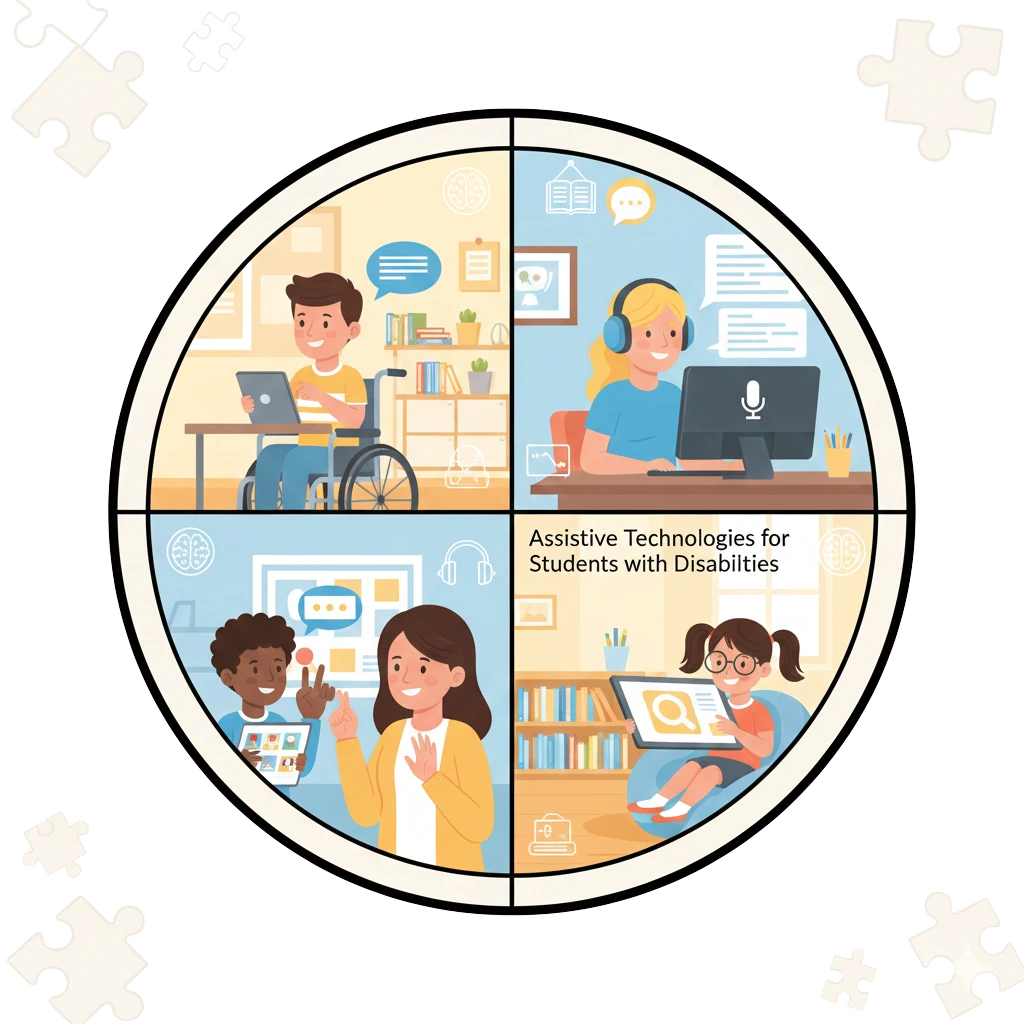
What Makes Technology “Assistive”?
Assistive technology refers to any device, software, or equipment that helps students with disabilities perform functions that might otherwise be difficult or impossible. The best assistive technology isn’t necessarily the most expensive or complex—it’s what effectively addresses individual student needs while promoting independence.
Reading Support Technologies
Text-to-Speech Solutions
Digital tools that read text aloud are among the best assistive technology options for students with reading challenges:
Natural Reader – Converts digital text into natural-sounding audio
Kurzweil 3000 – Comprehensive literacy support with multiple learning tools
Microsoft Immersive Reader – Free, built-in tool in Microsoft applications
These tools help students with dyslexia, visual impairments, or processing disorders access grade-level content.
Optical Character Recognition
OCR technology converts printed materials into digital text:
Google Keep – Free mobile app that captures and reads text from images
SnapType – Helps students complete worksheets by adding text to photographed documents
Writing and Composition Tools
Speech-to-Text Software
Voice recognition tools are essential assistive technology for students with physical limitations or dysgraphia:
Google Voice Typing – Free, accurate dictation within Google Docs
Dragon NaturallySpeaking – Premium software with advanced voice command features
Windows Speech Recognition – Built-in solution for Microsoft users
Word Prediction Programs
These tools suggest words as students type, reducing keystrokes and supporting spelling:
Co:Writer – Context-aware prediction with topic dictionaries
Read&Write – Comprehensive literacy toolbar with multiple support features
For practical implementation resources, explore my Adaptive Writing Tools collection featuring visual supports and structured templates.
Communication and AAC Devices
Augmentative and Alternative Communication tools represent some of the most transformative assistive technology available:
High-Tech Communication Systems
Proloquo2Go – Symbol-based communication app for iOS devices
LAMP Words for Life – Language acquisition through motor planning approach
TouchChat – Customizable communication solution with vocabulary pages
Mid-Tech Options
BigMack Switches – Single message recording devices
GoTalk Communication Devices – Portable, programmable communication aids
https://example.com/images/aac-communication-device.jpg
Image Alt: Nonverbal student using AAC device from the best assistive technology options for communication
Organization and Executive Function Support
Students with ADHD, autism, or executive function challenges benefit from these assistive technology solutions:
Visual Scheduling Systems
Choiceworks – Visual support system for schedules and waiting
First Then Visual Schedule – Simple, effective scheduling app
myHomework – Digital planner for tracking assignments and due dates
Focus and Attention Tools
Khan Academy – Self-paced learning with built-in supports
BrainPOP – Engaging educational content with closed captioning
Bouncy Balls – Visual noise monitor for classroom management
Math and STEM Assistance
Specialized assistive technology makes mathematical concepts more accessible:
ModMath – Digital graph paper for organizing math work
MathTalk – Speech recognition software for higher-level mathematics
Seeing AI – Microsoft’s talking camera for students with visual impairments
Implementing Assistive Technology Successfully
Choosing the best assistive technology requires careful consideration:
Assessment Process
- Identify specific challenges in the student’s educational program
- Match technology features to documented needs
- Conduct trials with multiple options
- Provide comprehensive training for students and staff
- Monitor effectiveness and make adjustments
Funding and Acquisition
Many assistive technology solutions qualify for funding through:
- IDEA mandates
- Medicaid waivers
- Private insurance
- Grant programs
For help documenting needs and tracking progress, check out my Assistive Technology Implementation Kit with assessment forms and monitoring tools.
Low-Tech and DIY Solutions
The best assistive technology sometimes requires no electricity:
Pencil grips and adaptive writing tools
Slant boards and positioning aids
Color-coded folders and organization systems
Visual timers and schedule boards
Texture cards and sensory tools
These affordable options can be equally effective for many students. Find printable versions in my Low-Tech Adaptations resource pack.
The Future of Assistive Technology
Emerging technologies continue to expand possibilities:
AI-powered learning platforms that adapt to individual needs
Virtual reality environments for social skills practice
Wearable technology that provides discreet support
Eye-gaze systems for students with significant physical limitations
Creating an AT-Friendly Classroom
Successful implementation of the best assistive technology requires:
Universal Design for Learning principles
Ongoing professional development
Student and family training
Regular evaluation of effectiveness
Collaboration with related service providers
Conclusion: Empowering Through Technology
The best assistive technology removes barriers to learning while building student confidence and independence. By carefully matching tools to individual needs and providing proper implementation support, educators can create truly inclusive classrooms where all students have the opportunity to succeed.
For more resources, lesson plans, and implementation guides, visit my complete Special Education Technology collection.





Leave a Comment